
-
Bonjour,
Aprés avoir suivi les tuto je ne parvient pas a voir les statistiques de mon site.
je suis bien connecté dans le plugin , search console et statistique sont en vert dans le plugin.Merci pour votre aide!

-
Hello,
Nous sommes désolés d’apprendre que vous rencontrez des difficultés pour voir les statistiques de votre site. Merci d’avoir suivi les tutoriels et d’avoir vérifié votre connexion avec le plugin et Google Search Console.
Pour vous aider à résoudre ce problème, voici quelques étapes à suivre :
-
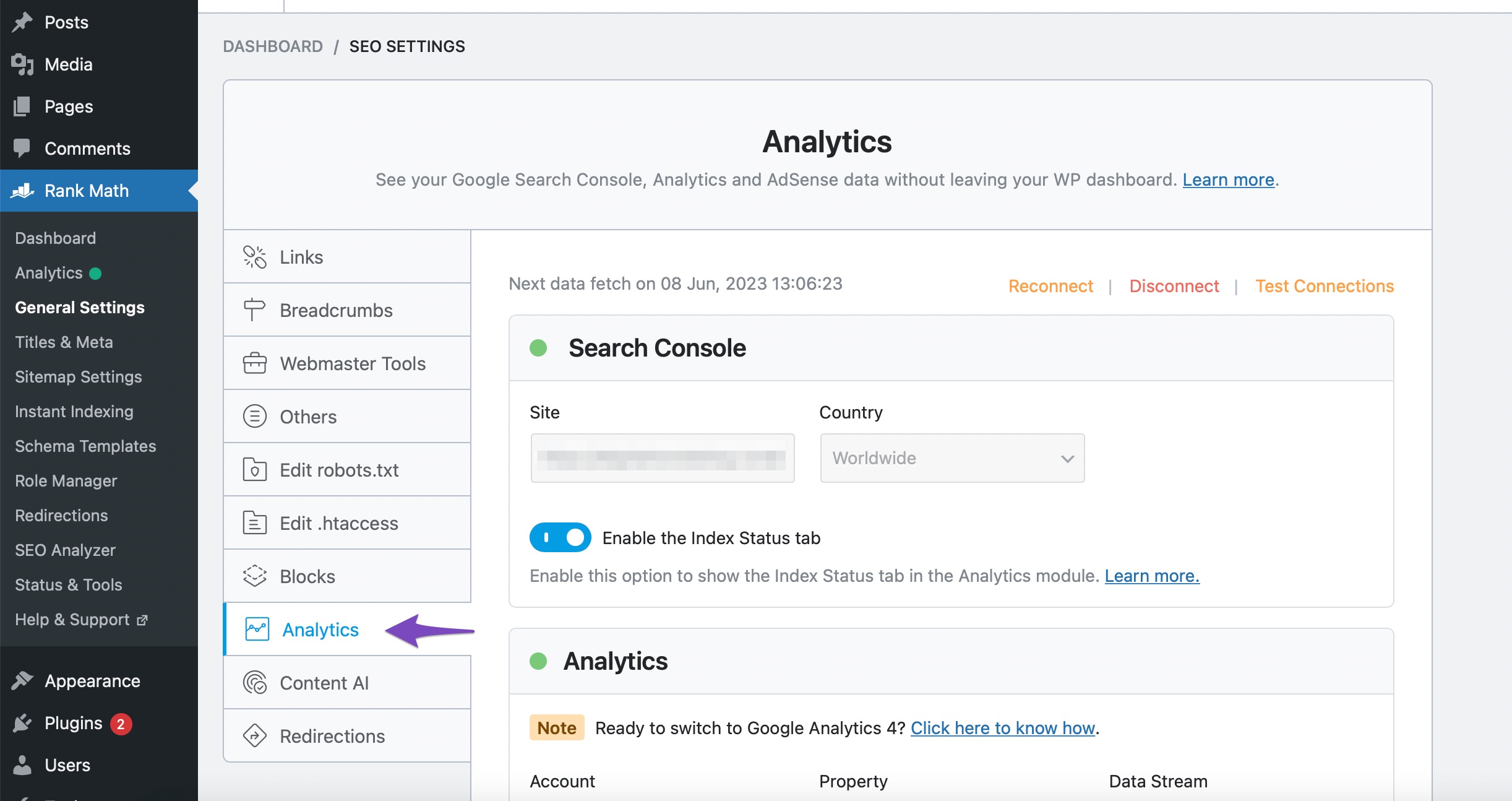
Vérifiez les paramètres d’Analytics : Assurez-vous que l’option Frontend Stats Bar est activée. Vous pouvez le faire en allant dans Rank Math SEO → General Settings → Analytics et en vérifiant que l’option est bien activée.

-
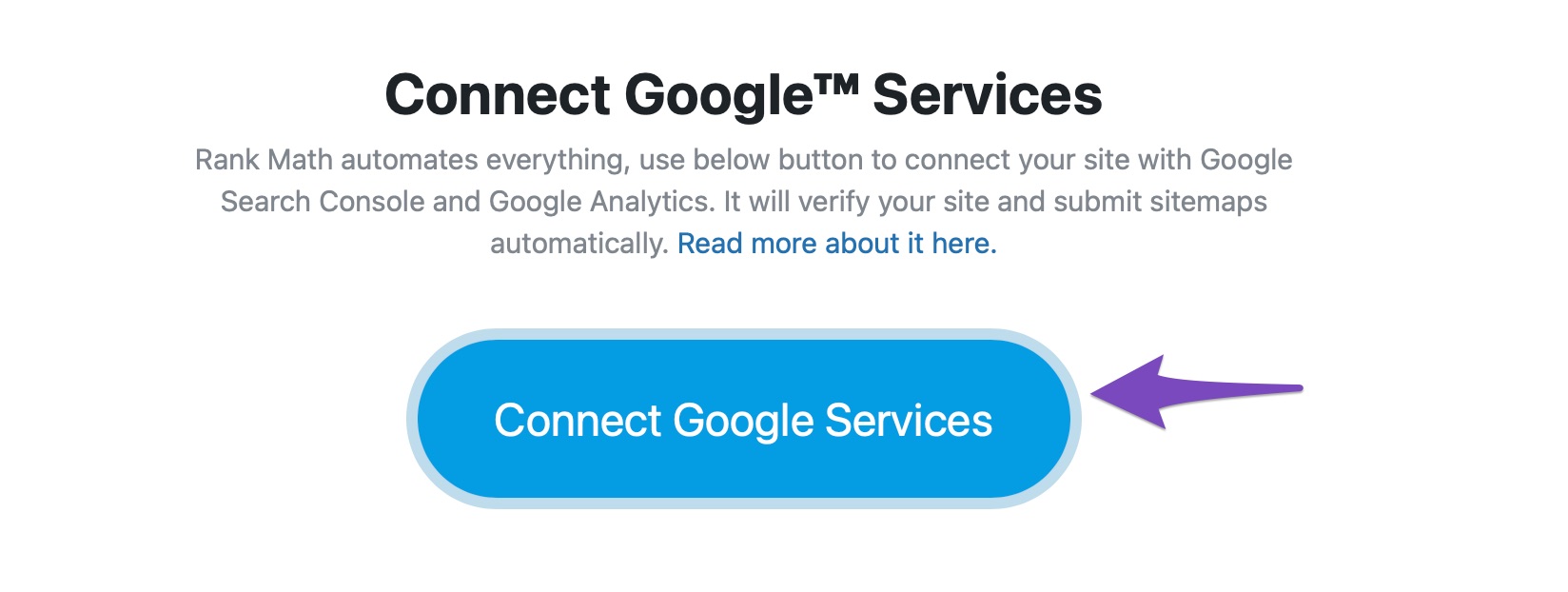
Connectez-vous à Google Services : Assurez-vous que vous avez correctement connecté votre compte Google pour récupérer les données. Vous pouvez le faire en cliquant sur le bouton Connect Google Services dans les paramètres d’Analytics.
-
Vérifiez la propriété URL-prefix : Si vous utilisez une propriété de domaine, cela peut empêcher le plugin de récupérer les données correctement. Assurez-vous de connecter une propriété URL-prefix pour que Rank Math puisse accéder aux données.
Si après avoir suivi ces étapes, vous ne parvenez toujours pas à voir les statistiques, nous vous recommandons de répondre à ce ticket avec l’URL de votre site afin qu’un agent humain de l’équipe de support Rank Math puisse examiner votre problème plus en détail.
Merci encore d’avoir soulevé cette préoccupation, et nous espérons pouvoir vous aider à résoudre ce problème rapidement !
Sources:
How to Display Analytics Stats in Frontend » Rank Math
How to Display Analytics Stats in Frontend » Rank Math
How to Setup Rank Math SEO Plugin Properly
Making the Most of the Analytics in Rank Math
Google URL Inspection API Integration in Rank MathBonjour,
j’ai supprimer ma propriété domaine et crée une propriété URL-préfixe mais mon probleme est toujours la..voici l’url e mon site : sitewebdiscount.com
Merci pour votre aide!
Hello,
Thank you for your query and we are so sorry about the trouble this must have caused.
Please refer to this guide to help you with your issue: https://rankmath.com/kb/delete-old-analytics-data/
If that doesn’t help, follow the steps below to create a troubleshooting log so that we can check the issue further:
Step #1.
First, add the following filter to your website:add_filter( 'rank_math/analytics/log_response', '__return_true' );Here is a guide you can follow to add the filter:
https://rankmath.com/kb/wordpress-hooks-actions-filters/Step #2.
After adding the filter, please run the pending Scheduled Action from your WordPress Dashboard > Tools > Scheduled Actions > Pending:If in your case, you do not see the Scheduled Actions menu, then you can try visiting the following URL:
https://yourdomain.com/wp-admin/tools.php?page=action-scheduler&status=pendingEnsure that you replace yourdomain.com with your own domain in the above link.
Step #3.
When some actions have completed running, please check the Analytics log under /wp-content/uploads/rank-math and share that with us.You can use a tool like Dropbox/Pastebin for debug log files and share the generated links here.
Looking forward to helping you.
Hi, i hope i did it well…
Hello,
Please update the Rank Math plugin on your site and follow the steps below to delete old analytics data and start a fresh import on your WordPress dashboard > Rank Math > Status & Tools > Database tool tab:

After rebuilding the analytics index of posts, go to Rank Math > General Settings > Analytics, and under “Analytics Database”, click “Update Data Manually”.
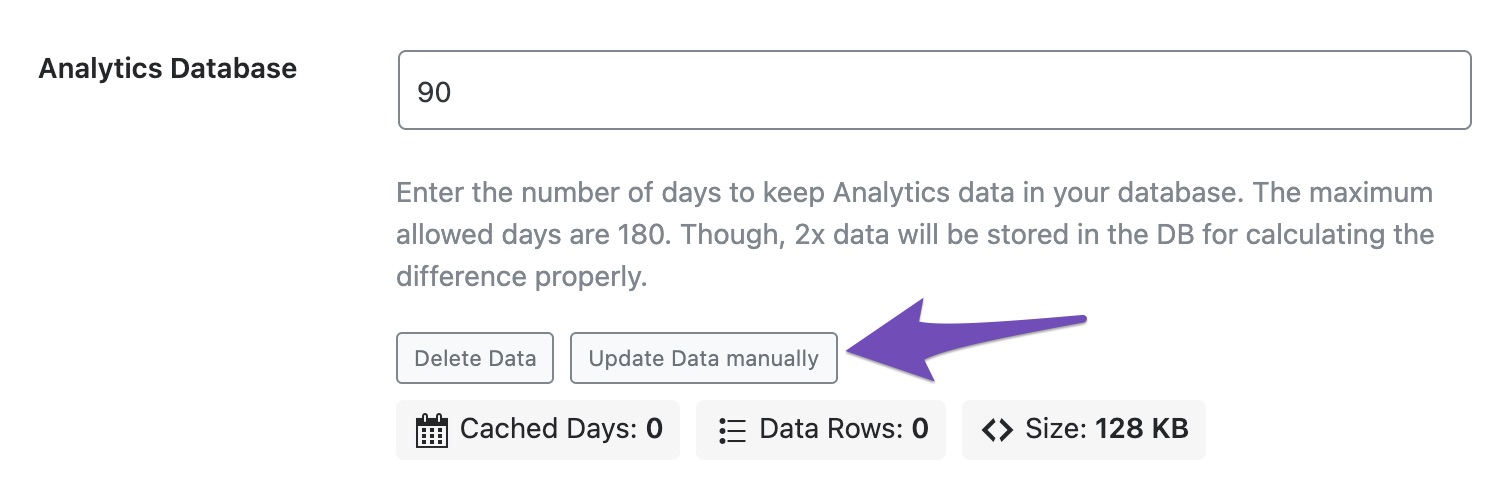
Your analytics data should be updated to the latest after that.
If the issue persists, we might need to take a closer look at the settings. Please edit the first post on this ticket and include your WordPress & FTP logins in the designated Sensitive Data section.
Please do take a complete backup of your website before sharing the information with us.
It is completely secure and only our support staff has access to that section. If you want, you can use the below plugin to generate a temporary login URL to your website and share that with us instead:
https://wordpress.org/plugins/temporary-login-without-password/
You can use the above plugin in conjunction with the WP Security Audit Log to monitor what changes our staff might make on your website (if any):
https://wordpress.org/plugins/wp-security-audit-log/
We really look forward to helping you.
Hello,
I have updated the sensitive data as requested. Can you please check further?
Thank you.
Bonjour,
Avez vous pu voir d’où vient mon problème?Merci!
Pierre MARTIN
Hello,
We attempted to log in to your website, but the password for the username is incorrect.
Kindly check this and provide the correct login credentials so we can investigate this issue further.
We look forward to hearing from you.
Thank you.
Hello,
I have updated the sensitive data as requested. Can you please check further?
Thank you.
Hello,
I made a mistake..Now it should be ok!Have a nice day and thanks for your help!
Hello,
We have manually fetched the data from Google, and now analytics stats have started to populate the analytics page in our plugin. Can you please check from your end?
Looking forward to helping you.
Hello,
Sorry for the late answser but everything is fine now!I will try to do the same on an other site where i have the same problem.
Thanks for your help!!
Hello,
We are glad that the issue has been sorted out.
Please feel free to reach out to us again in case you need any other assistance.
We are here to help.
Thank you.
-



The ticket ‘Statistiques de mon site’ is closed to new replies.