Hello,
Since you got a prompt indicating the htaccess file is missing, it is worth investigating. The .htaccess file is a server configuration file that tells your server how to handle certain tasks like managing permanent links, redirecting users, password-protecting the admin area, and more on your website It is more like an instruction manual for your web server.
Please refer to this article on how to resolve the missing htaccess file issue: https://www.wpbeginner.com/beginners-guide/why-you-cant-find-htaccess-file-on-your-wordpress-site/
Hope that helps, and please do not hesitate to let us know if you need our assistance with anything else.
https://www.loom.com/i/495395e78baf4021944bc1a4d3427f77
I just noticed this, but I don’t understand how to fix this problem.
Hello,
Thank you for getting back to us. We split your conversation with us to a new ticket so we can assist you with your issue better.
Back to your issue, the notification you see indicates that your server is using Nginx, not Apache which explains that you don’t have any .htaccess in your website.
Please contact your hosting provider instead to help you apply the code we shared in your Nginx configuration file.
After that, please follow this guide from here to flush your sitemap.
Let us know how that goes. Looking forward to helping you.
I already did and they said I don’t have access to that. I have resolved most of the issue now, but right now I am having trouble with putting the sitemap on the page. WEll technically not putting the sitemap on google console, but registering it on google. Here’s a quick loom video so it is easier to understand.
https://www.loom.com/share/a75d7b891d3d4f60b5bff90cc4dc2c47 –> Initial explanation, so I can understand better.
I am going to send you today’s update about what happened –> https://www.loom.com/share/abd0479fe4634f1cbd023d81bc140b5b
Hello,
You should submit only the main sitemap index which is sitemmap_index.xml in the Search Console.
We checked your site with the site: operator and most of the pages on your website. You can check again to confirm this.
We can see from the video that Google has indicated the reason the other pages are not indexed. Please check on the area we pointed the arrow in the image below to find out this reason and share it with us so we can provide the solution for you.

Also, we noticed that you have connected to Search Console via a domain property.
Ensure that you are connecting to Search Console through the URL prefix and that you have verified the correct version of your website on the Google Search Console (HTTP or HTTPS, www or non-www).
The URL-prefix property also helps keep your sitemap in sync with Google Search Console as we submit it automatically for you. In addition, the domain property won’t work correctly on some sections of the Analytics module such as the IndexStatus.
If the URL prefix is not showing under the Search Console dropdown, please follow our guide here to create the URL Prefix property: https://rankmath.com/kb/google-site-verification/#num-1-1-open-google-search-console
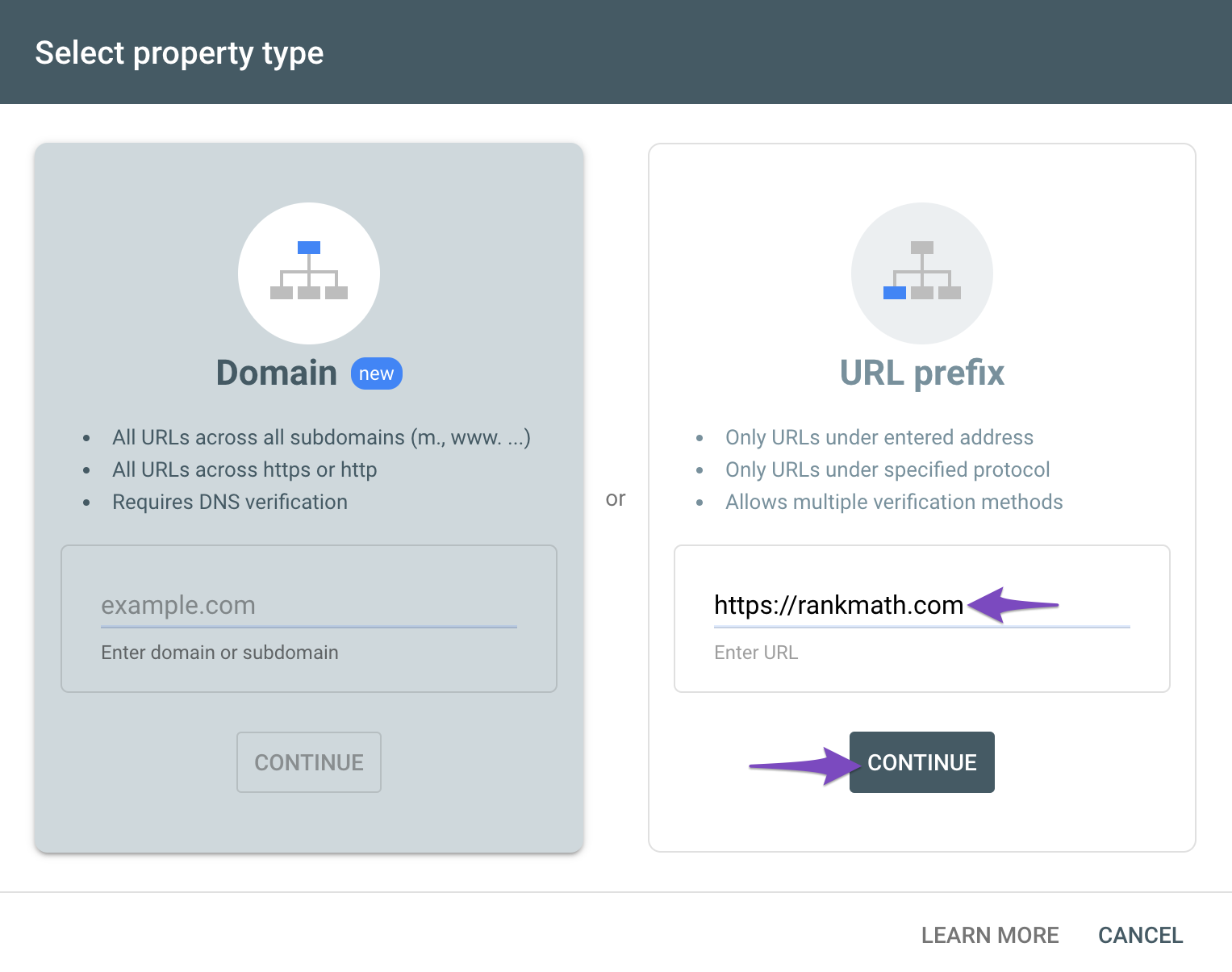
Then reconnect your site on your WordPress dashboard > Rank Math > General Settings > Analytics.
Hope that helps.
Hello,
Since we did not hear back from you for 15 days, we are assuming that you found the solution. We are closing this support ticket.
If you still need assistance or any other help, please feel free to open a new support ticket, and we will be more than happy to assist.
Thank you.



