Hello,
We apologize for the issue you are facing with the Rank Math plugin. The errors you are encountering indicate that the database table rank_math_analytics_gsc is missing. This is likely due to a database collation issue or the table not being created properly during the installation or update of the plugin.
To resolve this issue, please follow these steps:
-
Check the Error Log: Go to Rank Math SEO → Status & Tools → System Status in your WordPress dashboard (ensure you’re using the Advanced mode of Rank Math) and check the Error log for any related messages.
-
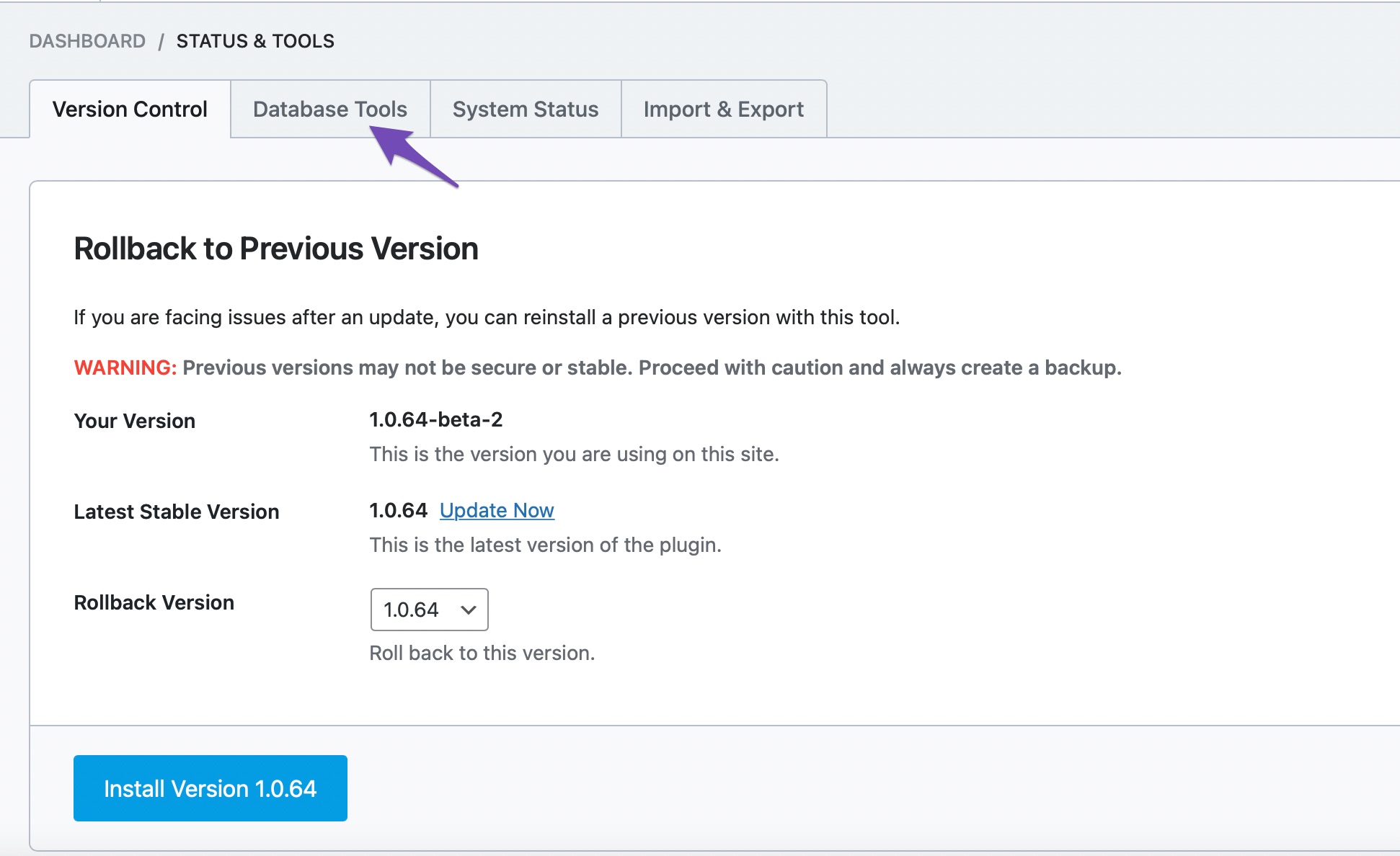
Re-create Missing Database Tables: Navigate to Rank Math SEO → Status and Tools → Database Tools. Scroll down to find the option Re-create Missing Database Tables and click on it. This will create the necessary tables that are missing.

-
Note: Please be aware that if you had previously tracked keywords, they will not be available anymore, and you will need to add them to the Keyword Manager again to track their performance.
If you continue to experience issues after following these steps, please reply to this ticket, and a human agent from the Rank Math Support team will assist you further. Thank you for bringing this concern to our attention!
Sources:
Resolving Rank Math Analytics Related Issues » Rank Math
There is no database tools tab when I go under Status & Tools
Hello,
Thank you for contacting Rank Math support, and sorry for any inconvenience that might have been caused due to that.
Please note that some options are only available when you enable the Advanced Mode in Rank Math.
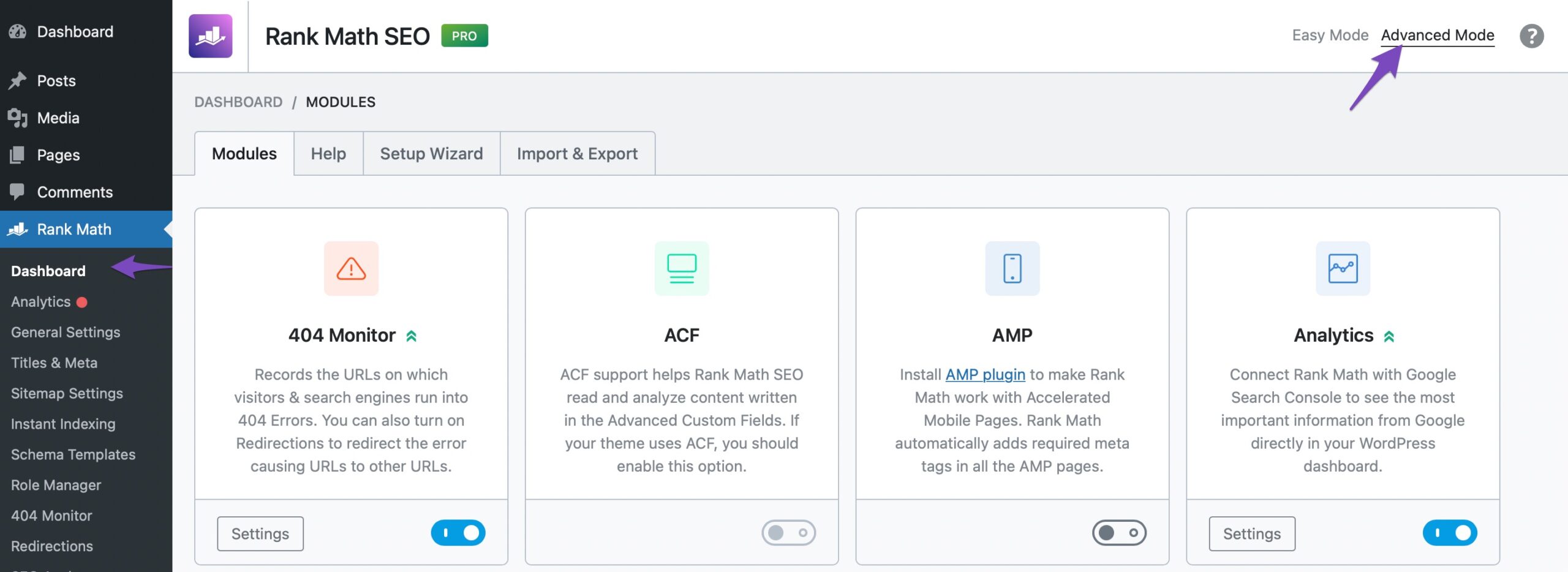
If this option is not available in your dashboard, you must have chosen to use the Easy Mode. Please navigate to WordPress Dashboard → Rank Math SEO → Dashboard. In the top-right corner, click on Advanced Mode as shown below:
Once you’ve enabled Advanced Mode, check the database tool option again.
Hope that helps and don’t hesitate to get in touch if you have any other questions.
Thank you.
Hello,
Glad that helped!
Don’t hesitate to get in touch if you have any other questions.
We are here to help!




