Hello,
We apologize for the issue you are facing with social sharing images not displaying correctly. It seems that the 403 Forbidden error you encountered indicates that Facebook and other social media platforms are unable to access your page’s content due to restrictions set in your server or robots.txt file.
To resolve this issue, please follow these steps:
-
Check your robots.txt file: Ensure that you allow Facebook’s crawler by adding the following line to your robots.txt file:
User-agent: facebookexternalhit
Allow: /
This will permit Facebook to scrape your site properly.
-
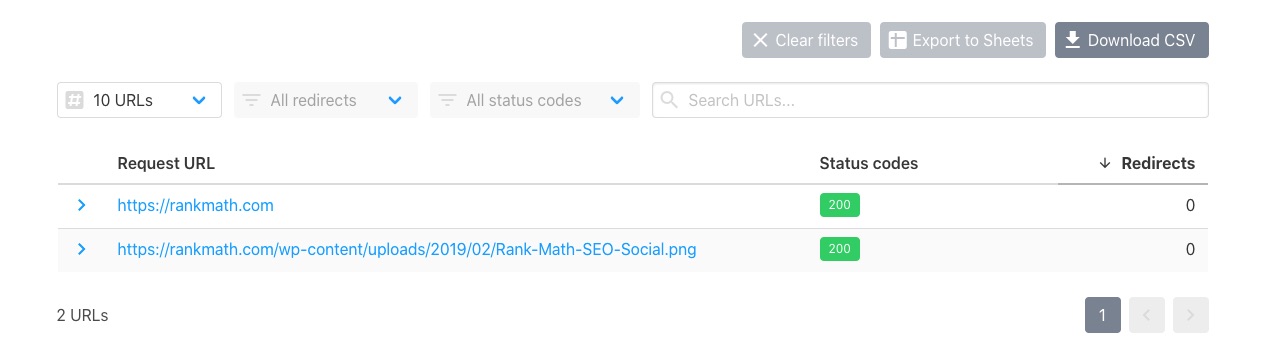
Check URL Accessibility: You can verify if your URLs are accessible by using the URL checker. Enter your page URL and Open Graph image URL to check if they return a status code of HTTP 200.
-
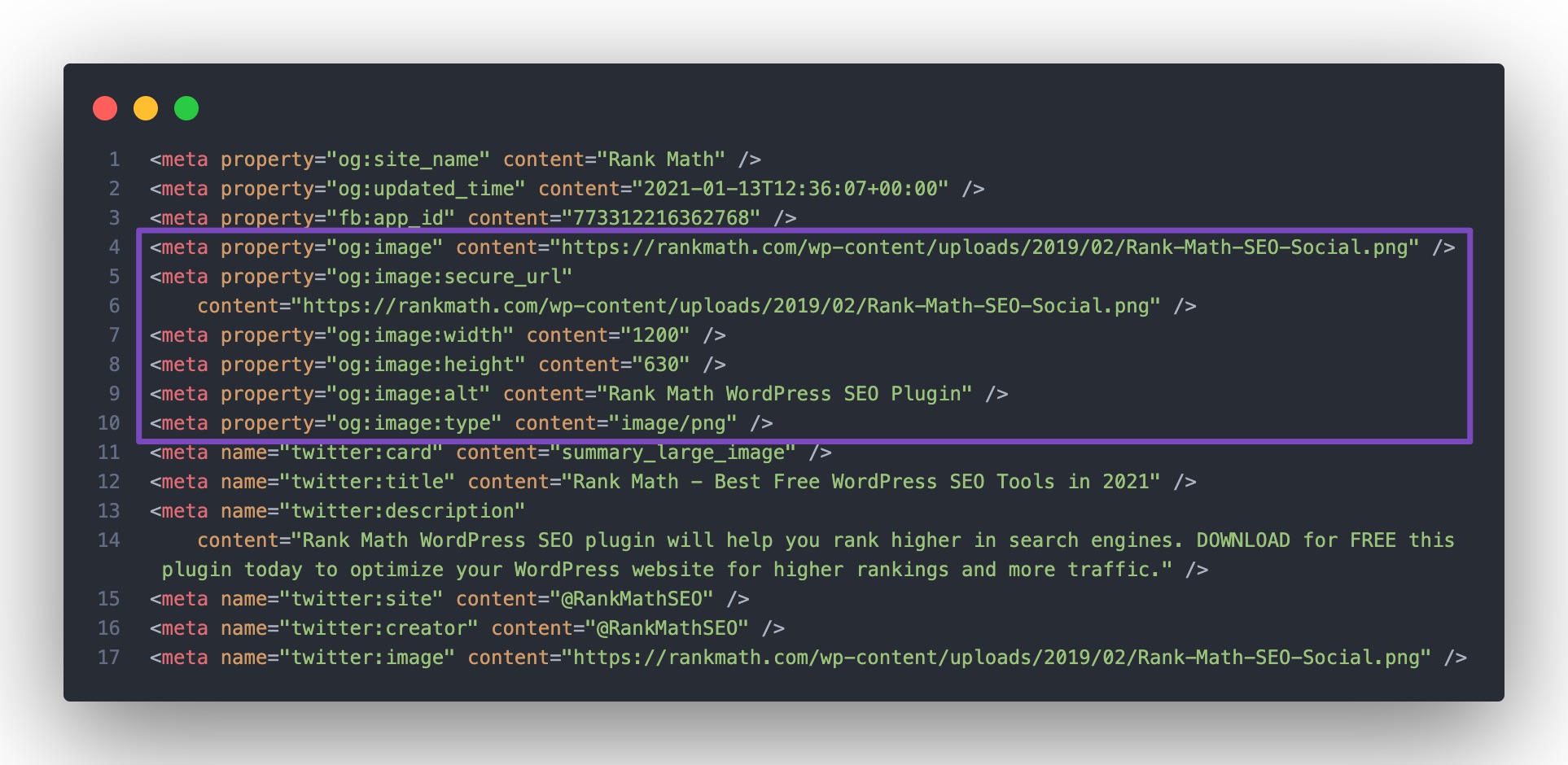
Inspect Page Source: Right-click on your page and select View Page Source. Look for the og:image tag in the source code. If it’s missing, Rank Math may not be enabled or may not be able to print your social tags. You can follow our troubleshooting guide to identify any issues.
-
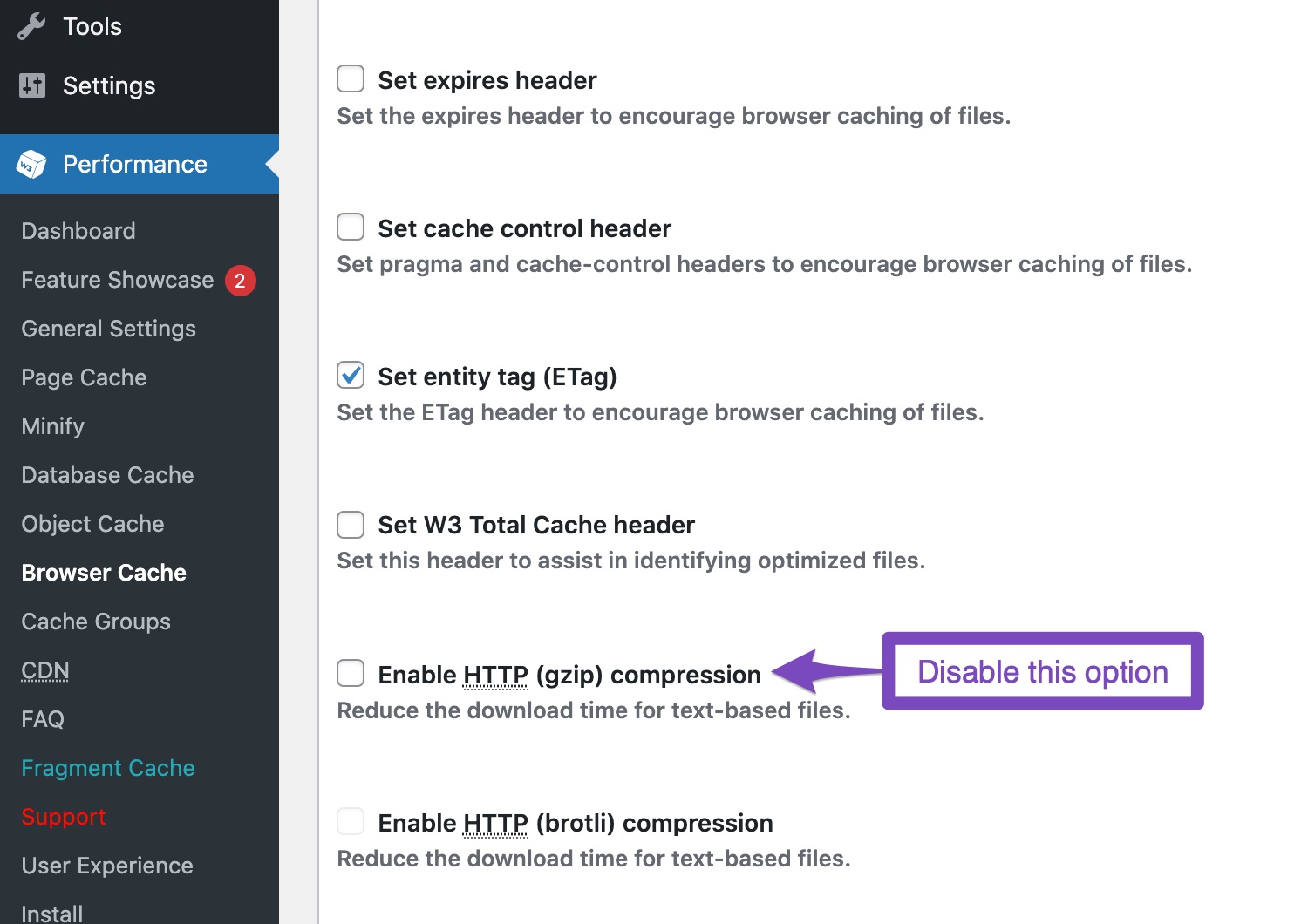
Gzip Compression: If you have gzip compression enabled in your caching plugin, try disabling it as it can interfere with Facebook’s Open Graph detection. For example, in W3 Total Cache, you can find this option under Performance → Browser Cache → HTTP (gzip) compression.
-
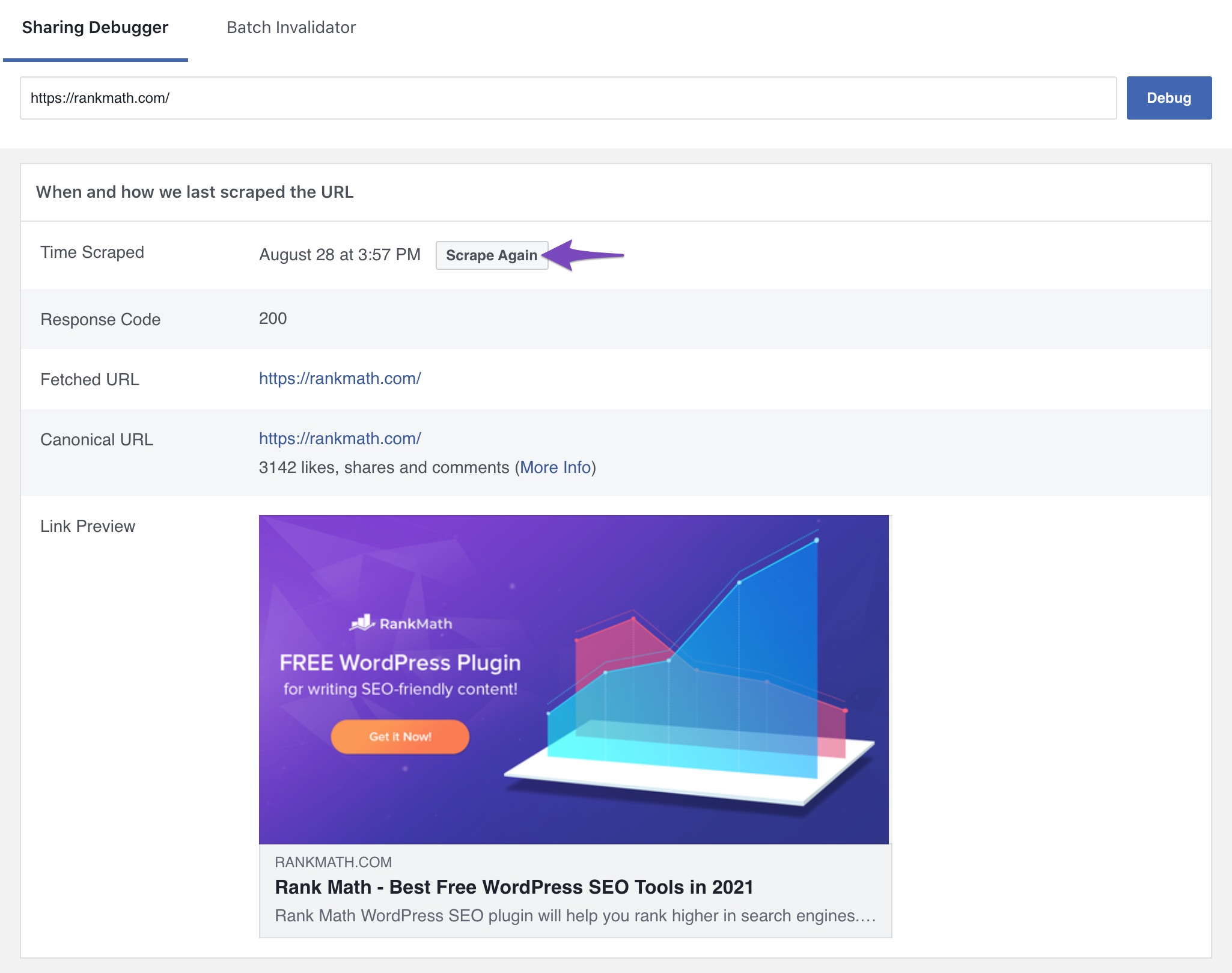
Clear Cache: After making these changes, clear your website and server cache (including Cloudflare if enabled) and then use the Facebook Sharing Debugger to scrape your page again.
If you continue to experience issues after following these steps, please reply to this ticket, and a human agent from the Rank Math Support team will assist you further.
Thank you for raising this concern, and we hope this helps resolve your problem!
Sources:
Open Graph/Social Preview Image Is Not Displayed » Rank Math
sir,
as per your reply i will try but not solved
Inspect Page Source: no og:img tag, that is showing before title tag
please help me
Hello,
Please share the affected URL so we can check and advise accordingly.
You can add it to the sensitive data section by editing your first post

It is completely secure, and only our support staff has access to that section.
Looking forward to helping you.
sir,
as per your reply i will try but not solved
Inspect Page Source: no og:img tag, that is showing before title tag
please help me
Hello,
You have marked this ticket as resolved which removed any information you placed in the sensitive data section.
We’re just following up with you to see if you have any other questions or concerns that we can assist you with.
If you require further assistance, please share the affected URL with us so we can investigate this.
Thank you for choosing Rank Math.




