Hello,
I’m sorry to hear that you are facing issues with editing snippets in the Block Editor. If the Rank Math Meta Box is not visible, it can be frustrating. The visibility of the Rank Math Meta Box can be affected by various factors, including theme compatibility and plugin conflicts.
To address the missing Rank Math Meta Box in the Block Editor, please follow these steps:
-
Check Rank Math Settings: Ensure that the Rank Math Meta Box is enabled for the post type you are working on. You can navigate to Rank Math SEO → Titles & Meta from your WordPress dashboard to verify this setting.
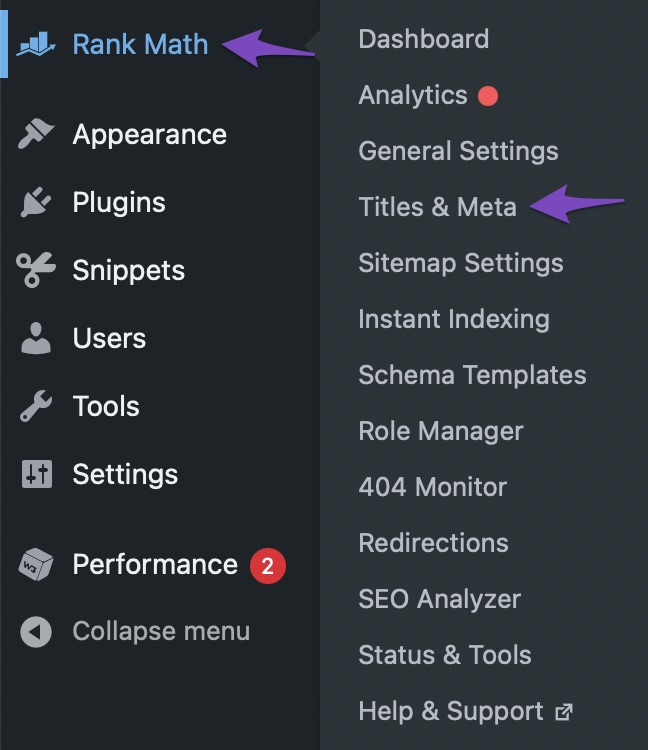
-
Theme Compatibility: Some themes may conflict with Rank Math and hide the Meta Box. You can switch to a default WordPress theme temporarily to see if the Meta Box appears.
-
Plugin Conflict: Deactivate other plugins one by one to check if any plugin is causing a conflict with Rank Math and hiding the Meta Box.
If after following these steps the issue persists, please reply to this ticket, and a human agent from the Rank Math Support team will assist you further.
Thank you for your understanding and patience. Let me know if you need further assistance.
Sources:
What Is a Slug in WordPress? » Rank Math
Advanced Tab in Rank Math SEO’s Meta Box
Why Rank Math’s Meta Box is Not Showing? » Rank Math
WordPress Permalink Structure & Changing Individual URLs » Rank Math
How to Add FAQ Schema Block Using Rank Math SEO
Sorry, it was my mistake. 🙂
Hello,
We are glad that everything has been sorted out.
Please feel free to reach out to us again in case you need any other assistance.
We are here to help.
Thank you.



