Hello,
We apologize for the issue you are facing with your sitemap only showing 5 web pages. This can happen for a few reasons, and we appreciate you bringing this concern to our attention.
Here are some steps you can take to troubleshoot this issue:
-
Check Sitemap Settings: Ensure that the Sitemap module is enabled in Rank Math. You can do this by navigating to Rank Math > Sitemap Settings in your WordPress dashboard.
-
Review Page Visibility: Make sure that the pages you want to include in the sitemap are not set to "noindex" or are not excluded from the sitemap settings.
-
Sitemap Limitations: Sometimes, there may be limitations set on the number of URLs included in the sitemap. Check if there are any settings that might restrict the number of pages.
-
Caching Issues: If you are using a caching plugin, clear the cache to ensure that the latest version of your sitemap is being displayed.
-
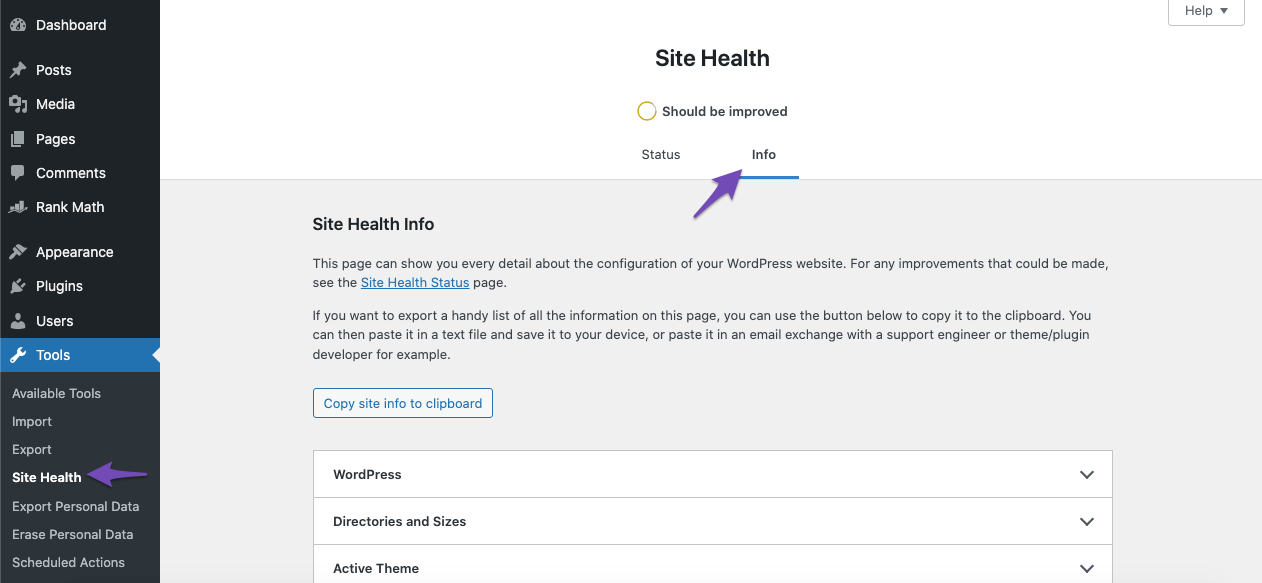
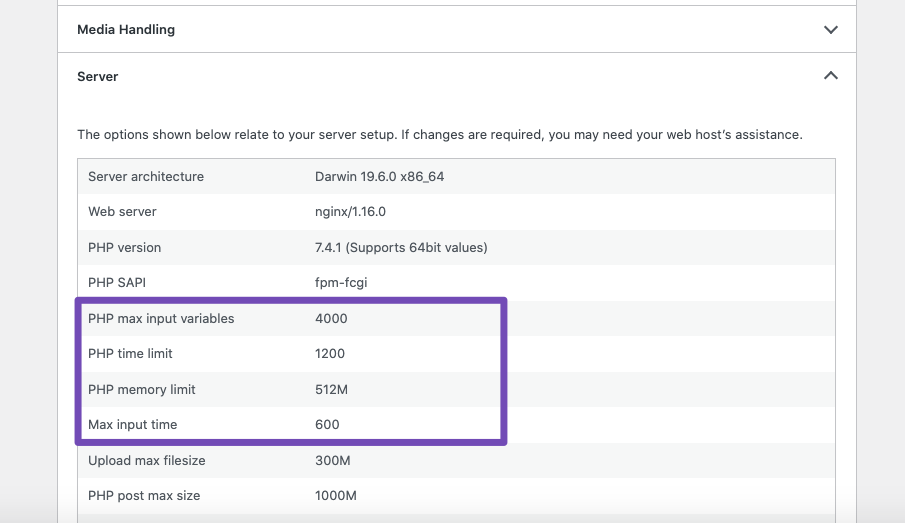
Server Resources: If your server is under-resourced, it might affect how the sitemap is generated. You can check your server configurations by navigating to Tools → Site Health → Info in your WordPress dashboard and comparing your server settings with the recommended values.
If you’ve checked all these aspects and the issue persists, please reply to this ticket, and a human agent from the Rank Math Support team will assist you further. Thank you for your patience!
This is an automated reply from Rank Math Support Bot. If you need further assistance, please reply to this topic and a human support agent will reply to you shortly.
Hello,
Since we did not hear back from you for 15 days, we are assuming that you found the solution. We are closing this support ticket.
If you still need assistance or any other help, please feel free to open a new support ticket, and we will be more than happy to assist.
Thank you.


