Hello,
We apologize for the issue you are facing with your sitemap submission in Google Search Console. The error message indicating that a ‘noindex’ is detected in the ‘X-Robots-Tag’ HTTP header suggests that your sitemap or the pages it references may be set to not be indexed by search engines.
Here are some steps you can take to resolve this issue:
-
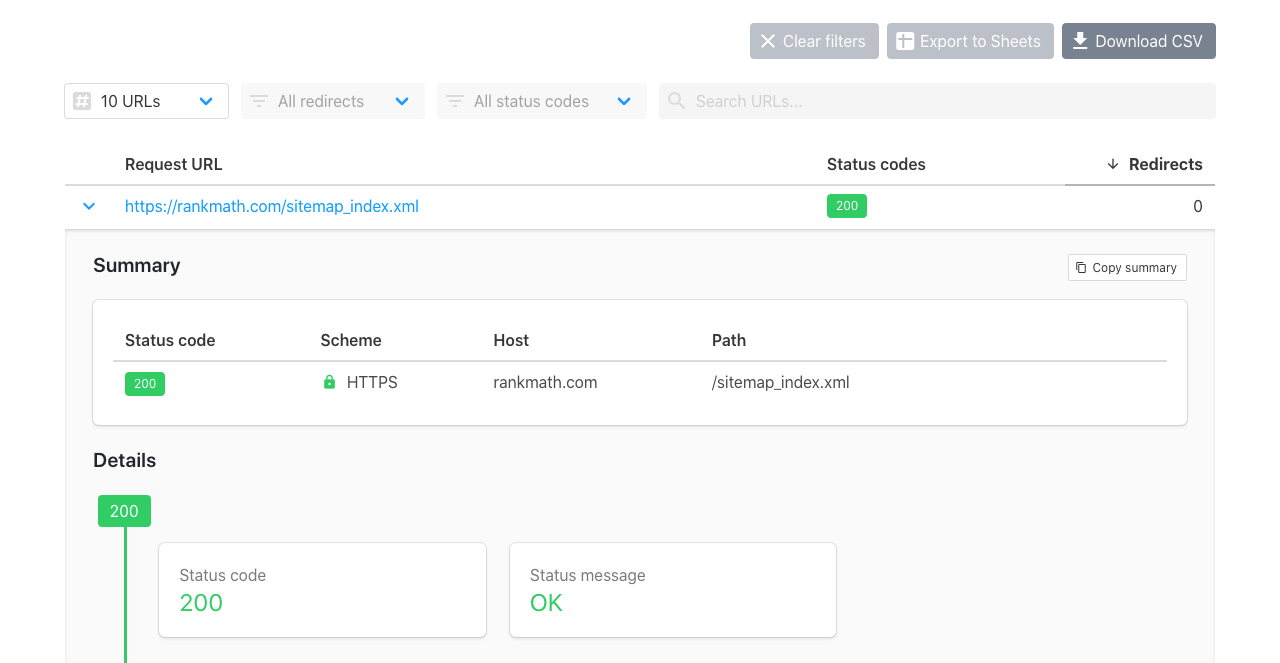
Check the Sitemap URL: Ensure that your sitemap URL is correct and accessible. You can use tools like httpstatus.io to check if your sitemap is accessible without errors.
-
Inspect the HTTP Headers: Use a tool like cURL or an online HTTP header checker to inspect the headers of your sitemap URL. Look for the X-Robots-Tag header and see if it is set to noindex. If it is, you will need to adjust your server settings or plugin settings that might be adding this header.
-
Exclude Sitemap from Caching: If you are using caching plugins, ensure that your sitemap is excluded from caching. You can refer to our tutorial on how to exclude sitemaps from caching.
-
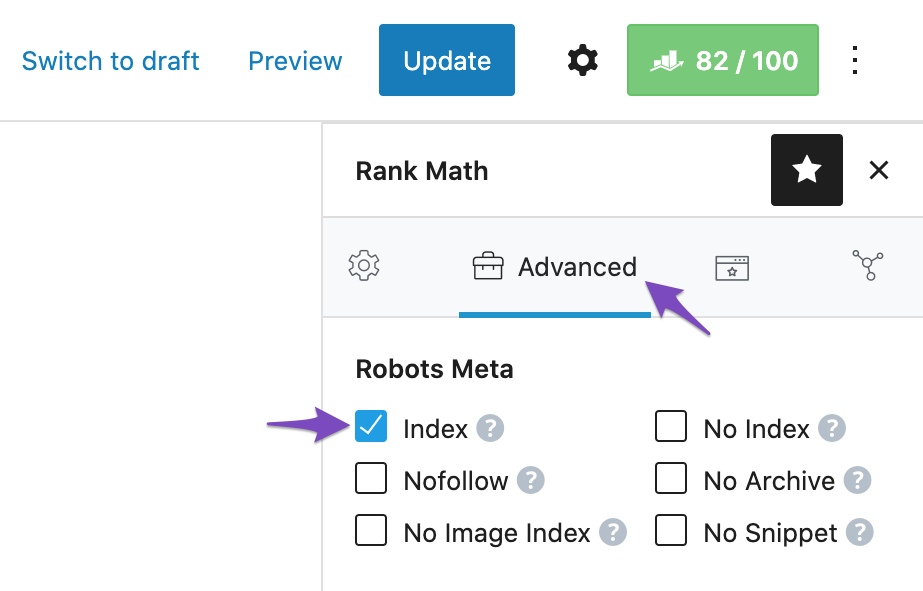
Check Rank Math Settings: Make sure that the pages included in your sitemap are not set to noindex. You can do this by checking the Rank Math Metabox for each page/post and ensuring that the Robots Meta is set to Index.
-
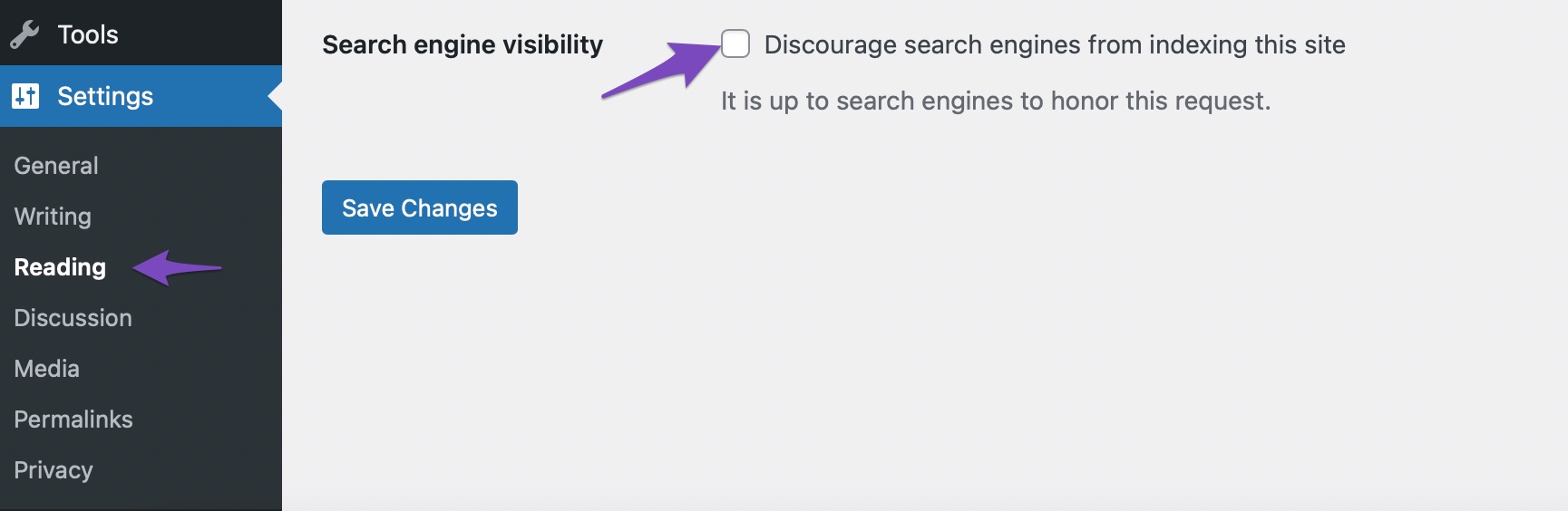
Search Engine Visibility: Also, check the Search engine visibility option in your WordPress settings. Navigate to Settings → Reading and ensure that the option to discourage search engines from indexing this site is unchecked.
-
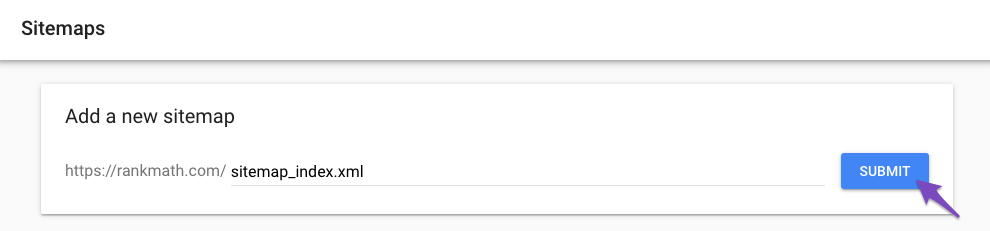
Resubmit Your Sitemap: After making these changes, remove your sitemap from Google Search Console and then submit it again.
-
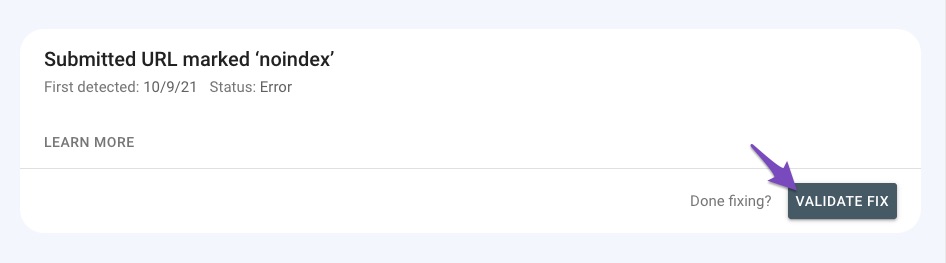
Validate Fix in Google Search Console: Finally, once you’ve made these adjustments, go back to Google Search Console and use the Validate Fix option to inform Google about the changes.
If you continue to experience issues after following these steps, please reply to this ticket, and a human agent from our support team will assist you further. Thank you for raising this concern!
Sources:
How to Fix Submitted URL Marked ‘NoIndex’ Error » Rank Math
Inspect the HTTP Headers: Use a tool like cURL or an online HTTP header checker to inspect the headers of your sitemap URL. Look for the X-Robots-Tag header and see if it is set to noindex. If it is, you will need to adjust your server settings or plugin settings that might be adding this header.
Yes in this case it sets to noindex how should i edit this where i adjust server setting or plugin setting
Hello,
Thank you for your query and we are so sorry about the trouble this must have caused.
Please note that it is expected for the sitemap to have noindex as you don’t want the sitemap to get indexed on the SERP.
Please refrain from submitting your sitemap in Google’s URL Inspection tool. The correct way to submit your sitemap to Google is by following this guide: https://rankmath.com/kb/submit-sitemap-to-google/
Here’s a guide you can follow to fix the issue on your site: https://rankmath.com/kb/couldnt-fetch-error-google-search-console/
If the issue persists, let us know and we’ll assist you further.
Looking forward to helping you.
Hello,
Since we did not hear back from you for 15 days, we are assuming that you found the solution. We are closing this support ticket.
If you still need assistance or any other help, please feel free to open a new support ticket, and we will be more than happy to assist.
Thank you.



