Hello,
We apologize for the issue you are facing with your sitemap and the crawling problems in Google Search Console (GSC). Based on your description, it seems that the ‘noindex’ directive in the ‘X-Robots-Tag’ HTTP header is causing GSC to not crawl your sitemap properly.
Here are some steps you can take to troubleshoot this issue:
-
Check the Page Source: Open the page source of the URL that is returning the ‘noindex’ error and verify if the page’s header includes the "noindex" robots meta tag. If it does, you need to determine whether this is intentional or an error.
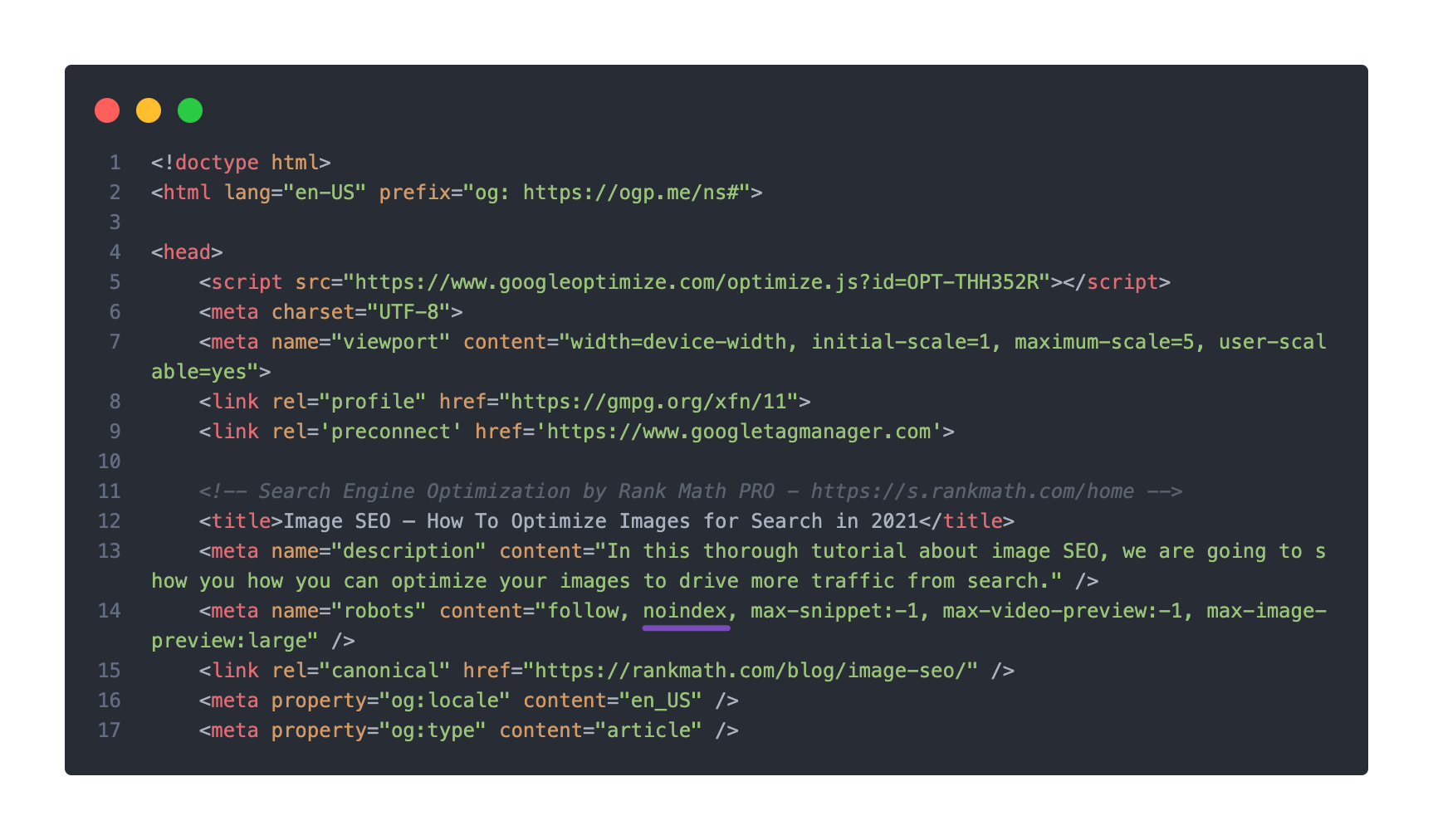
-
Sitemap Accessibility: Ensure that your sitemap is accessible. You can check this by visiting your sitemap URL directly (e.g., `https://rankmath.com/kb/check-plugin-conflicts/). If it returns a 404 error or any other issue, you may need to resolve that first. You can also use this tool to check if your sitemap is accessible.
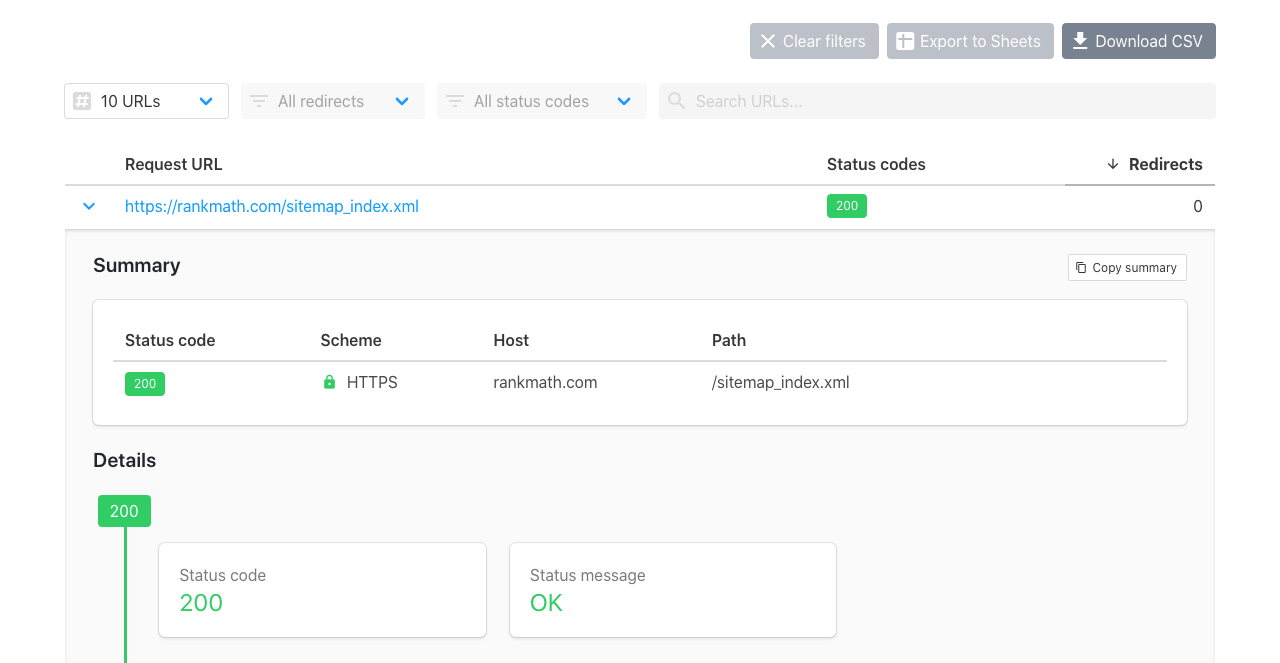
-
Caching Issues: If your sitemap is being cached, it might not reflect recent changes. You can refer to our tutorial on how to exclude your sitemap from caching.
-
Robots.txt File: Check your robots.txt file for any rules that might be blocking access to your sitemap or specific URLs. You can manage this in Rank Math under Rank Math SEO → General Settings → robots.txt.
-
Validate Your Sitemap: Use a sitemap validation tool like this one to ensure your sitemap is correctly configured.

If after checking these points you still encounter issues, please reply to this ticket, and a human agent from the Rank Math Support team will assist you further.
Thank you for raising this concern, and we hope to help you resolve it soon!
This is an automated reply from Rank Math Support Bot. If you need further assistance, please reply to this topic and a human support agent will reply to you shortly.
Hello,
Since we did not hear back from you for 15 days, we are assuming that you found the solution. We are closing this support ticket.
If you still need assistance or any other help, please feel free to open a new support ticket, and we will be more than happy to assist.
Thank you.


