Hello,
I’m sorry to hear about the issue you are facing with your sitemap disappearing every few weeks. To address this problem, you can follow these steps:
-
Flush the Sitemap Cache:
- Navigate to Rank Math SEO → Sitemap Settings and adjust the Links Per Sitemap as shown in the screenshot below:
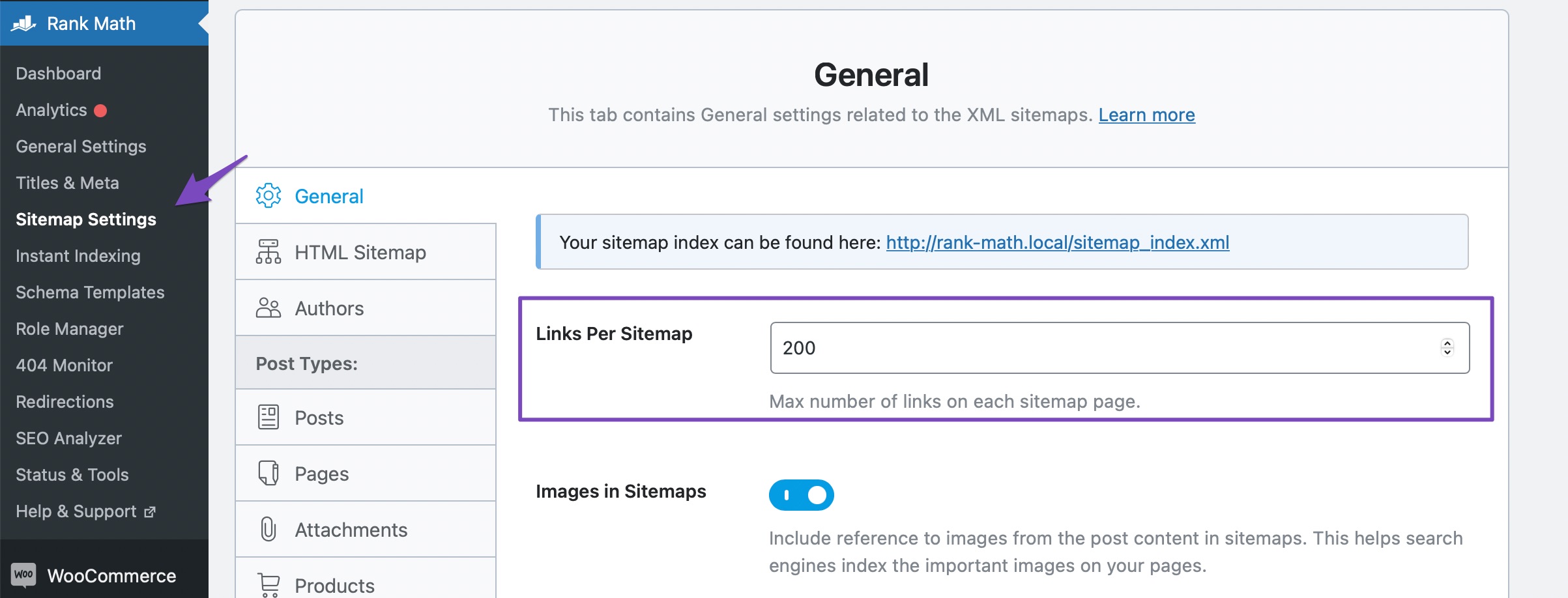
- Click on Save Changes to flush the sitemap cache.
-
Fix Sitemap Issues on Nginx or Apache Server:
- If you are using an Nginx server, ensure you have the correct rewrite rules in place as shown in the article.
If the issue persists, you may need to check if your permalink structure is correct and exclude the sitemap from caching if you are using a caching plugin.
If these steps do not resolve the problem, please reply to this ticket, and a human agent from the Rank Math Support team will assist you further.
Thank you for bringing this to our attention.
Sources:
Why the Sitemap_Index.xml is Throwing a 404 Error » Rank Math
Rank Math Sitemap Issues and Their Fixes » Rank Math
Why Isn’t My URL Included in the Sitemap? » Rank Math
Hello,
Thank you for your query and we are so sorry about the trouble this must have caused.
We checked your sitemap and it is currently loading without any issues and search engine bots should be able to crawl it.
Please exclude the Sitemap files of the Rank Math plugin in your caching plugin. The cache could be via a plugin or from the server. For plugins or Cloudflare, please follow this article:
https://rankmath.com/kb/exclude-sitemaps-from-caching/
Then, apply the following filter code to your site.
add_filter( 'rank_math/sitemap/enable_caching', '__return_false');
Here’s how you can add filter to your WordPress site:https://rankmath.com/kb/wordpress-hooks-actions-filters/
After that, remove all your sitemaps from Google Search Console and submit only the primary one (https://youwebsite.com/sitemap_index.xml).
Let us know how that goes.
Looking forward to helping you.
Hello,
Since we did not hear back from you for 15 days, we are assuming that you found the solution. We are closing this support ticket.
If you still need assistance or any other help, please feel free to open a new support ticket, and we will be more than happy to assist.
Thank you.



