Hello,
We apologize for the issue you are facing with your sitemap and the drop in traffic. It sounds like a frustrating situation, and we appreciate you bringing this to our attention.
Here are a few steps you can take to troubleshoot the issue:
-
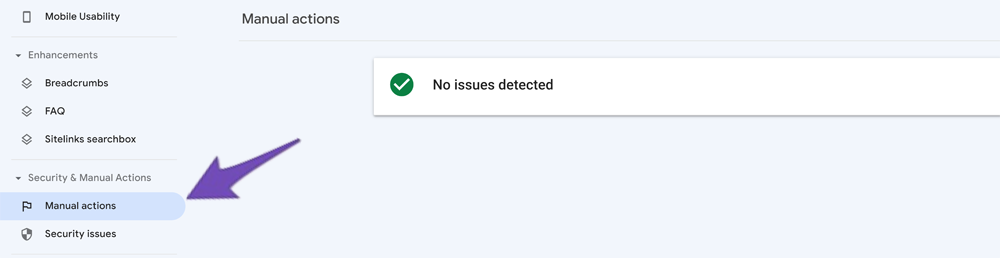
Check for Manual Actions: Go to your Google Search Console account and check the Manual Actions report. If there are any messages from Google, it may indicate that your website has been penalized.
-
Review Your Sitemap: Ensure that your sitemap is correctly configured and that it includes all the necessary posts and categories. You can view your sitemap at https://yourdomainname/sitemap_index.xml to confirm that everything is listed as expected.
-
Submit Your Sitemap Again: Sometimes resubmitting your sitemap can help. In Google Search Console, go to the Sitemaps section and submit your sitemap URL again.
-
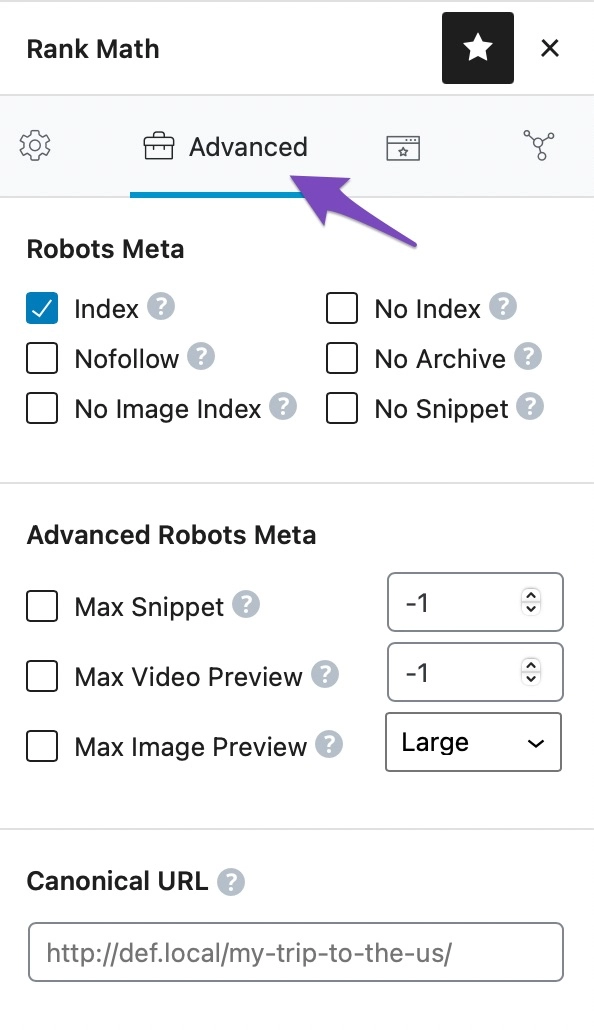
Check for Duplicate Content: If you have multiple pages with similar content, Google may view this as duplicate content, which could lead to de-ranking. Make sure all content is original and relevant. You can use canonical tags to indicate the preferred version of a page if needed.
-
Monitor Algorithm Updates: Keep an eye on any recent Google algorithm updates that might have affected your rankings. You can find more information about this in our guide on Google algorithm updates.
If you’ve tried these steps and are still experiencing issues, please reply to this ticket, and a human agent from the Rank Math Support team will assist you further.
Thank you for your patience, and we hope to help you resolve this issue soon!
Hello,
Thank you for contacting us and sorry for any inconvenience that might have been caused due to that.
Could you please share your sitemap URL with us so that we can check the issue further for you?
Meanwhile, please try to follow the steps below and see if that works for you:
1. Flush the Sitemap cache by following this video screencast:
https://i.rankmath.com/pipRDp
2. Exclude the Sitemap files of the Rank Math plugin in your caching plugin. The cache could be via a plugin or from the server. For plugins or Cloudflare, please follow this article:
https://rankmath.com/kb/exclude-sitemaps-from-caching/
Once done, clear your website cache, remove all the submitted sitemap, and resubmit only the /sitemap_index.xml in the Search Console.
Let us know how it goes. Looking forward to helping you.
Thank you.
Hello,
Since we did not hear back from you for 15 days, we are assuming that you found the solution. We are closing this support ticket.
If you still need assistance or any other help, please feel free to open a new support ticket, and we will be more than happy to assist.
Thank you.



