Sitemap couldn’t fetch

#898921
  • Resolved Amit Chaudhary
    Rank Math free

    Hi,

    I am getting a “Sitemap couldn’t fetch” error in the Google Search Console for the “Pages” sitemap. There isn’t any problem for the “Post” sitemap. I tried all the soultions mentioned in your knowledge base but couldn’t rectify the problem. Because of this issue the website pages are not getting indexed in Google.

    Website: Koffiexp.com

    Thanks.

Viewing 2 replies - 1 through 2 (of 2 total)
  • Hello,

    We apologize for the issue you are facing with the "Sitemap couldn’t fetch" error in Google Search Console. Since you’ve already tried the solutions mentioned in our knowledge base, let’s go through some additional troubleshooting steps that may help resolve this issue:

    1. Rename the Sitemap File

    Sometimes, renaming the sitemap file can help. In Google Search Console, navigate to Indexing → Sitemaps and add a new sitemap using the following URL format:

    `https://rankmath.com/kb/fix-sitemap-issues/
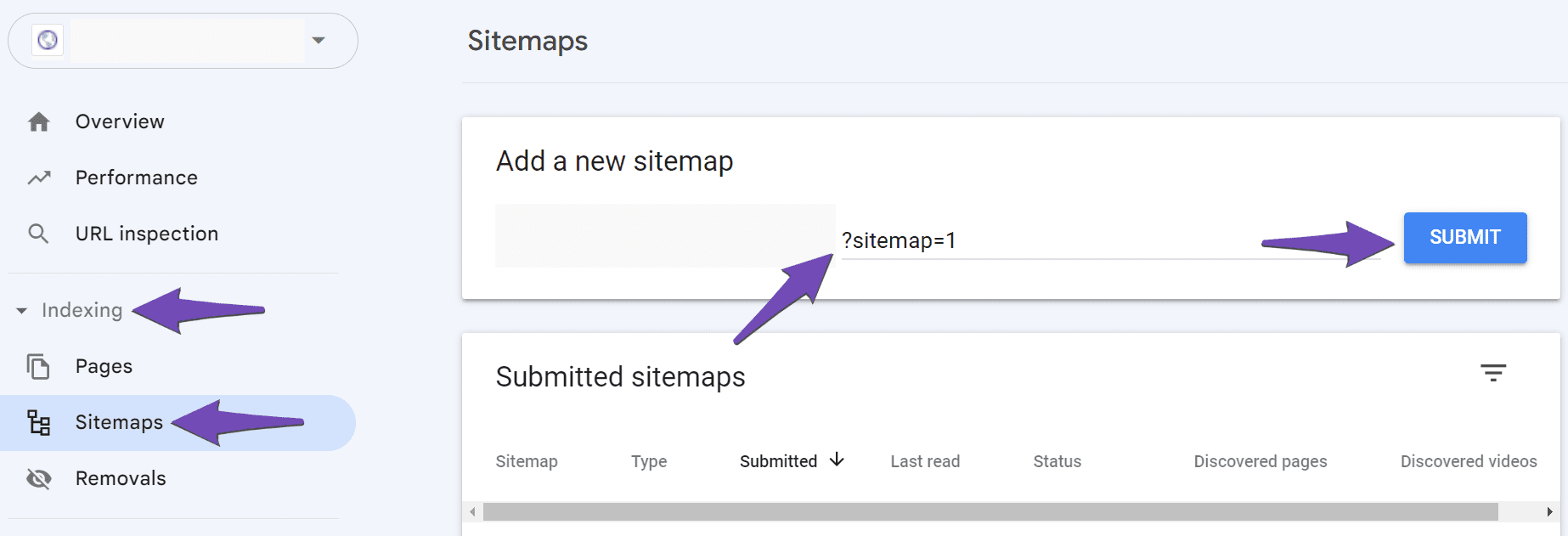
    Rename the sitemap file

    2. Validate Your Sitemap

    Make sure your sitemap is correctly configured by validating it using the Validate XML Sitemap tool. If there are any issues, they will be highlighted.

    An example displaying how to validate a sitemap

    3. Ensure the Sitemap is Located in the Root Folder

    Check that your sitemap is located in the root folder of your WordPress installation. The URL should look like this:

    `https://rankmath.com/kb/fix-sitemap-issues/

    4. Flush the Cache

    If your sitemap appears outdated, you may need to flush the sitemap cache. Go to Rank Math SEO → Sitemap Settings, increase the value of Links Per Sitemap by one, and click Save Changes. Then, navigate to Settings → Permalinks and click Save Changes again.

    Flush Permalinks

    5. Check Index Settings for Pages

    Ensure that your pages are set to index. Go to Rank Math SEO → Titles & Meta and check that the Index checkbox is enabled for your pages.

    Index Titles and Meta settings

    6. Add the Correct Site URL to Google Search Console

    Make sure you have added the correct variation of your site URL in Google Search Console. You can refer to our article on adding a URL property to the Search Console.

    7. Wait for Google to Fetch the Sitemap

    If everything seems correct but the error persists, it might be that Google has not yet fetched your sitemap. Sometimes, it takes time for Google to process changes.

    If you continue to experience issues after trying these steps, please reply to this ticket, and a human agent from our support team will assist you further.

    Thank you for raising this concern, and we hope these steps help resolve the issue!

    Hello,

    I checked your sitemap and it seems to be loading just fine on my browser.

    I went ahead and check all the variations of your sitemap and all 4 of them are all returned 200 which is incorrect. Please refer to my screenshot here:

    http io

    Only one of the 4 variations should show a 200 status code. Three (3) of the sitemaps should show 301.

    Please follow the steps in this link:
    https://rankmath.com/kb/couldnt-fetch-error-google-search-console/#5-check-for-the-correct-version-of-the-sitemap and redirect to the correct version.

    Then, please ensure that your sitemap is not heavily cached as well. Please follow the steps below to address it:

    1. Flush the Sitemap cache by following this video screencast:
    https://i.rankmath.com/pipRDp

    2. Exclude the Sitemap files of the Rank Math plugin in your caching plugin. The cache could be via a plugin or from the server. For plugins or Cloudflare, please follow this article:
    https://rankmath.com/kb/exclude-sitemaps-from-caching/

    Once done, resubmit the sitemap_index.xml in the Search Console and wait for Google to recrawl the sitemap.

    Let us know how that goes. Looking forward to helping you.

Viewing 2 replies - 1 through 2 (of 2 total)

You must be logged in to reply to this ticket.
