Hello,
We apologize for the issue you are facing with your sitemap and the ‘noindex’ detection in the X-Robots-Tag header. Here are a few steps you can take to troubleshoot this issue:
-
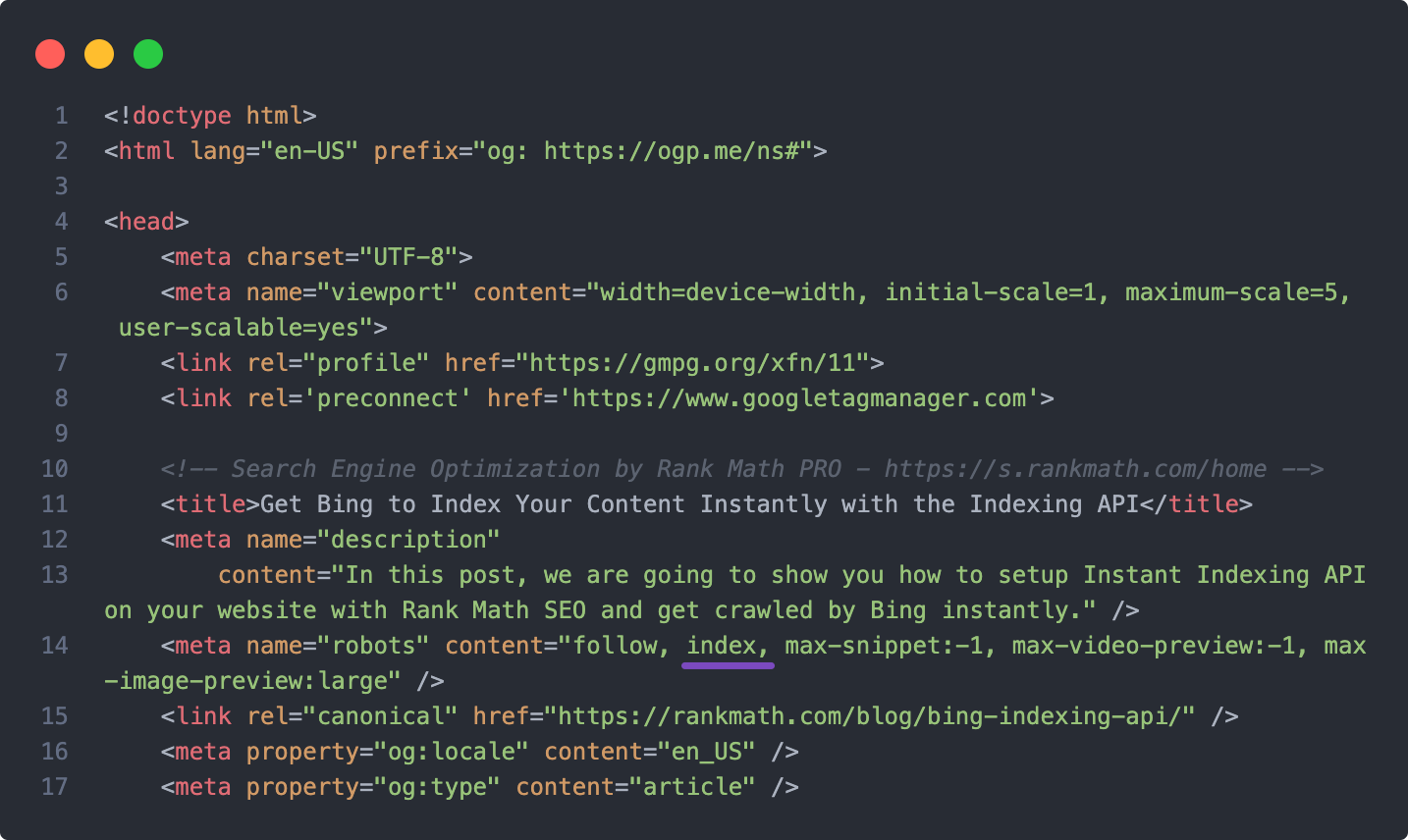
Check Post/Page Settings: Ensure that none of your posts or pages are set to ‘noindex’. You can do this by navigating to Rank Math SEO → Advanced tab in the post editing screen and confirming that the Robots meta tag is set to ‘index’.
-
Global Settings: Check your global settings at WordPress Dashboard → Rank Math SEO → Titles & Meta → Posts/Pages/Products/CPTs to ensure that the default setting is not set to ‘noindex’.
-
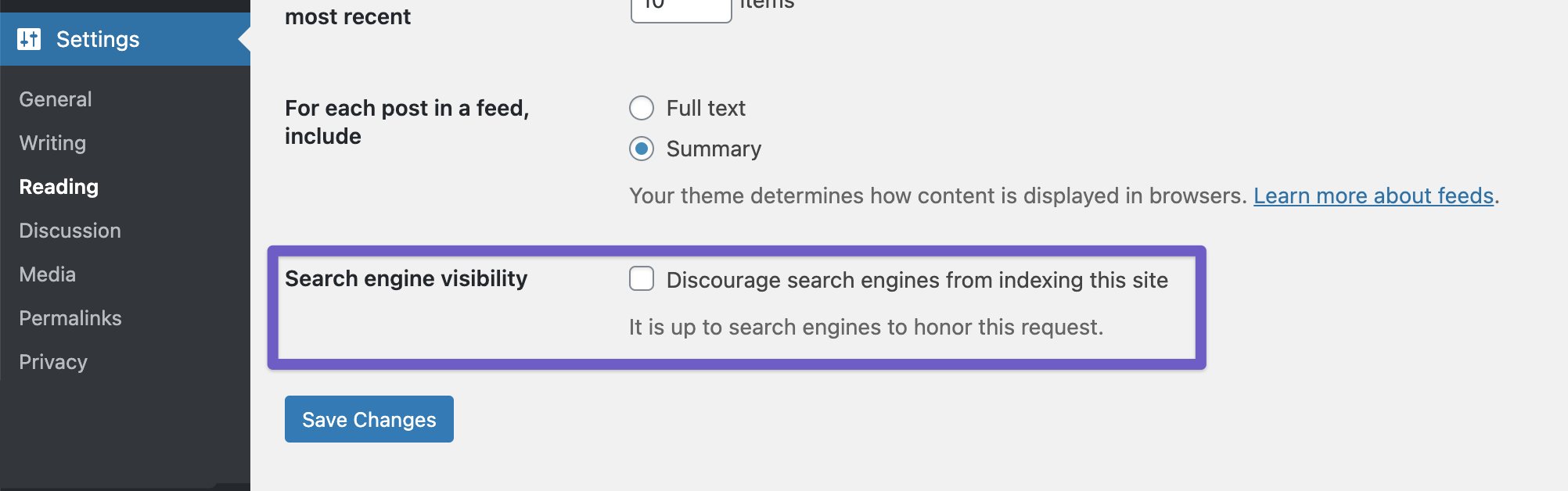
Discourage Search Engines: Make sure that the option to discourage search engines from indexing your site is not enabled. You can check this under WordPress Dashboard → Settings → Reading.
-
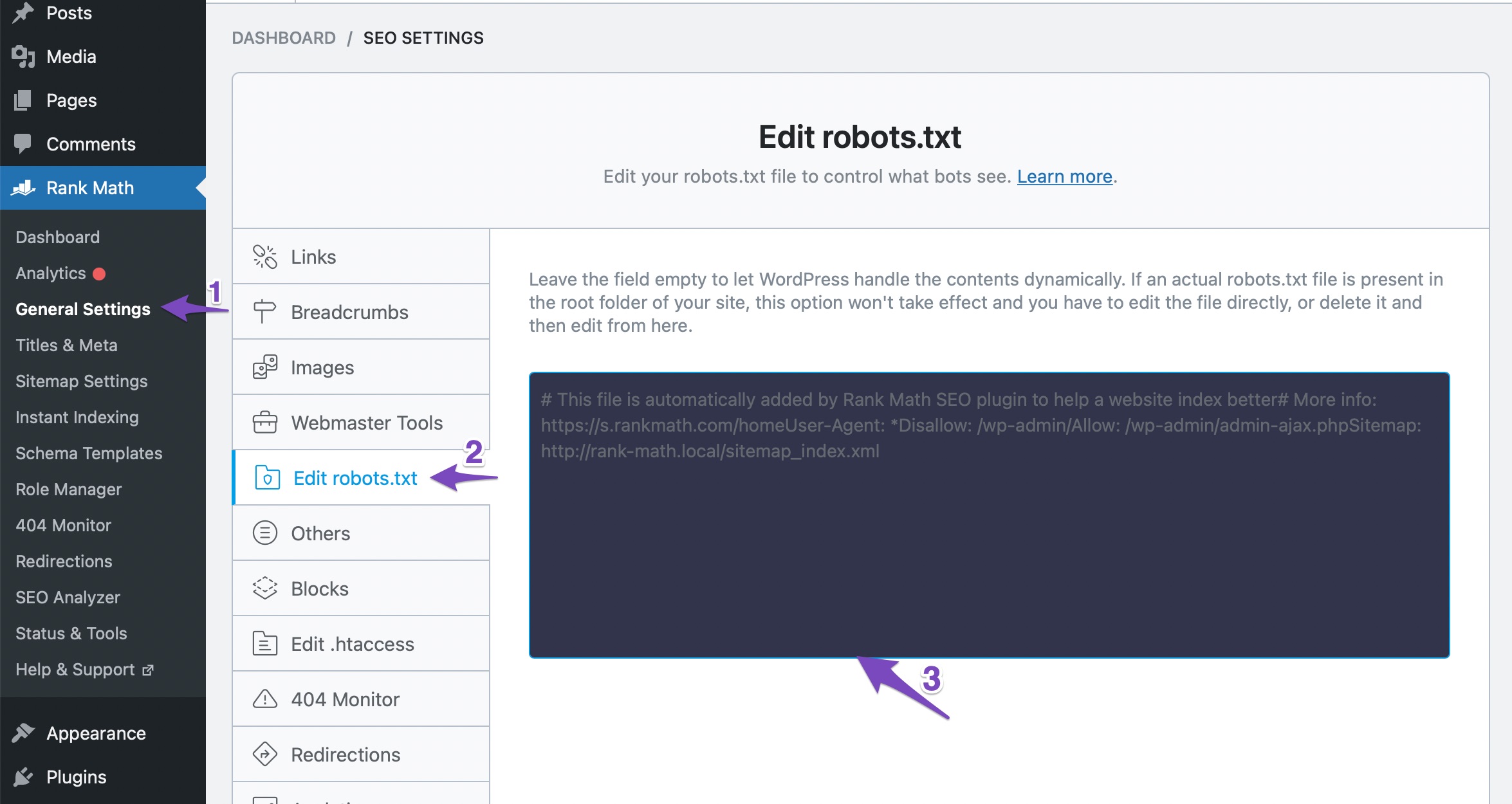
Robots.txt File: Ensure that your robots.txt file does not contain any rules that might be blocking Google from indexing your site. You can check and edit your robots.txt file in Rank Math under WordPress Dashboard → Rank Math SEO → General Settings → Edit Robots.txt.
-
Server-Level Caching: If you have server-level caching enabled, it might be serving an outdated version of your headers. You can try clearing your cache or adding the following code to your theme’s rank-math.php file to disable sitemap caching:
add_filter( 'rank_math/sitemap/enable_caching', '__return_false');
If you’ve gone through these steps and are still experiencing issues, please reply to this ticket with your site URL so that a human agent from our support team can assist you further. Thank you for raising this concern, and we hope to help you resolve it soon!
Sources:
Why Google Hasn’t Indexed Your Post, Page, and/or Website? » Rank Math
Why Google Hasn’t Indexed Your Post, Page, and/or Website? » Rank Math
No: ‘noindex’ detected in ‘X-Robots-Tag’ http header is what google search console is telling me
Hello,
Thank you for reaching out to us.
That URL of the sitemap of the website should return a noindex status code because you wouldn’t want to index the sitemaps from your website, but rather only the pages that are inside the sitemap.
That directive on the sitemap prevents it from appearing on SERPs but it doesn’t prevent Google from crawling the pages on it and indexing them.
If you test any sitemap, even from big websites you’ll see that all of them use this directive to be sure it’s not getting included on SERPs.
Even our own sitemap includes that:

To submit the sitemap to the correct place on GSC you should follow the steps in this tutorial: https://rankmath.com/kb/submit-sitemap-to-google/
In case, you still want to index your sitemap, you can use the following filter on your website:
add_filter( 'rank_math/sitemap/http_headers', function( $headers ) {
        if ( '/sitemap_index.xml' !== $_SERVER['REQUEST_URI'] ) {
                return $headers;
        }
        unset( $headers['X-Robots-Tag'] );
        return $headers;
} );
Here’s how you can add filter/hook to your WordPress site: https://rankmath.com/kb/wordpress-hooks-actions-filters/
After applying the filter, please clear your sitemap cache by following this screencast: https://i.rankmath.com/pipRDp
Hope that helps and please don’t hesitate to let us know if you have any other questions.
Hello,
Since we did not hear back from you for 15 days, we are assuming that you found the solution. We are closing this support ticket.
If you still need assistance or any other help, please feel free to open a new support ticket, and we will be more than happy to assist.
Thank you.



