Hello, we apologize for the issue you are facing with updating your site title during your rebranding process. To change your site title in WordPress, please follow these steps:
-
Go to your WordPress Dashboard.
-
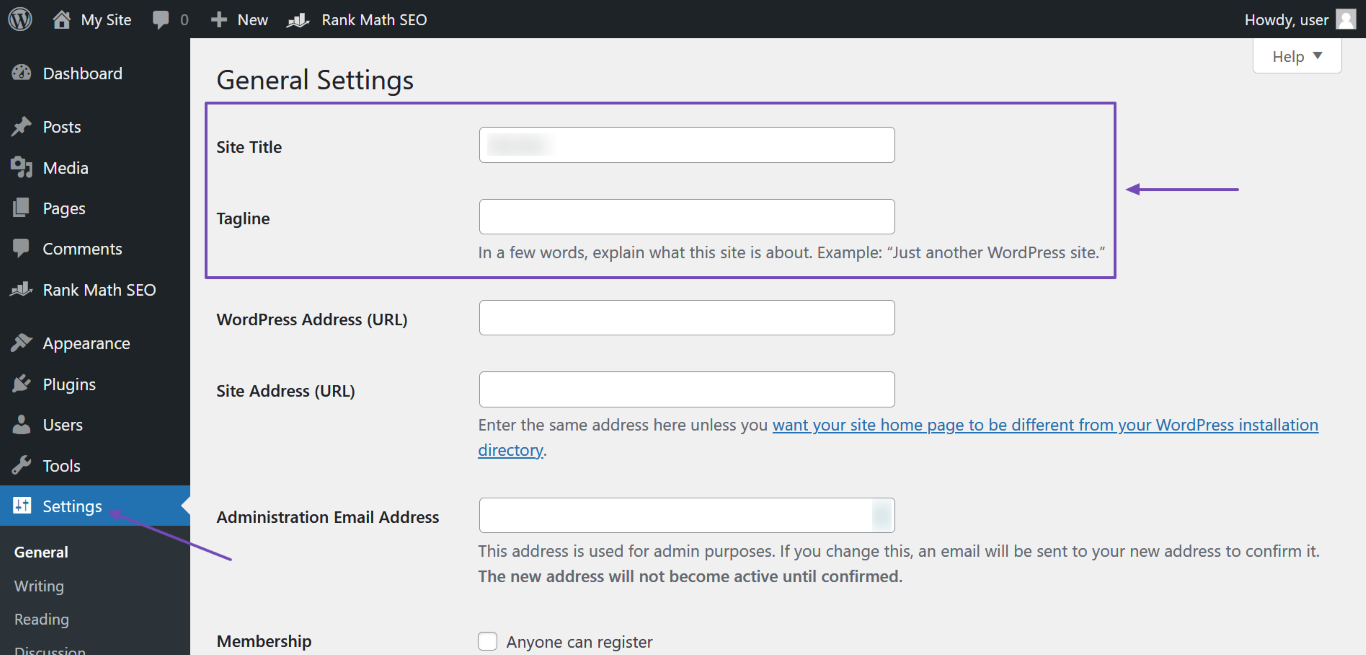
Navigate to Settings and enter your new site name in the Site Title field. You can also update the Tagline if needed.
-
After making the changes, scroll down and click Save Changes.
-
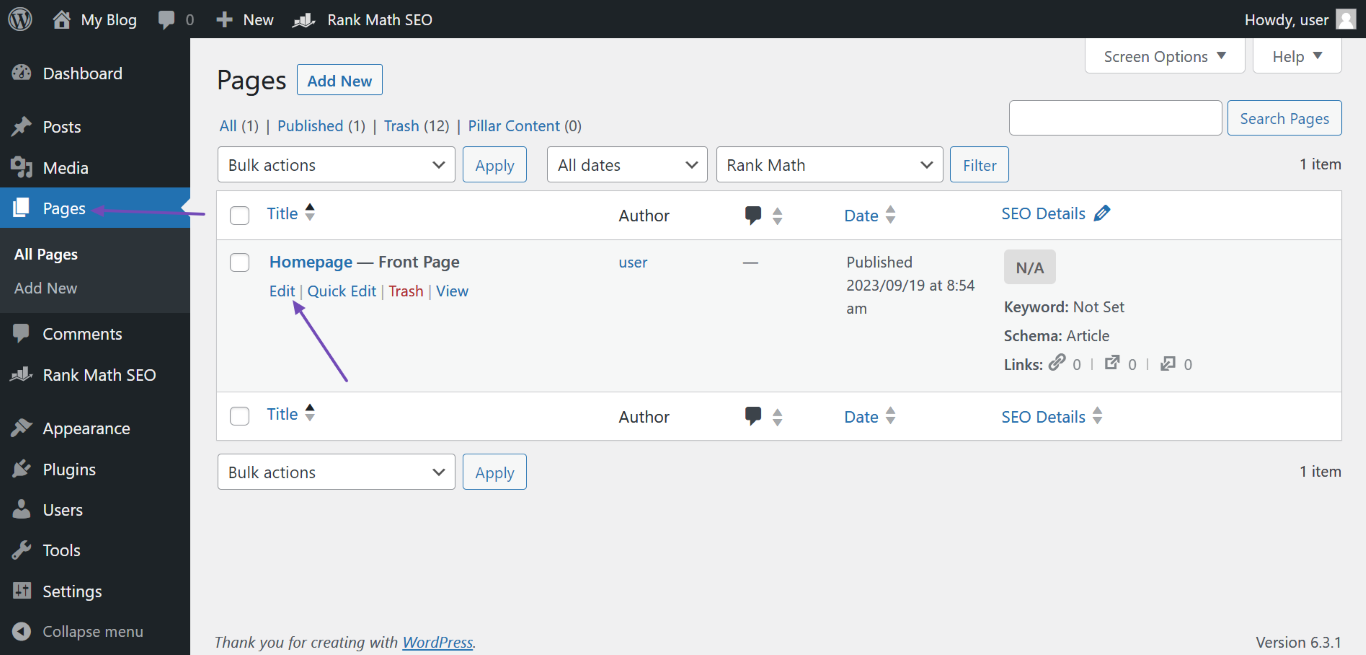
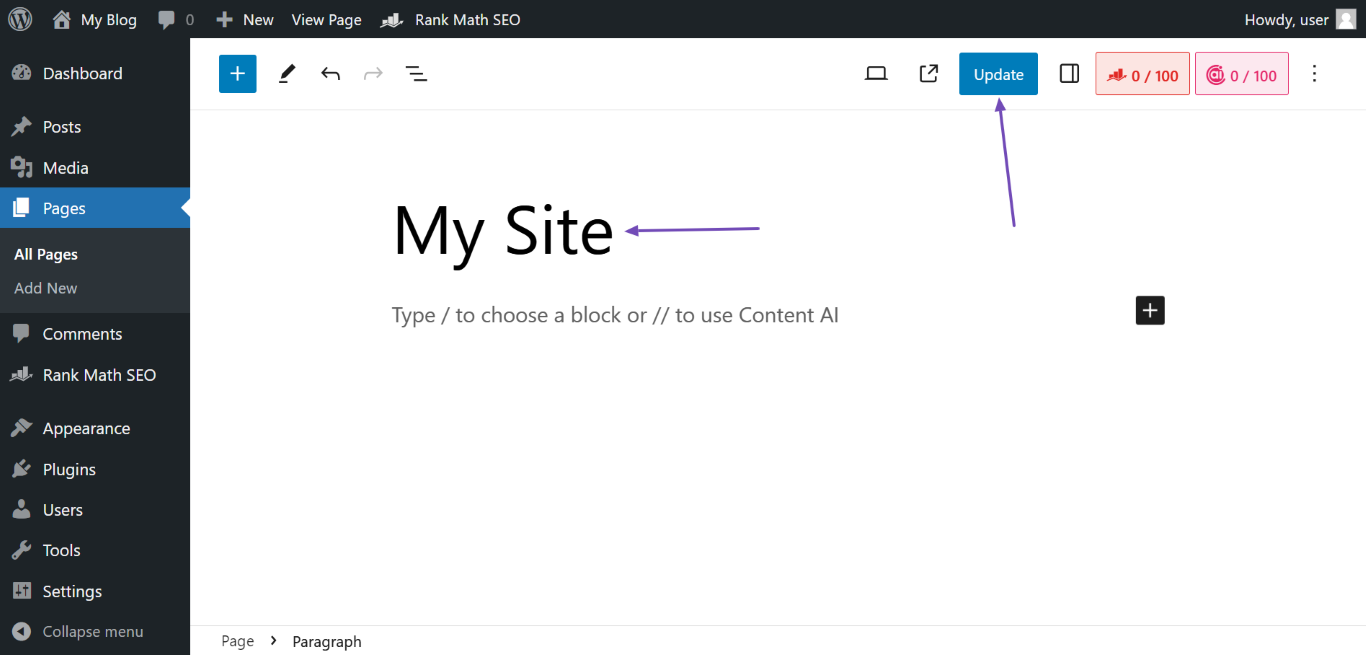
If you have a static homepage, ensure that the page title is also updated to reflect your new branding. You can do this by going to Pages, hovering over your homepage, and clicking Edit. Update the page title and click Update.
If you need further assistance or have specific questions about the rebranding process, please reply to this ticket, and a human agent from the Rank Math Support team will assist you further. Thank you for raising this concern!
Sources:
Why Google Displays URL Instead of Site Name in SERP? » Rank Math
The site title is changed but is not displaying properly
Hello,
Thank you so much for getting in touch.
Please note that Google uses a machine learning algorithm to generate the sitename for your pages based on other information it has collected about your website and your industry.
I would suggest keeping mentioning the desired title on both the title of the page and the schema structure (which our plugin automatically adds after configuring the Local SEO settings in Rank Math > Titles & Meta).
Lastly, please go through the Google guidelines about the site name to help you increase the chances of displaying the desired site name on the SERP: https://developers.google.com/search/docs/appearance/site-names
Hope that helps.
Thanks for your help. We are still running into the issue of it showing AZ Mortgage instead. I went through the plugin and everything says AZM Lending-can you please assist
Hello,
It is completely up to Google, and even if your site has followed all the guidelines, they can still decide to show a different or no site name.
You should keep working on improving your site’s content quality and authority to increase the chances of your site name appearing in the SERPs.
Lastly, you should give Google some time to recrawl your site and display the sitename you have set.
Looking forward to helping you.
Hello,
Since we did not hear back from you for 15 days, we are assuming that you found the solution. We are closing this support ticket.
If you still need assistance or any other help, please feel free to open a new support ticket, and we will be more than happy to assist.
Thank you.




