Hello,
I apologize for the issue you are facing with the site scan. To address this problem, we recommend following the steps below:
-
Troubleshoot Site Health:
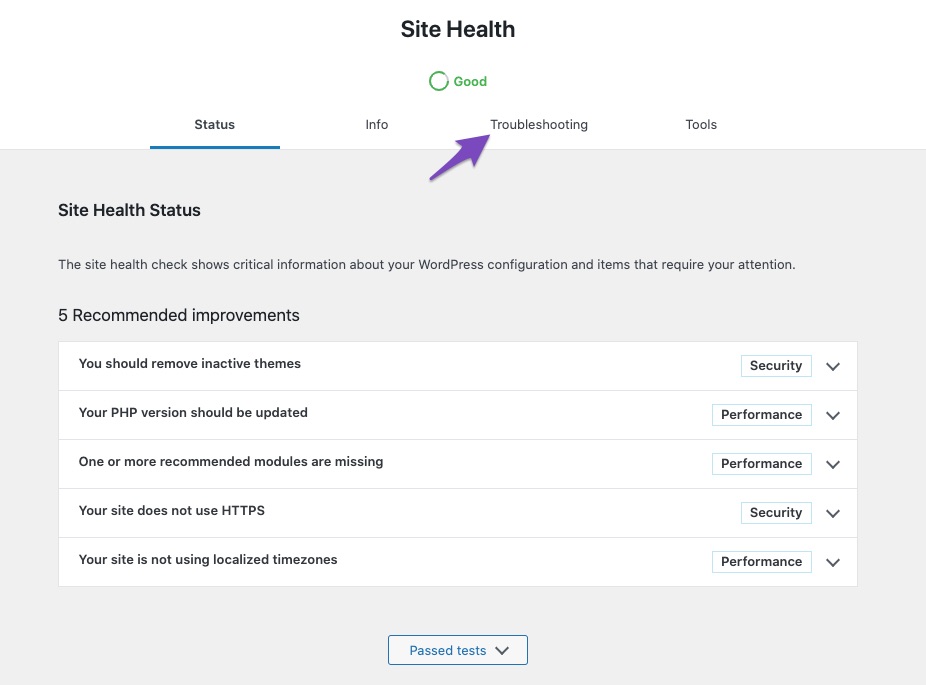
- Navigate to the Troubleshooting tab as shown in the screenshot below:
-
Enable Troubleshooting Mode:
- Click on Enable Troubleshooting Mode to start the troubleshooter, as depicted in the image below:
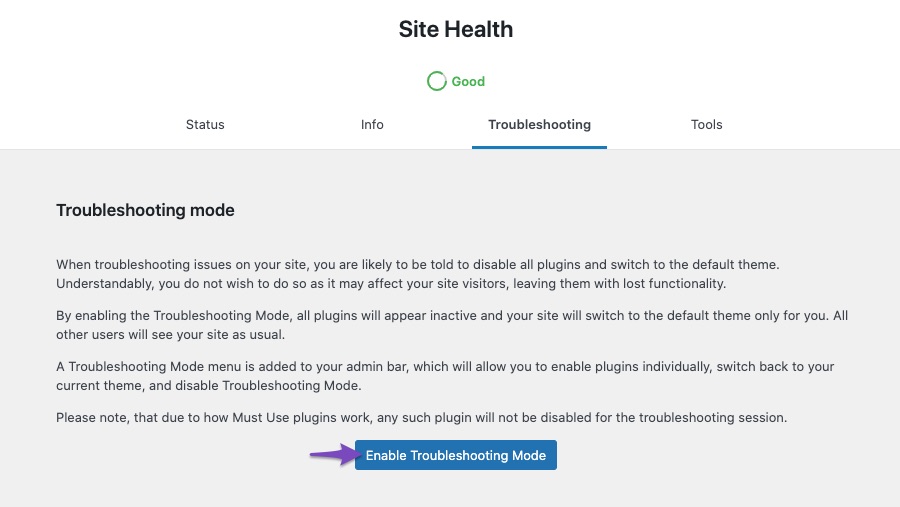
Once you complete these steps, you will be in troubleshooting mode. Enable Rank Math and keep it enabled while diagnosing any conflicts with themes or plugins on your website.
If you need further assistance or encounter any issues during this process, feel free to reach out by opening a support ticket here. Our support team will provide you with more specific guidance based on your website’s configuration.
Thank you for bringing this to our attention. If you have any more questions or need additional help, please let us know!
Sources:
Rank Math Sitemap Issues and Their Fixes » Rank Math
Why GSC Shows "No Referring Sitemaps Detected"
Confirming a Theme/Plugin Conflict With Rank Math
Background updates ensure that WordPress can auto-update if a security update is released for the version you are currently using.
Error The WP_AUTO_UPDATE_CORE constant is defined as ‘true’
Error The automatic_updater_disabled filter is enabled.
Error All automatic updates are disabled.
Hello,
Assuming you are using the latest version of all the plugins and the themes (please update if not yet), the automatic update must be disabled by one of your plugins or active theme.
To determine that, please follow this troubleshooting guide:
https://rankmath.com/kb/check-plugin-conflicts/
Here is a video you can follow as well: https://www.youtube.com/watch?v=FcIWRhcUP2c
Only the site admin would know and your users won’t be affected by this troubleshooting.
If the issue persists, please check your wp-config.php on your file manager:
“define( ‘AUTOMATIC_UPDATER_DISABLED’, false);”
If so, you can set it to True and clear your website’s cache.
Let us know how this goes.
Hello,
Since we did not hear back from you for 15 days, we are assuming that you found the solution. We are closing this support ticket.
If you still need assistance or any other help, please feel free to open a new support ticket, and we will be more than happy to assist.
Thank you.



