Hello,
We apologize for the issue you are facing with your sitemap not showing in Google Search Console. Here are some steps you can follow to troubleshoot the "Couldn’t fetch" error:
1. Validate Your Sitemap
Make sure your sitemap is correctly configured. You can validate it using the Validate XML Sitemap tool. If there are no issues detected, you should see a success message.

2. Ensure the Sitemap is Located in the Root Folder
Your sitemap should be located in the root folder of your WordPress installation. The URL should look like this:
`https://rankmath.com/kb/fix-sitemap-issues/
3. Check Indexing Settings
Ensure that your posts are set to index. Go to Rank Math SEO → Titles & Meta and make sure the Index checkbox is enabled for your posts.

4. Flush the Cache
If your sitemap appears outdated, you may need to flush the sitemap cache. Increase the value of Links Per Sitemap by one in Rank Math SEO → Sitemap Settings, then save changes.
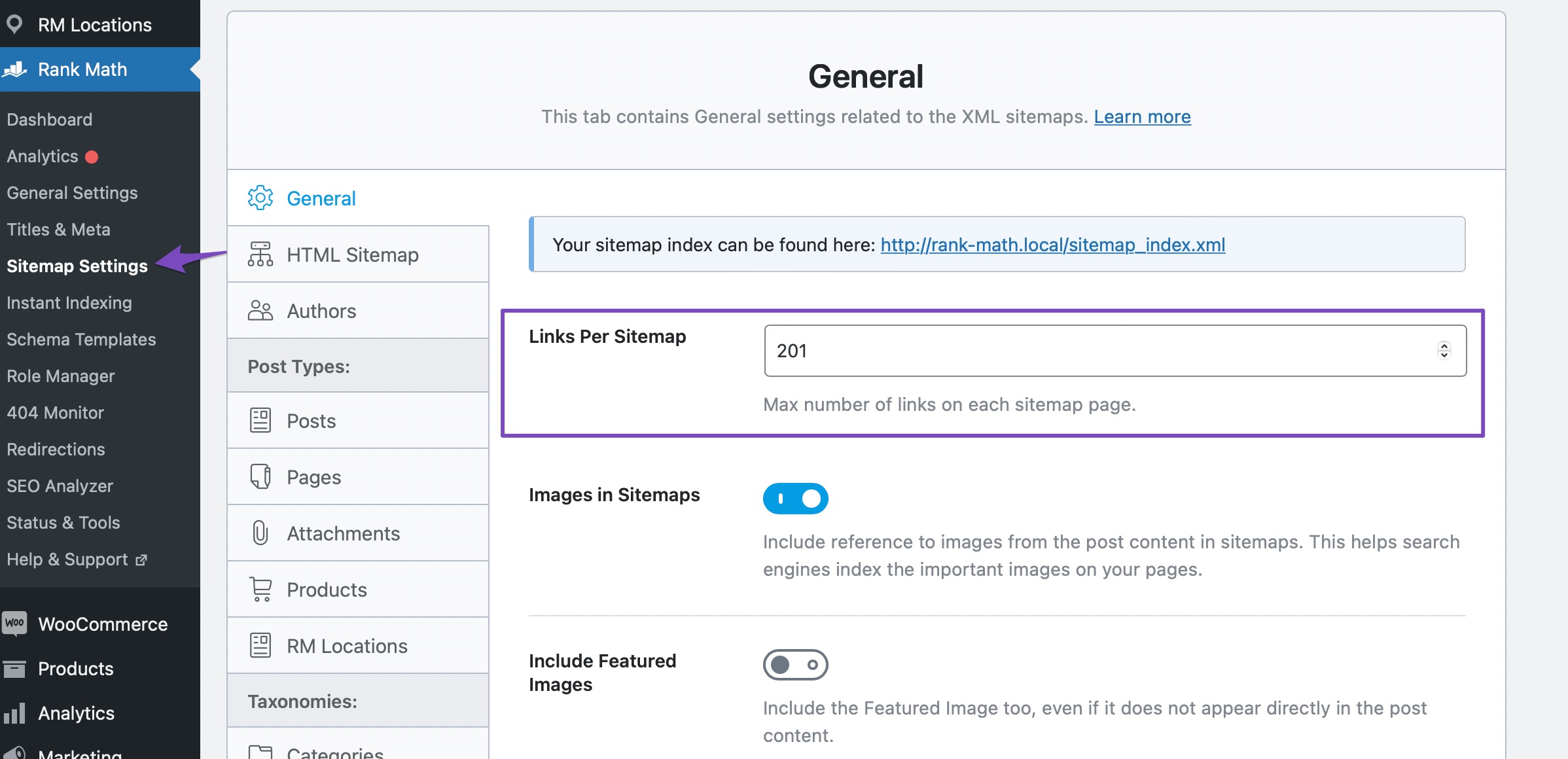
After that, go to Settings → Permalinks and click Save Changes to ensure current settings are applied.

5. Add the Correct Sitemap to Google Search Console
Make sure you have added the correct version of your sitemap to Google Search Console. The correct URL should be `https://rankmath.com/kb/fix-sitemap-issues/.
If you have followed these steps and are still experiencing issues, please reply to this ticket, and a human agent from our support team will assist you further. Thank you for bringing this to our attention!
Sources:
Troubleshooting the “Couldn’t Fetch” Error in Google Search Console » Rank Math
Rank Math Sitemap Issues and Their Fixes » Rank Math
Hello,
Thanks for contacting us, and sorry for any inconvenience that might have been caused due to that.
Can you please follow the steps mentioned in the guide below? This should help you to figure out and resolve the issue.
https://rankmath.com/kb/couldnt-fetch-error-google-search-console/
Note: after applying the fix, please try re-submitting your sitemap to GSC to see if that’s working.
Looking forward to helping you.
Thank you.
thank you
the issue has been resolved
i did submit sitemap to my cosole
hope so i will get ranking with rank math on my site
Hello,
We are super happy that this issue is already resolved. If you have any other questions in the future, know that we are here to help you.
If you don’t mind us asking, could you please leave us a review (if you haven’t already) on
https://wordpress.org/support/plugin/seo-by-rank-math/reviews/#new-post
about your overall experience with Rank Math? We appreciate your time and patience.
If you do have another question in the future, please feel free to create a new forum topic, and it will be our pleasure to assist you again.
Thank you.




