Hello,
I’m sorry to hear that you’re experiencing issues with the shared image on Facebook. There are a few reasons why the incorrect image might be displayed when sharing a post on Facebook. Let’s check a few things to troubleshoot this issue:
-
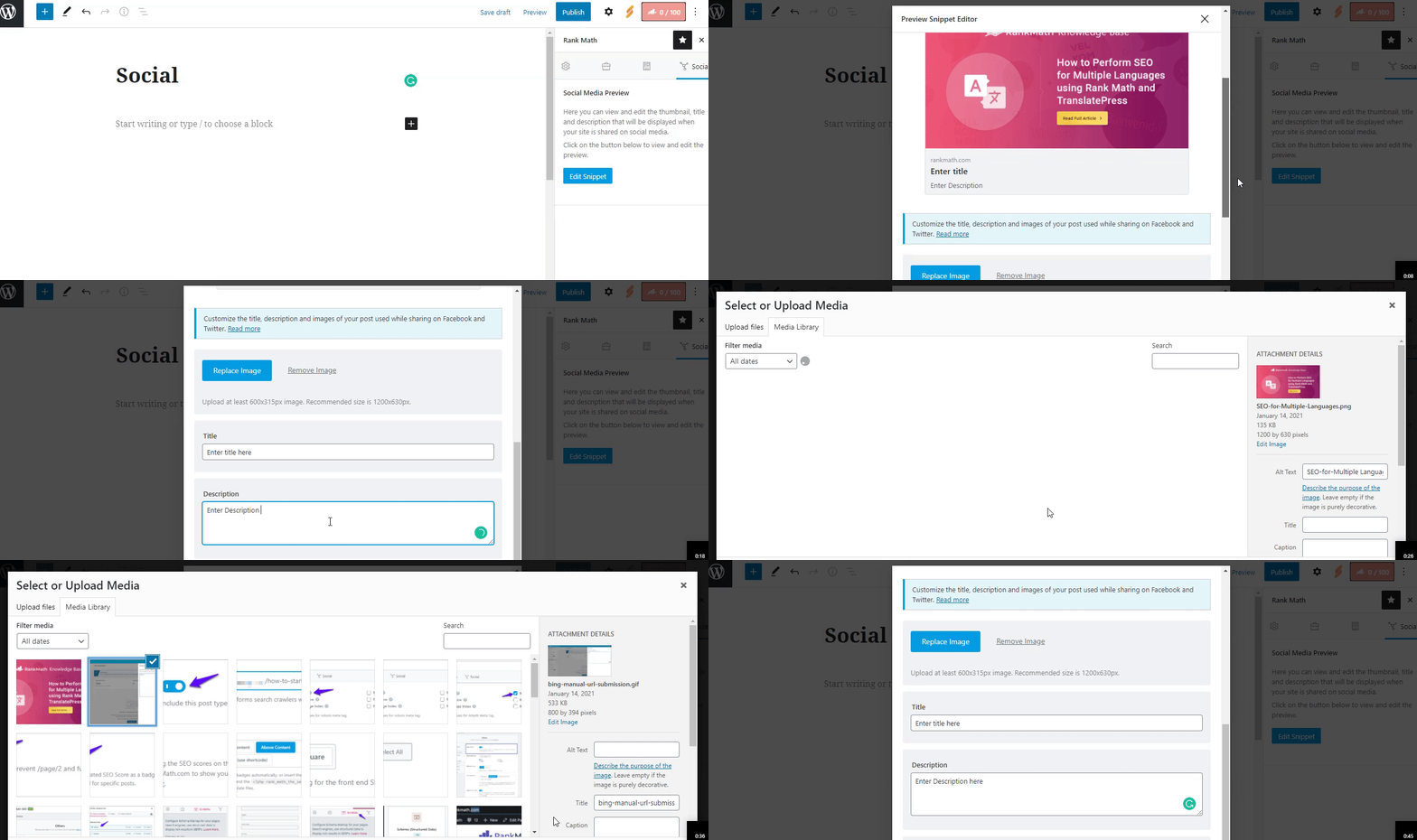
Added Facebook Sharing Images: First, please ensure that you have added the correct Facebook sharing image through the Rank Math Meta Box. You can refer to this guide for detailed instructions: Social Meta using Rank Math.
-
Image Dimensions & Format: Double-check the dimension and format of the uploaded image. Facebook supports jpeg, png, and gif image formats. The recommended image size is 1200px X 630px. If the image’s dimension is too small or too large compared to the recommended image size, then Facebook may not read your image correctly.
If you’ve already checked these points and are still facing issues, please let us know, and we’ll be happy to assist you further.
Thank you for reaching out to us!
Sources:
Social Media Options in Rank Math
Open Graph/Social Preview Image Is Not Displayed » Rank Math
General Tab in Meta Box of Rank Math SEO Plugin
This is an automated reply from Rank Math Support Bot. If you need further assistance, please reply to this topic and a human support agent will reply to you shortly.
Hello,
Since we did not hear back from you for 15 days, we are assuming that you found the solution. We are closing this support ticket.
If you still need assistance or any other help, please feel free to open a new support ticket, and we will be more than happy to assist.
Thank you.