Hello,
We apologize for the issue you are facing with the SEO score not showing for your sub-child pages. This can happen due to the settings in Rank Math.
To resolve this, please follow these steps:
-
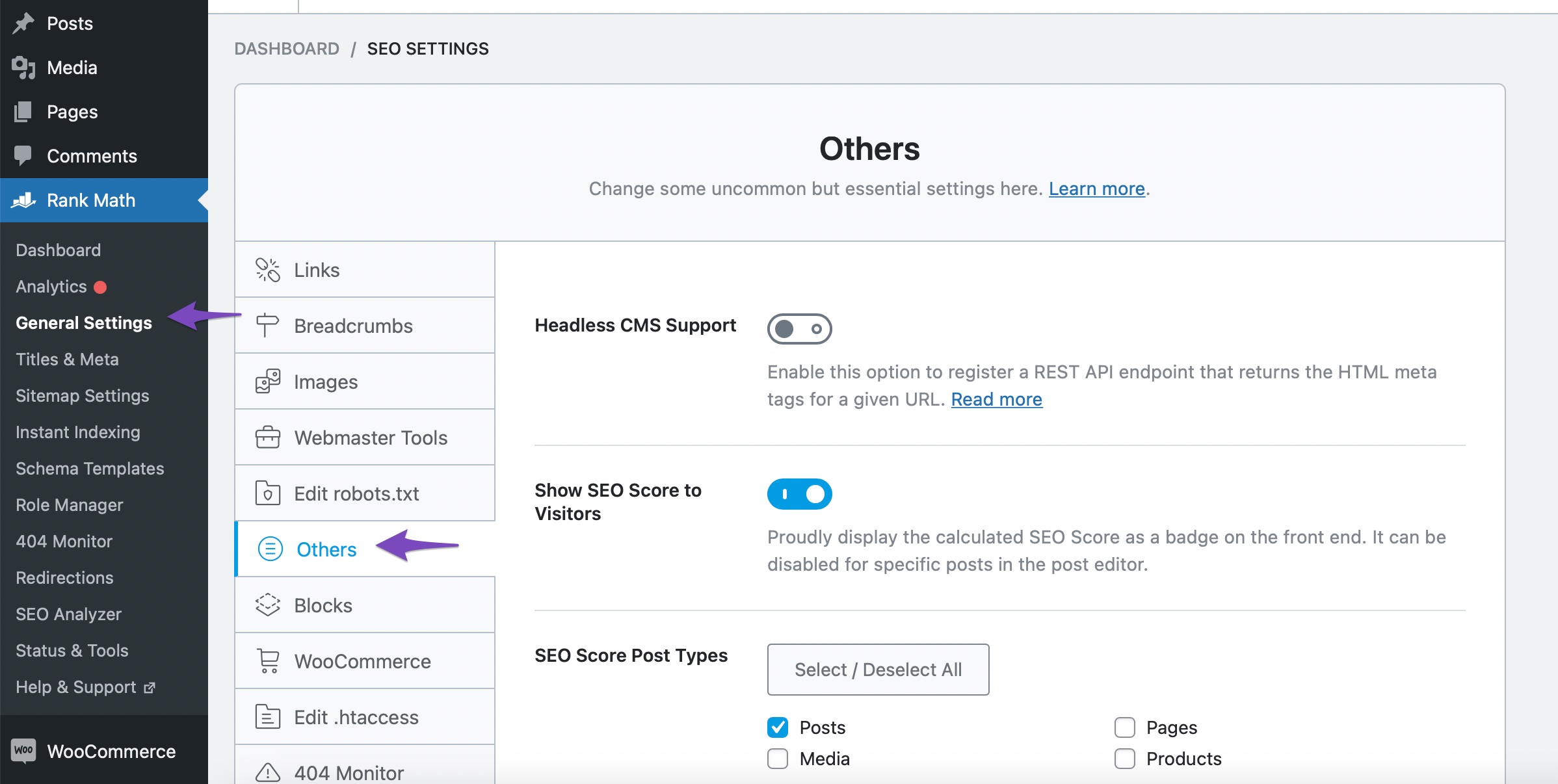
Navigate to Others Settings in Rank Math: Go to WordPress Dashboard → Rank Math SEO → General Settings → Others.
-
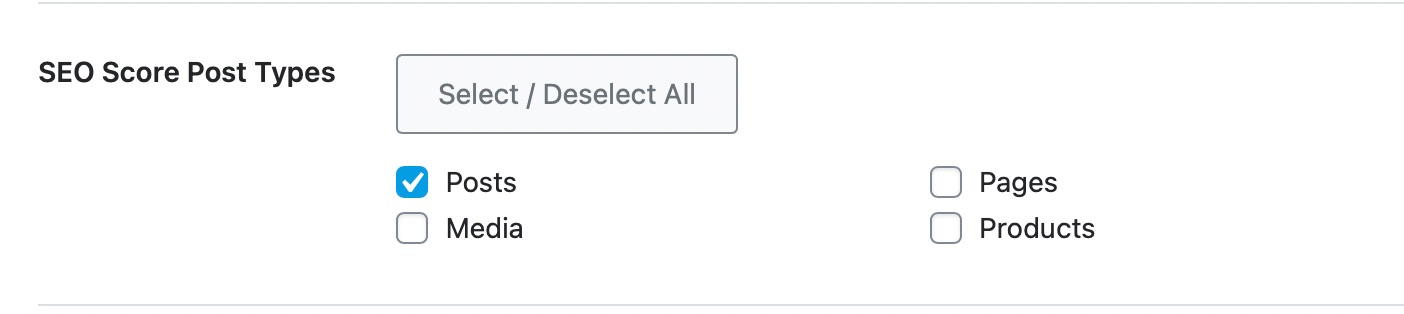
Check SEO Score Post Types: Ensure that the SEO score is enabled for the post types you want it to display on. You can select which post types (Posts, Pages, Products, Media) should show the SEO score.
-
Enable Show SEO Score: If you haven’t already, enable the Show SEO Score option. This will allow you to customize where the SEO score is displayed.
-
Check Advanced Mode: Make sure you are using the Advanced Mode in Rank Math, as some options may not be visible in the default mode.
After making these adjustments, check if the SEO scores appear for your sub-child pages. If the issue persists, please reply to this ticket, and a human agent from the Rank Math Support team will assist you further.
Thank you for bringing this concern to our attention!
Sources:
How to Hide SEO Score From the Frontend » Rank Math
Hello,
Unfortunately, we were not able to find any screenshots in this ticket. You can use any image-sharing tool like https://imgur.com/upload to share the screenshot with us.
However, please make sure you’re using the latest version of the Rank Math plugin on your website: https://rankmath.com/changelog/free/
Once done, please head over to your WordPress Dashboard > Rank Math > Status & Tools > Database Tools, and from there click on the button “Recalculate Score” and see if that works for you:
https://rankmath.com/kb/rank-math-status-and-tools/#recalculate-seo-score-for-posts
Let us know how it goes. Looking forward to helping you.
Thank you.
Hello,
Since we did not hear back from you for 15 days, we are assuming that you found the solution. We are closing this support ticket.
If you still need assistance or any other help, please feel free to open a new support ticket, and we will be more than happy to assist.
Thank you.



