Hello,
We apologize for the issue you are facing with the SEO performance reports not being sent for your website, bisfinans.com. Thank you for raising this concern.
To ensure that you receive the reports, please check the following:
-
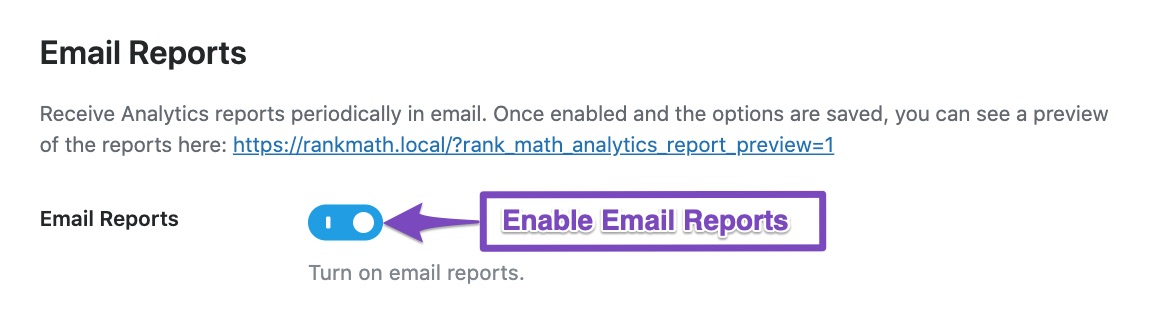
Email Configuration: Make sure that you have enabled the Email Reports feature in your Rank Math settings. You can do this by navigating to Rank Math SEO → General Settings → Analytics in your WordPress admin area and ensuring that the Email Reports option is enabled.
-
Whitelisting Email Address: Ensure that the email address w********@y******************* (replace with your actual domain) is whitelisted in your email settings to prevent it from being marked as spam.
-
Email Frequency: Since you mentioned that you should receive reports every 30 days, please verify that the frequency is set correctly in the Email Reports section of the settings.

-
Google Account Connection: Ensure that your website is properly connected to Google Search Console and Google Analytics, as Rank Math pulls data from these services to generate reports. You can find more information on connecting your Google Account here.
If everything seems to be configured correctly and you are still not receiving reports, please reply to this ticket, and a human agent from the Rank Math Support team will assist you further.
Thank you for your understanding, and we look forward to resolving this issue for you soon!
Sources:
SEO Reports Delivered Straight to You (And Your Clients) via Email With Rank Math » Rank Math
Hello,
Thank you for contacting us and sorry for any inconvenience that might have been caused due to that.
Could you please confirm if the data is available on your Rank Math Analytics Dashboard? If so, please trigger the email report by visiting the following URL (update the link with the actual domain name).
https://yourdomain.com/?rank_math_analytics_report_preview=1&send=1
Once you’ve received the email, please head over to WordPress dashboard > Tools > Scheduled Actions > Pending.
or you can try visiting the following URL:
https://yourdomain.com/wp-admin/tools.php?page=action-scheduler&status=pending
Run the rank_math/analytics/email_report_event scheduled action,
This is how it should look like:

This will force the site to send an Analytics report to the desired email address.
After that, observe if the issue persists in the next schedule.
Let us know how it goes. Looking forward to helping you.
Thank you
Hello,
Since we did not hear back from you for 15 days, we are assuming that you found the solution. We are closing this support ticket.
If you still need assistance or any other help, please feel free to open a new support ticket, and we will be more than happy to assist.
Thank you.



