Hello,
We apologize for the issue you are facing with your SEO not working while writing blogs. It can be frustrating when your efforts don’t seem to yield results.
There are several factors that could affect your blog’s SEO performance:
-
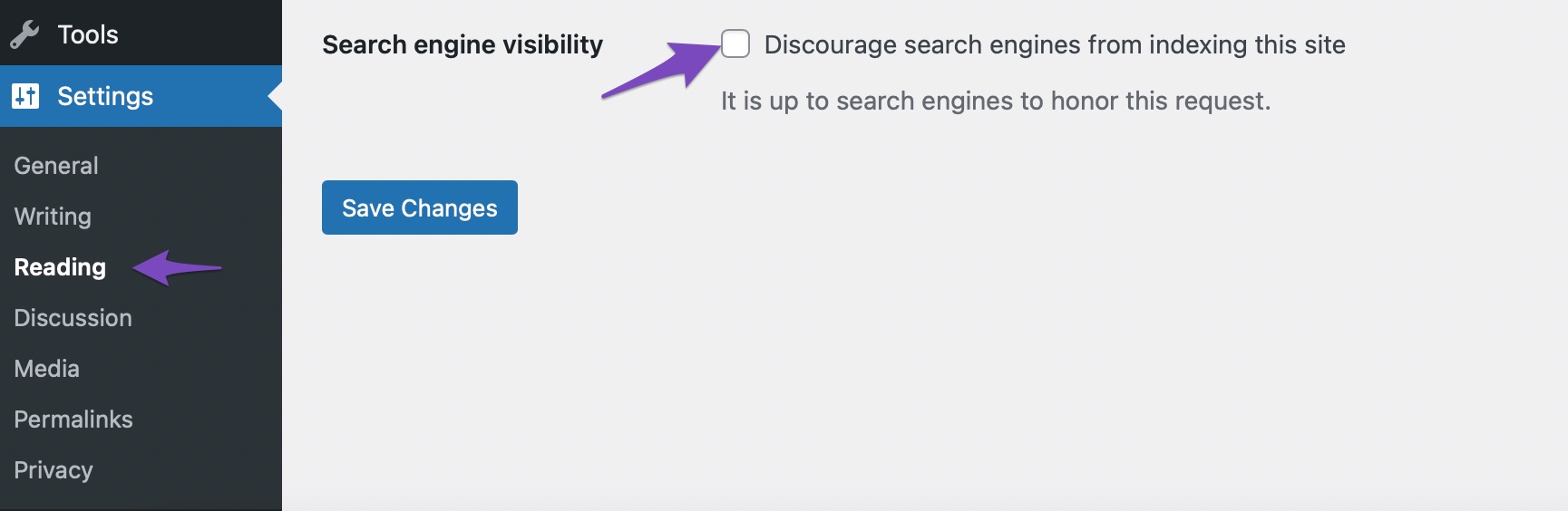
Indexing Issues: Ensure that your website is indexed by search engines. If your site is not indexed, it won’t appear in search results. You can check this by going to your WordPress Settings → Reading and ensuring that the option to discourage search engines from indexing your site is unchecked.
-
Content Quality: Google prioritizes high-quality content. Make sure your blog posts are well-written, informative, and relevant to your audience.
-
Keyword Optimization: Use relevant keywords in your blog posts. This includes using them in titles, headings, and throughout the content naturally.
-
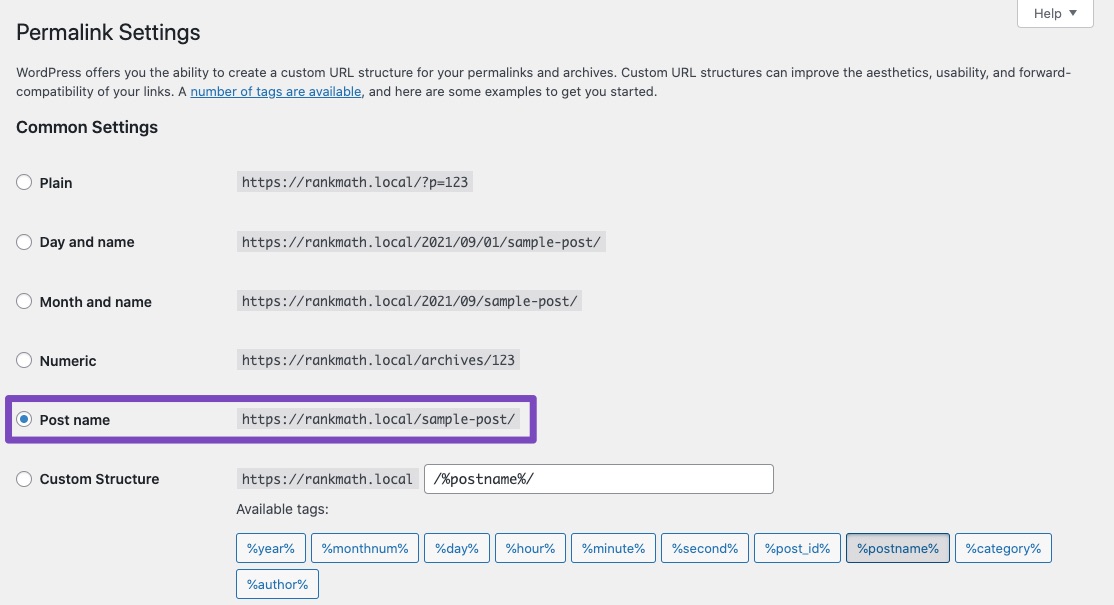
Permalink Structure: Ensure that your permalinks are SEO-friendly. You can set this by going to Settings → Permalinks and selecting the “Post Name” option.
-
Frequency of Posting: Regularly updating your blog with new content can help improve your site’s visibility and indexing speed.
-
Crawl Budget: Google assigns a crawl budget to your site based on various factors, including domain authority and posting frequency. This can affect how quickly your content gets indexed.
If you’ve checked all these aspects and still face issues, it might take some time for Google to index your new posts, as it can take days or even weeks for changes to reflect in search results.
If you have specific concerns or need further assistance, please reply to this ticket, and a human agent from the Rank Math Support team will assist you further.
Thank you for raising this concern!
Hello,
Thank you for contacting us and sorry for any inconvenience that might have been caused due to that.
Can you please confirm if you’re referring to the Rank Math SEO tests? If so, you can follow our in-detailed guidelines on how you can score 100/100: https://rankmath.com/kb/score-100-in-tests/
In case the tests are not getting passed even after making the changes, please let us know if you’re using any page builder on your website or not.
If you are using a page builder not supported by Rank Math yet, then you would need to contact the developer of that page builder by showing them the following link: https://rankmath.com/kb/content-analysis-api/
This will allow Rank Math to read the contents from your page properly.
Let us know how it goes. Looking forward to helping you.
Thank you.
Hello,
Since we did not hear back from you for 15 days, we are assuming that you found the solution. We are closing this support ticket.
If you still need assistance or any other help, please feel free to open a new support ticket, and we will be more than happy to assist.
Thank you.



