Hello,
We apologize for the issue you are facing with connecting your Rank Math account to the Google Search Console. It seems that there might be a problem with the integration or the verification of your website property in the Search Console.
Here are a few steps you can take to troubleshoot this issue:
-
Verify Your Website Property: Ensure that your website is properly verified in Google Search Console. You can refer to this article on adding a URL property to the Search Console.
-
Connect to Search Console: Go to Rank Math SEO → General Settings → Analytics. If you haven’t already created and verified your website property in the Google Search Console, Rank Math should do this automatically. Make sure to select the correct URL property from the drop-down list.
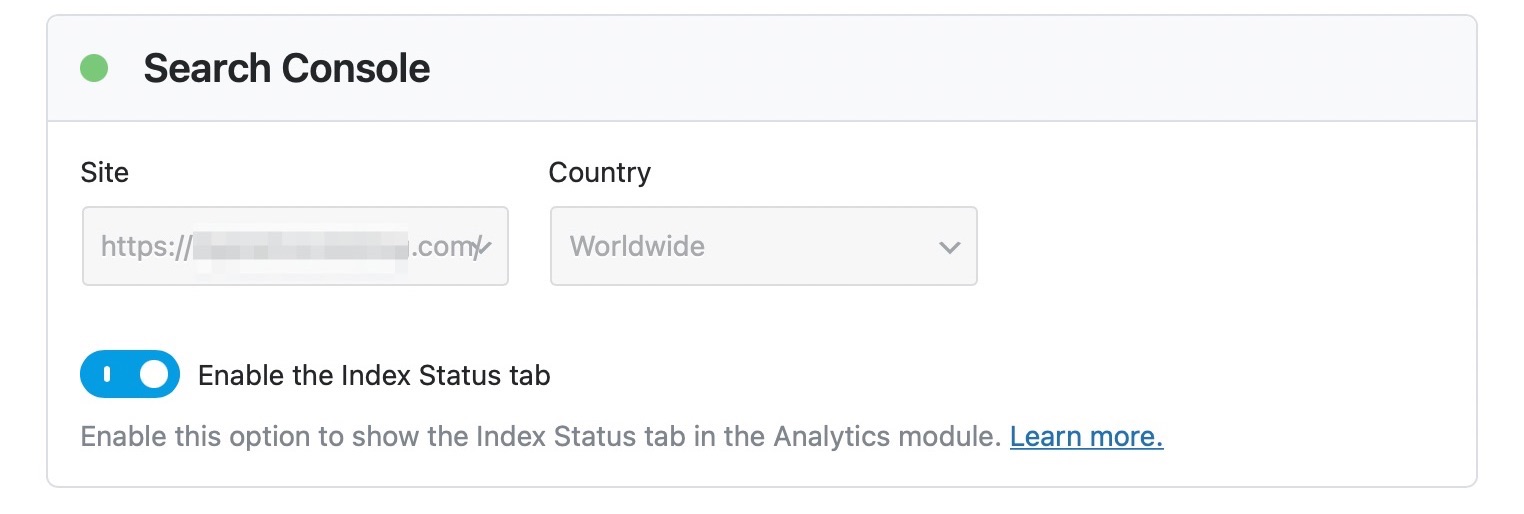
-
Check for Multiple Accounts: If you have multiple Rank Math accounts, ensure that your website is connected with the Rank Math account that has a PRO license.
-
Refresh Tokens: Sometimes, authorization tokens may expire. You can refresh them by deleting the Rank Math app from your Google Account permissions here and then reconnecting it through Rank Math.

If the issue persists after trying these steps, please reply to this ticket, and a human agent from the Rank Math Support team will take over and assist you further.
Thank you for raising this concern, and we’re here to help!
Hello,
Thank you for contacting Rank Math support.
You seemed to have marked this ticket as resolved.
We’re just following up to know if you have any other concerns that we can assist you with. If your issue has been resolved, please let us know so we can mark this ticket as closed.
Thank you for choosing Rank Math.



