Hello,
We apologize for the issue you are facing with the Search Console data not syncing in Rank Math. Here are a few steps you can take to troubleshoot this issue:
-
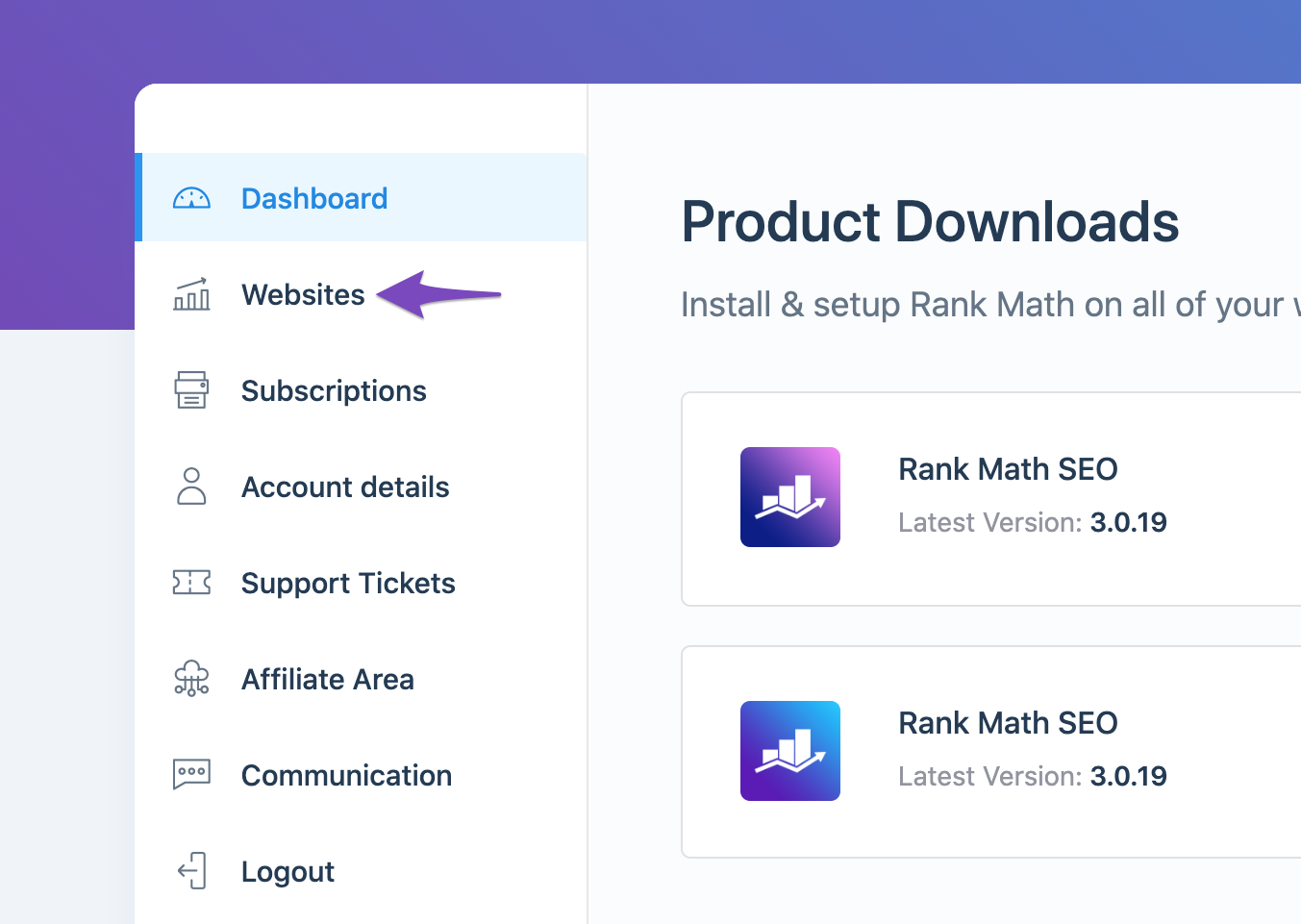
Check if Rank Math SEO Account is Connected: Ensure that your website is connected with the Rank Math account that has a PRO license. You can verify this by logging into your Rank Math account and navigating to the My Account area, then clicking on the Websites tab to see if your site is listed.
-
Reconnect Google Services: If your website is connected but the data still isn’t appearing, it might be due to expired authorization tokens. To refresh these tokens, you can delete the Rank Math app from your Google Account permissions and then reconnect it:
- Go to Google Account permissions and remove access to Rank Math SEO.

- After that, go back to Rank Math and reconnect your Google account.
-
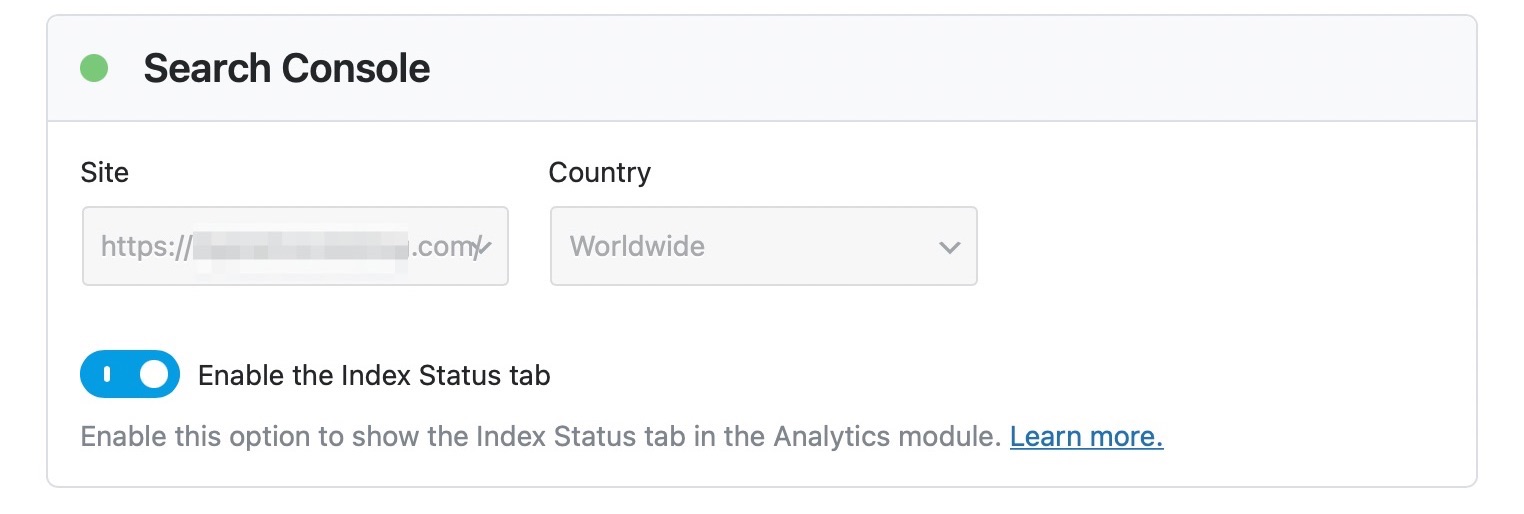
Check Analytics Settings: Ensure that you have correctly set up the connection to Google Search Console in Rank Math. Go to Rank Math SEO → General Settings → Analytics and make sure your site is selected under the Search Console section.
-
Wait for Data to Sync: Sometimes, it may take some time for the data to sync properly. If you have just made changes, please allow some time for the data to reflect.
If you have followed these steps and the issue persists, please reply to this ticket with any additional details or error messages you might be encountering, and a human agent from our support team will assist you further.
Thank you for raising this concern!
Sources:
What to Do When Rank Math Analytics Shows Zero Search Traffic » Rank Math
How to Connect Your Google Account With Rank Math SEO » Rank Math
Hello,
Glad that helped.
If you have any other concerns, please don’t hesitate to contact us anytime so we can assist you further.
Looking forward to helping you.



