Hello,
We apologize for the issue you are facing with the Search Console connection in Rank Math. It seems like there might be a glitch in the permissions or the connection itself. Here are some steps you can follow to troubleshoot this issue:
-
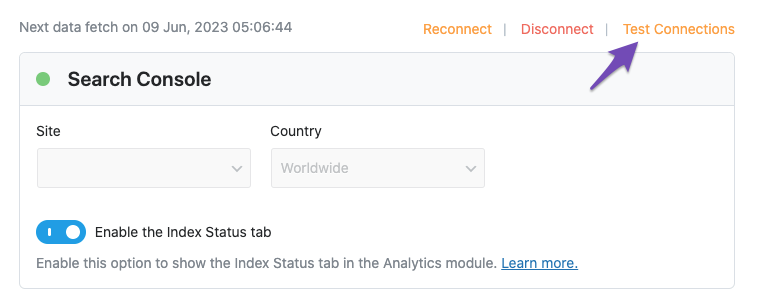
Test Connections: Go to Rank Math SEO → General Settings → Analytics and click on the Test Connections option. If you see a red signal, it indicates a problem with the connection.
-
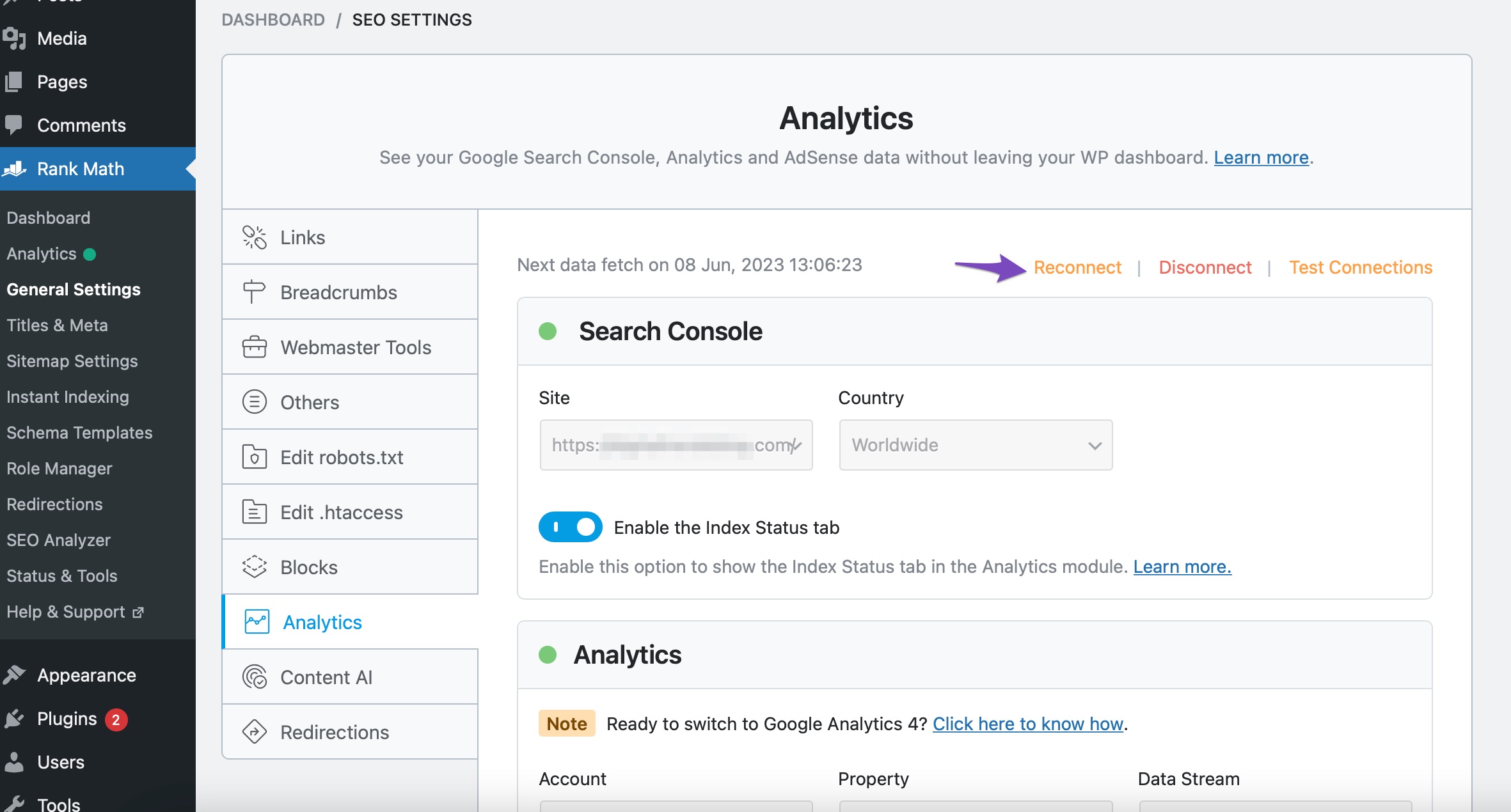
Reconnect Google Account: Since you’ve already removed permissions, please ensure you reconnect Rank Math with your Google account properly. Navigate to Rank Math SEO → General Settings → Analytics, and click on the Reconnect button. Make sure to allow all permissions when prompted.
-
Check Permissions: After reconnecting, ensure that all necessary permissions are granted. You can check this in your Google Account under Security → Third-party apps with account access.

-
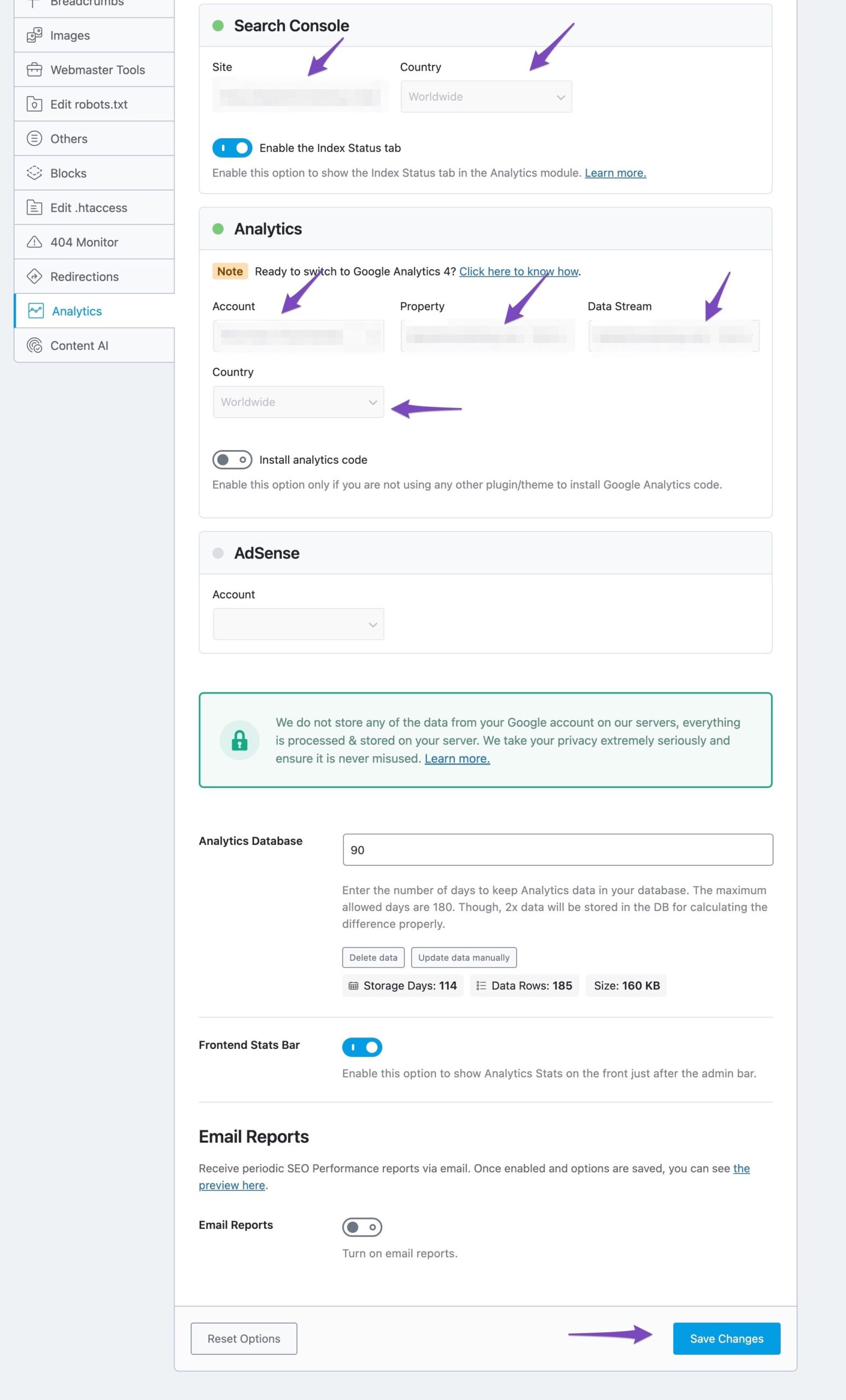
Save Changes: After reconnecting, select all values in the drop-down list in the Analytics settings and click on Save Changes. You should see a notice indicating that data is being imported after a few moments.
If the issue persists even after following these steps, we recommend replying to this ticket so a human agent from the Rank Math Support team can assist you further.
Regarding your second question about the analytics code installation: If you selected "install analytics code" multiple times while trying to reconnect, it is possible that the code may have been installed more than once. However, Rank Math typically handles this well, and it should not cause any issues. You can check your website’s source code to see if the analytics code appears multiple times.
Thank you for raising this concern, and we hope to resolve it for you soon!
For my second part of the question – I tried to check source code of my website and I do not see the gtag. Does that mean that it wasn’t able to install?
Hello,
Please ensure that you have verified your email/account as the owner of the property. Go to your Google Search Console > Settings > Users and permissions:

Once done, please try to reconnect your Rank Math account again by following this guideline: https://rankmath.com/kb/analytics-issues/#expired-google-oauth-token
Regarding the Analytics code, if you’ve already enabled the “Install analytics code” option, please try to clear your website cache including any server-level cache, and check again.
You can also share your website URL here so that we can check this as well.
Let us know how it goes. Looking forward to helping you.
Thank you.
Hello,
I added my website under “sensitive data” section. Can you please check if the analytics is added exactly once?
Thank you.
Update: I followed the above suggestions and now, the google console connects.
For analytics, I did not connect yet because I want to select “install analytics code” if you’re able to confirm that its not installed yet.
Hello,
There are no Google tags on the site when we checked with the Google Tag Assistant
You can go ahead to Install the analytics code.
Hope that helps.
Thank you.
Hi!
I have connected the Analytics with the install option. I still do not see the gtag in the source code.
How do I make sure that its installed? Also, I don’t see a “google search console” tab in my rank math to see the analytics. So, I am not sure where I can view the analytics apart from going to google analytics itself.
Hello,
We can see that the analytics code is now installed on your site:

You can confirm this using the Google tag assistant tool: https://tagassistant.google.com/
You should be able to view basic analytics data in the Rank Math Analytics dashboard under Rank Math > Analytics in your WordPress dashboard. It may take some time to populate initially, so check back periodically.
You can refer to this guide for reference: https://rankmath.com/kb/delete-old-analytics-data/
Let us know how that goes.
Thank you.
Hi, Following up –
1. The analytics show “0”. I am not sure if this is because there were no hits from google or if its because of an issue in tracking.
2. I also do not see any of my blog pages indexed in my google search console. But, rankmath tells me that the pages have been submitted for instant indexing. I am guessing that this is also linked to the connection issue I had? How do I make sure that all my blogposts are google indexed through rankmath?
Thank you.
Hello,
1. If you already have the data in your Google Search Console, the data should be available upon fetching.
Could you please share an image from your Analytics dashboard and your organic traffic data from Google Search Console for the last 30 or 15 days so we can compare it with the data coming through in the Analytics module?
You can upload screenshots using this tool and add the link here.
2. You should check your Google Search Console > Indexing > Pages section to determine any issues reported on your URLs that may have prevented your site from being indexed:
https://support.google.com/webmasters/answer/7440203?hl=en
To better understand the status reported, you may refer to our guide here:
https://rankmath.com/kb/url-inspection-api-integration/#not-indexed
Moreover, here’s a guide to ensure that your blog posts are set to index:
https://rankmath.com/kb/google-index/
Looking forward to helping you.
Hello,
Since we did not hear back from you for 15 days, we are assuming that you found the solution. We are closing this support ticket.
If you still need assistance or any other help, please feel free to open a new support ticket, and we will be more than happy to assist.
Thank you.





