Hello,
We apologize for the issue you are facing with Rank Math Analytics and Search Console. It seems like there might be a glitch in the connection with your Google Analytics account.
To troubleshoot this, please follow these steps:
-
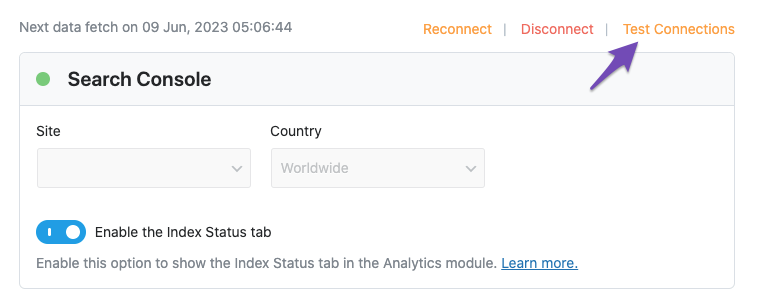
Test Connections: Go to Rank Math SEO → General Settings → Analytics and click the Test Connections option. A green signal indicates a valid connection, while a red signal indicates an issue.
-
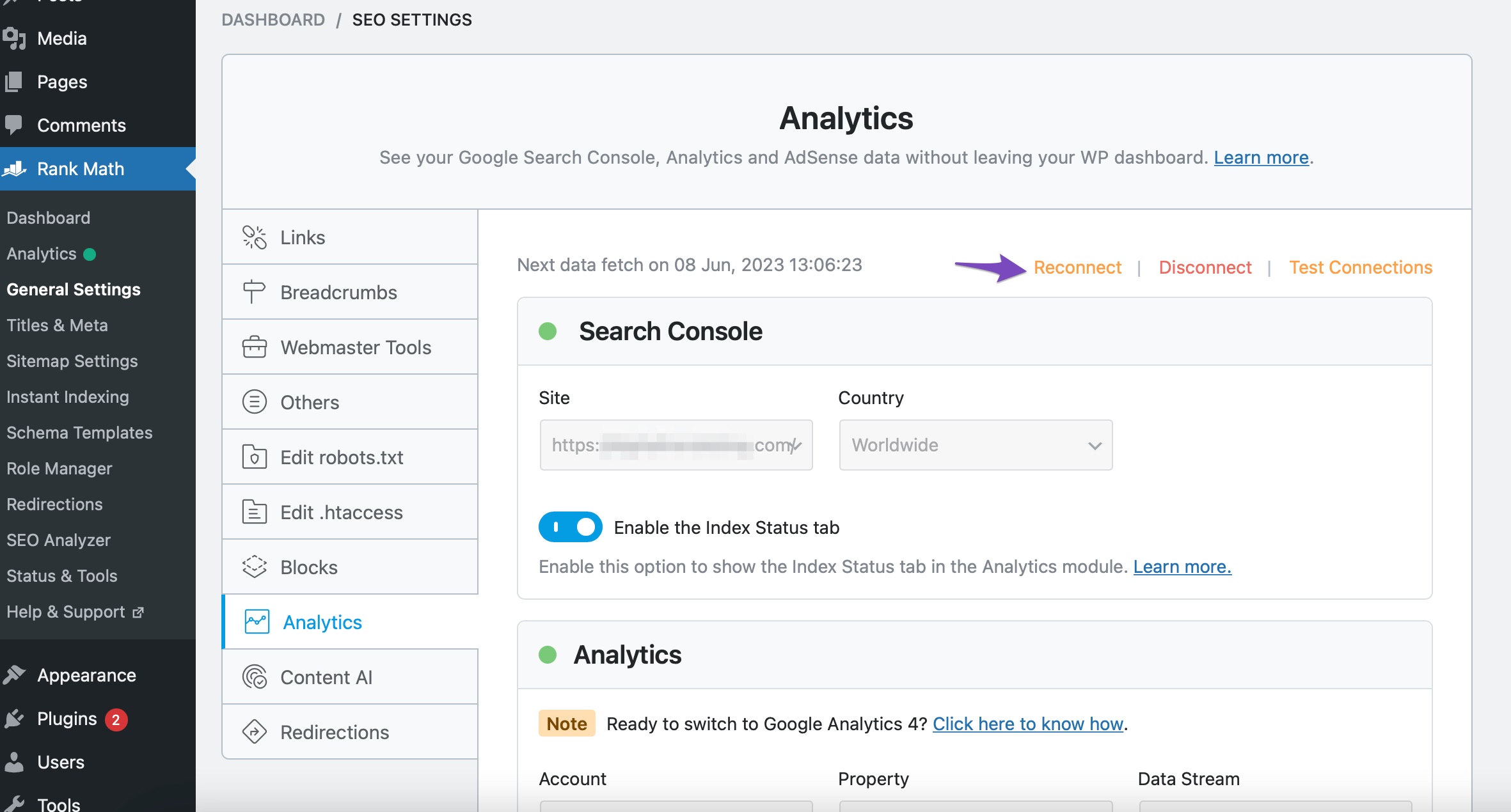
Reconnect Your Google Account: If you see a red signal, try reconnecting your Google account. You can do this by clicking the Reconnect link in the same Analytics settings area.
-
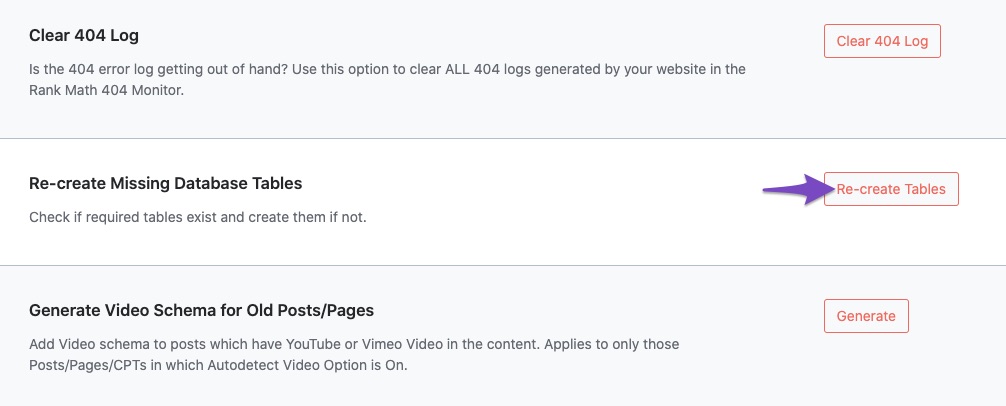
Recreate Database Tables: If the issue persists, navigate to WordPress Dashboard → Rank Math SEO → Status & Tools → Database Tools and click on the Re-create Tables button.
-
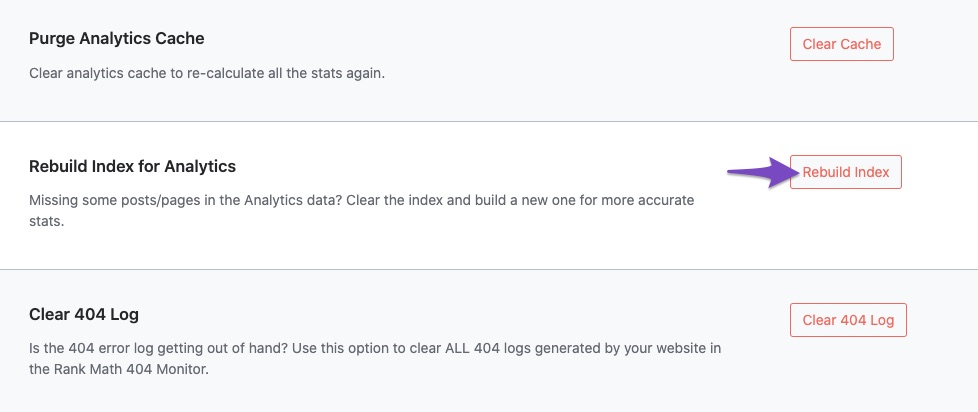
Rebuild Index for Analytics: After that, go back to Database Tools and click Rebuild Index for Analytics.
-
Check Data Presence: Finally, check if the data is present in the Analytics dashboard by navigating to Rank Math SEO → Analytics.
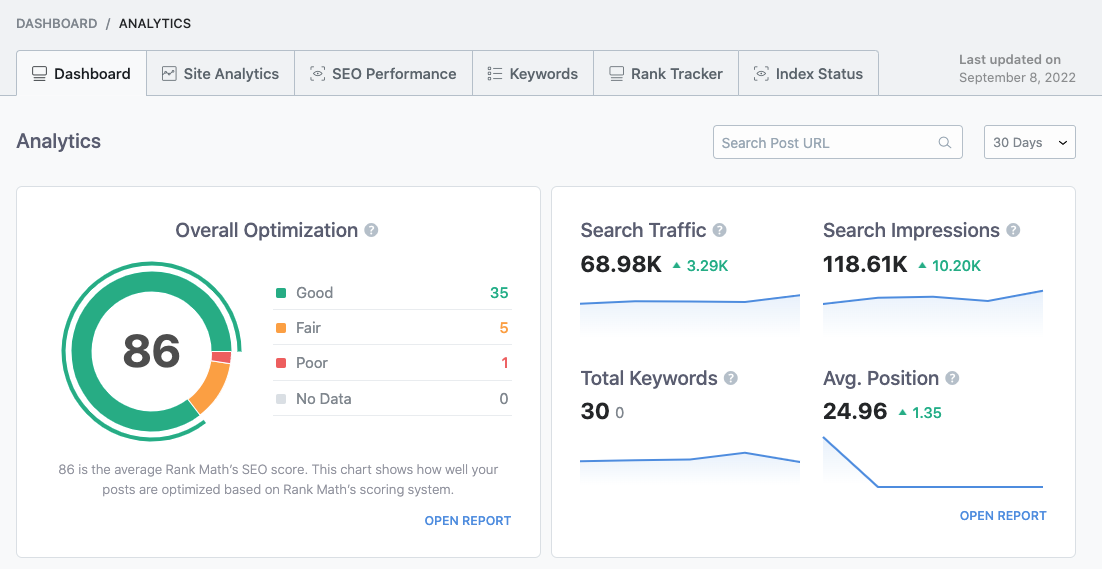
If you continue to experience issues after following these steps, please reply to this ticket, and a human agent from the Rank Math Support team will assist you further.
Thank you for raising this concern!
Sources:
What to Do When Rank Math Analytics Shows Zero Search Traffic » Rank Math
Hello,
I have updated the sensitive data as requested. Can you please check further?
Thank you.
I’ve followed all the steps and the dot next to the search console was again red, but after clicking test connections it turn red again. The analytics table accounts are still showing no results found.
Hello,
Could you please confirm if you have already created a GA4 property for your website?
If not yet, please visit this page (https://analytics.google.com/analytics/web/) and sign up for a Google Analytics account and property, then reconnect your Google Account so the new Analytics account will reflect in that section.
Let us know how this goes.
Hello,
Since we did not hear back from you for 15 days, we are assuming that you found the solution. We are closing this support ticket.
If you still need assistance or any other help, please feel free to open a new support ticket, and we will be more than happy to assist.
Thank you.



