Hello,
We apologize for the issue you are facing with adding multiple locations to the Job Posting Schema in Rank Math. To add multiple locations without overwriting the first one, you can use the Advanced Editor in the Job Posting Schema Builder. Here are the steps to do this:
-
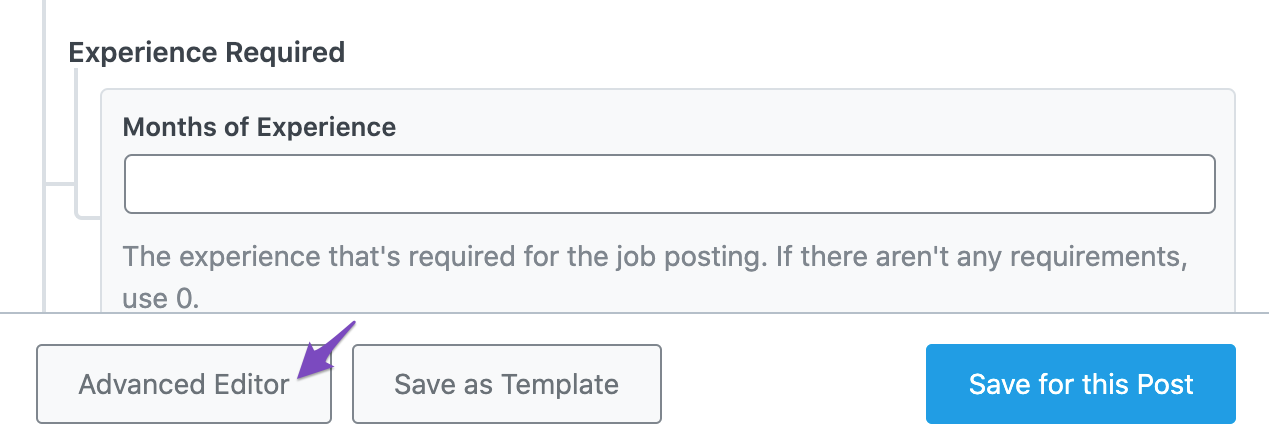
Open Advanced Editor: In the JobPosting Schema Builder, add all the properties except the Address field. Then click the Advanced Editor at the bottom of the dialog box.
-
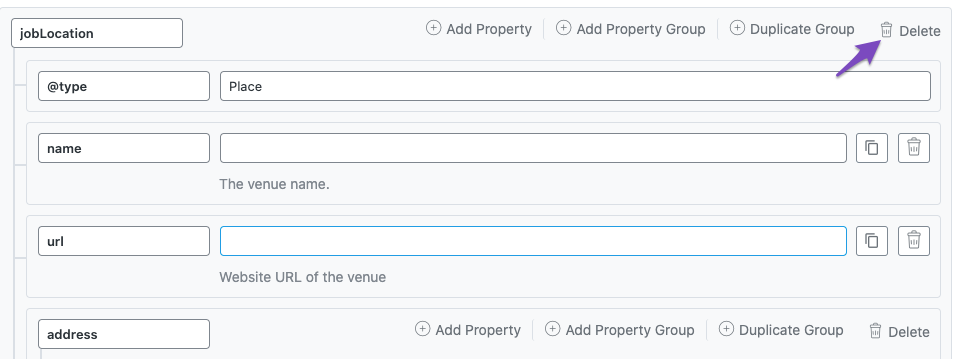
Modify the Existing JobLocation Schema Property Group: In the Advanced Editor, delete the existing JobLocation Schema property group. Then click Add Property Group to create a new one that can include multiple locations.

-
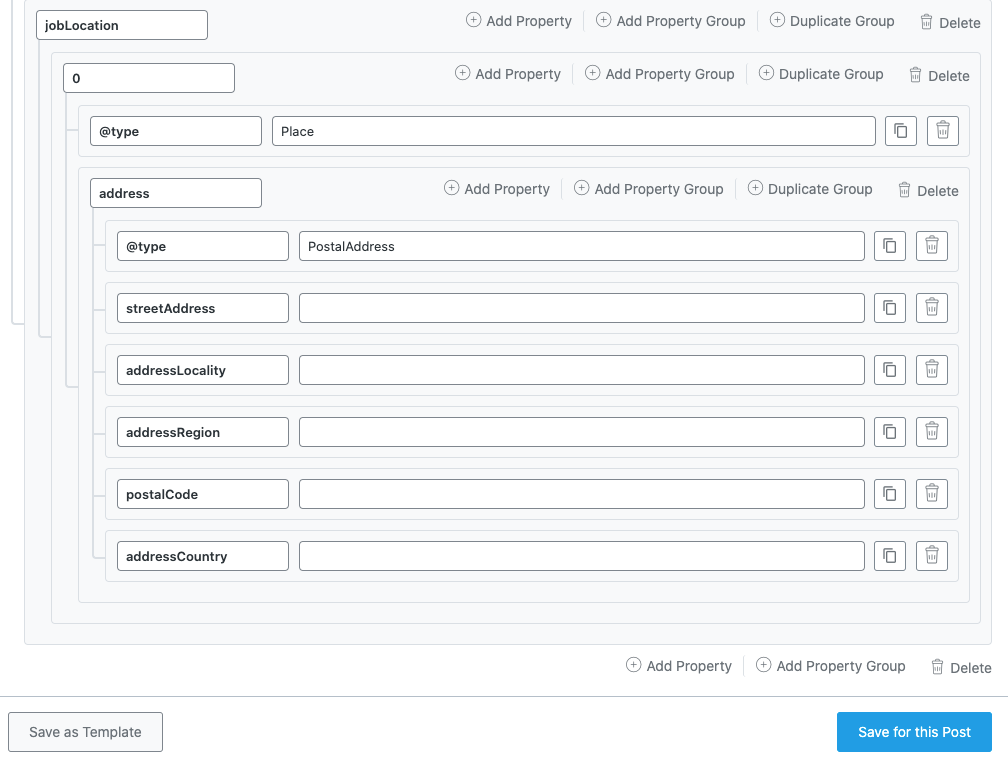
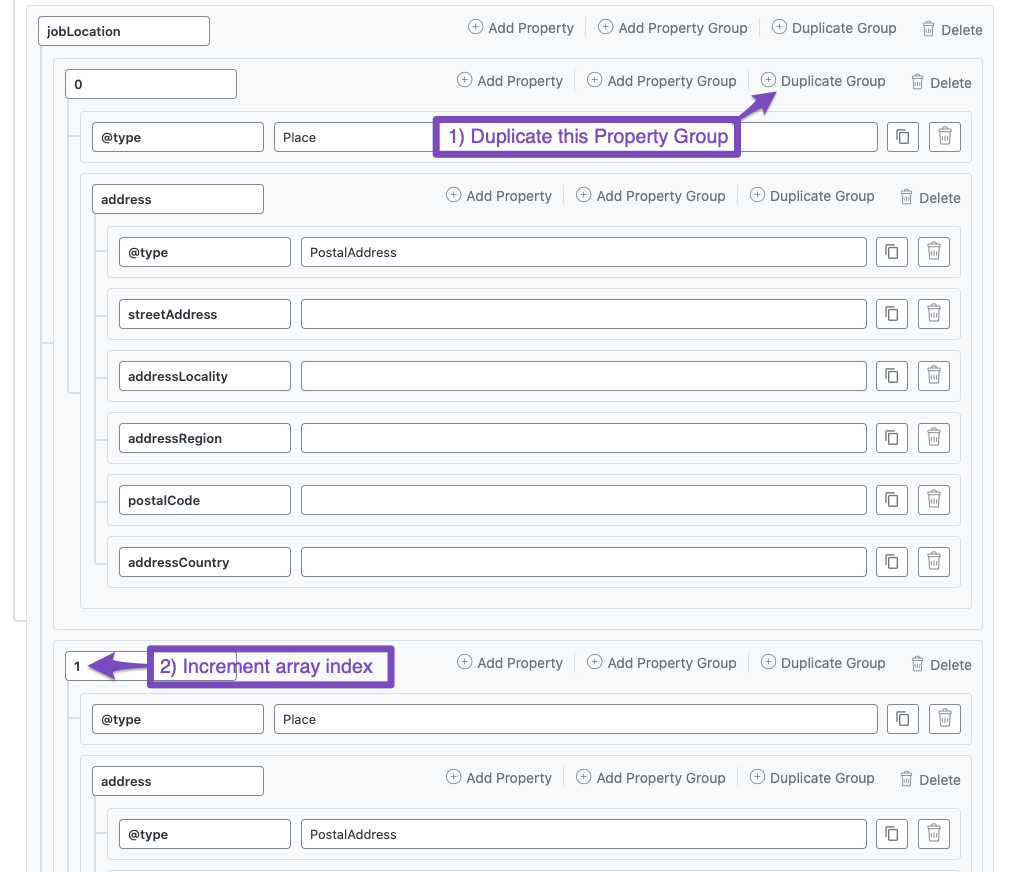
Create JobLocation with an Array: Add your first location’s fields and then duplicate this group for additional locations, incrementing the index each time.
-
Save Schema: After adding all locations, make sure to save your changes by clicking the Save for this Post button.

If you follow these steps, you should be able to add multiple locations successfully. If you continue to experience issues, please reply to this ticket, and a human agent from our support team will assist you further.
Thank you for raising this concern!
Sources:
JobPosting Schema Type » Rank Math
Hello,
Glad that helped.
If you have any other concerns, please don’t hesitate to contact us anytime so we can assist you further.
Looking forward to helping you.



