Hello,
We apologize for the issue you are facing with the schema on your blog page. It sounds like there may be a corrupted Schema markup or a conflict with another plugin. Here are some steps you can take to resolve this:
-
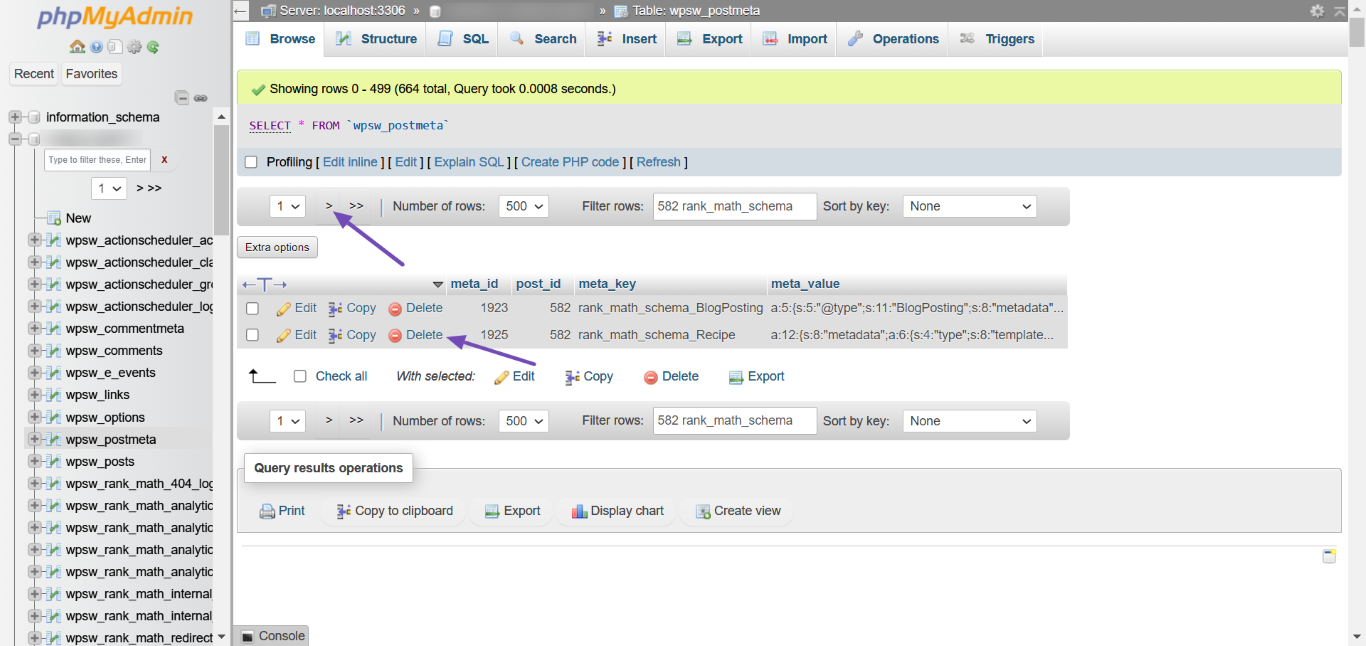
Check for Corrupted Schema: If your post or page editor breaks when you click on the Schema tab, it may indicate corrupted Schema. You can delete the corrupted Schema from your database. Make sure to back up your website before making any changes.
- To delete the Schema, navigate to your post/page editor, find the corrupted Schema, and click Delete.
-
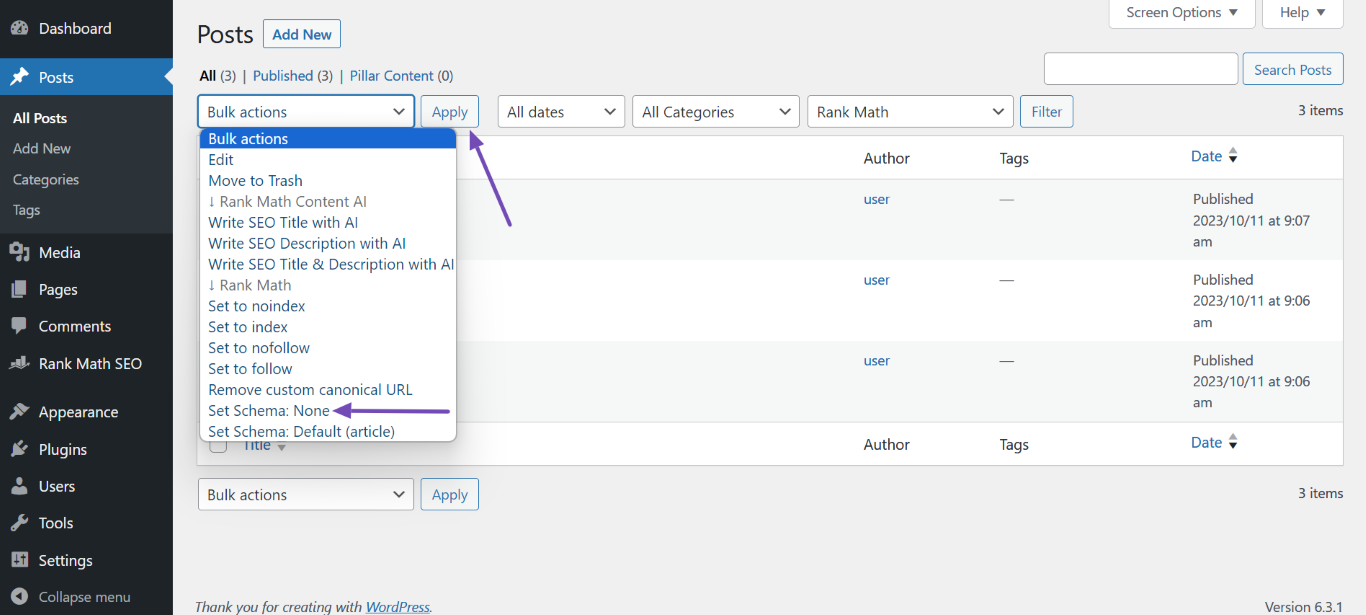
Use Bulk Actions (PRO): If you have Rank Math PRO, you can select affected posts or pages in the WordPress Dashboard under Posts or Pages, choose Bulk actions, and select Set Schema: None to remove all Schema from those posts/pages.
-
Check for Plugin Conflicts: Since you mentioned deactivating some plugins, ensure that no other Schema plugins are active, as they can conflict with Rank Math. You can check for any theme/plugin conflicts here.
If you could provide the URL of the blog page where you’re experiencing this issue, it would help us assist you better. Please reply to this ticket with that information, and a human agent from our support team will take over and provide further assistance.
Thank you for raising this concern!
Hello,
I have updated the sensitive data as requested. Can you please check further?
Thank you.
Hello,
Thank you for your query and we are so sorry about the trouble this must have caused.
The images you shared in the Sensitive Data section are not valid. Can you please share them using this tool instead? https://imgur.com/upload
Meanwhile, please check if there are other plugins or your currently active theme that is causing a conflict with our schema blocks by following this guide: https://rankmath.com/kb/check-plugin-conflicts/
Only the site admin would know and your users won’t be affected by this troubleshooting.
Looking forward to helping you.
Hello,
Since we did not hear back from you for 15 days, we are assuming that you found the solution. We are closing this support ticket.
If you still need assistance or any other help, please feel free to open a new support ticket, and we will be more than happy to assist.
Thank you.



