Hello,
We apologize for the issue you are facing with the schema showing up visibly on your website. This can happen if the schema markup is corrupted or improperly set up.
To resolve this issue, you can follow these steps:
-
Check for Corrupted Schema: Go to your WordPress Dashboard and navigate to the affected post or page. Click on the Schema tab to see if there are any corrupted entries.
- If you find corrupted schema, you can delete it directly from the post editor.
-
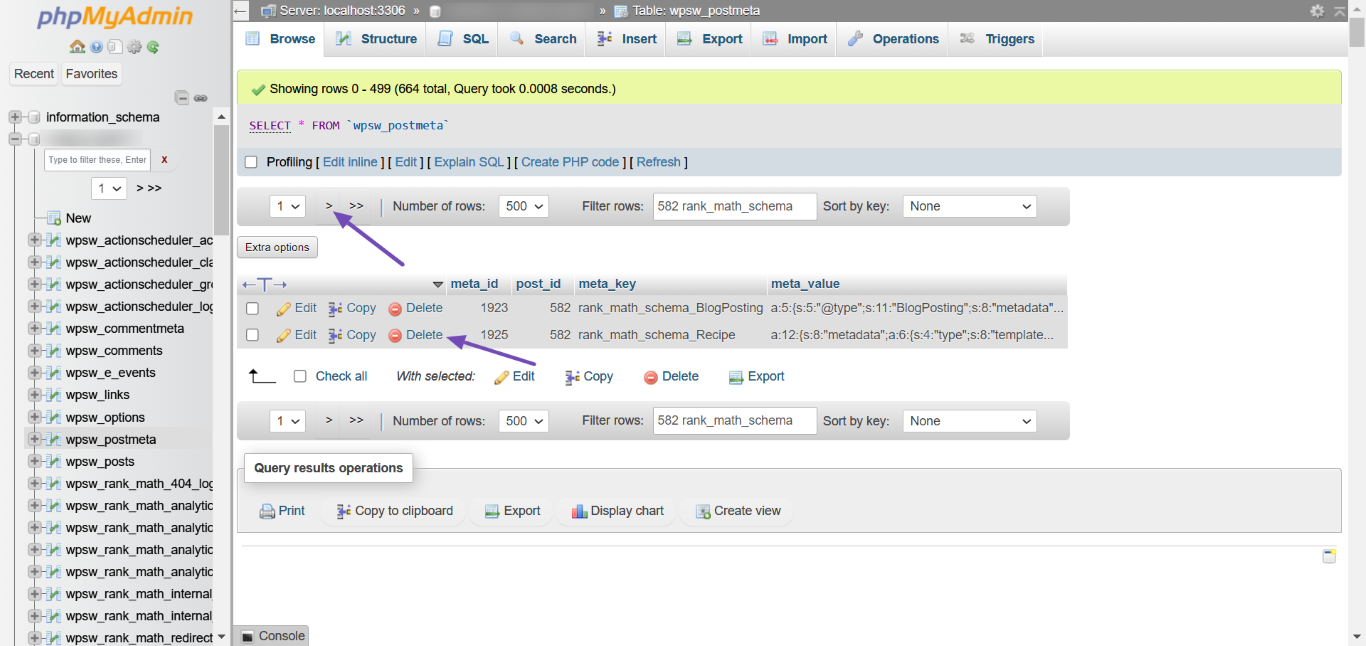
Delete Schema from Database: If the schema is still visible after checking the post editor, you may need to delete it from the database:
- Log into your database (usually via cPanel → phpMyAdmin).
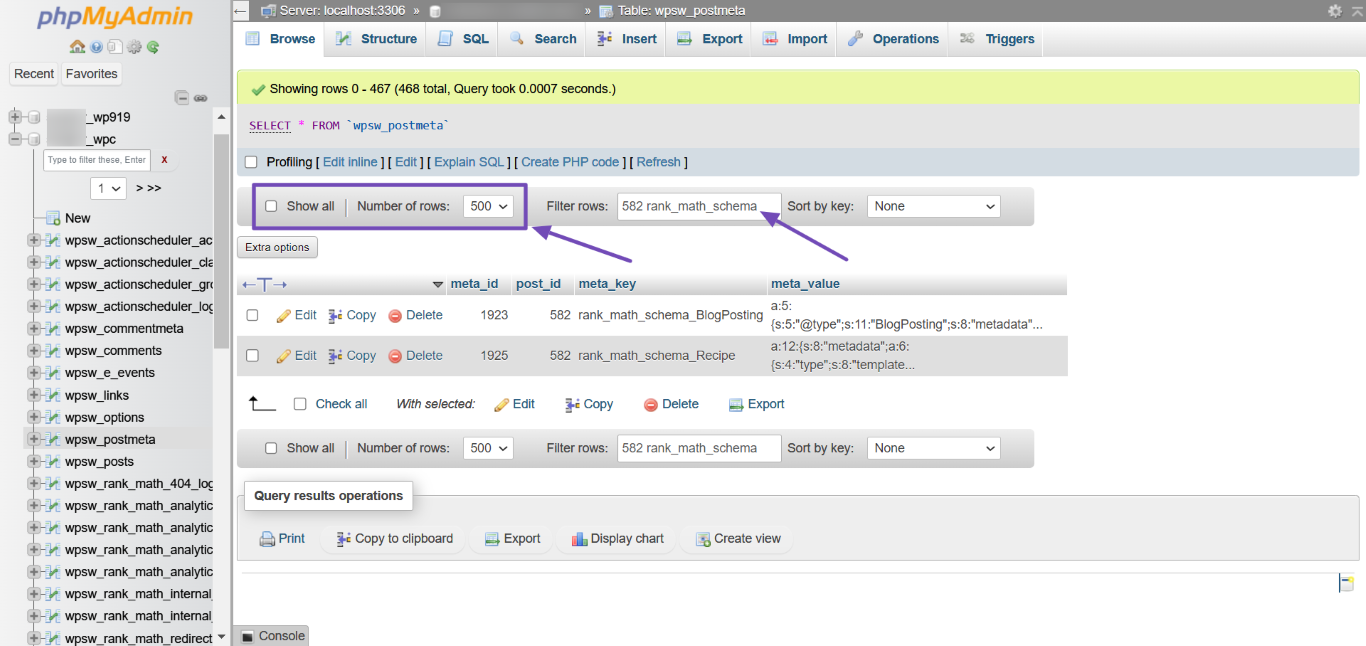
- Find the
postmeta table and filter by your post ID followed by rank_math_schema to locate the schema entries.
- Delete any corrupted schema entries.
-
Re-add Schema: After deleting the corrupted schema, return to your WordPress editor and add a new schema to the post.
If you need further assistance, please reply to this ticket, and a human agent from the Rank Math Support team will take over and help you resolve this issue. Thank you for raising this concern!
Sources:
Resolving Rank Math Schema Markup Related Issues
Hello,
The schema data is added on the page due to this option in the schema generator
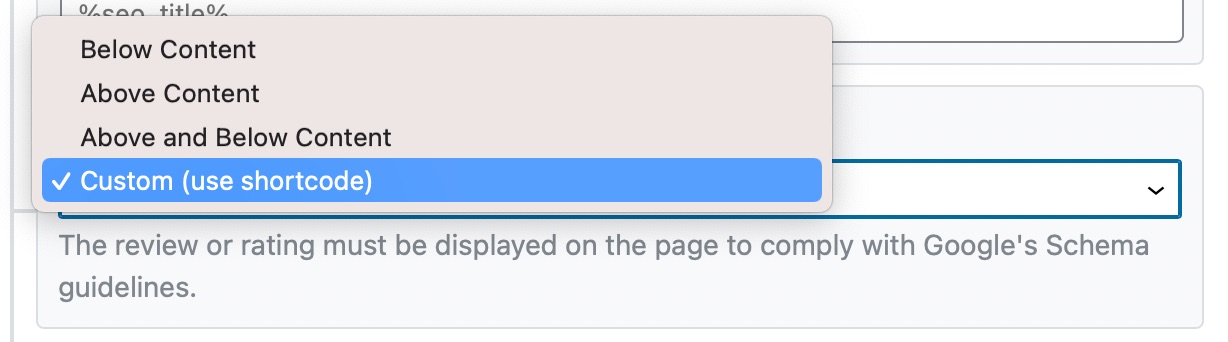
You can choose the Custom (use shortcode) in that field so the schema data won’t be added automatically.
Instead of adding the information using the shortcode, you can simply structure the schema data as a normal article (using text widgets, headings, etc). This will also save you time styling the shortcode using CSS to be user-friendly.
The point is that all the content available for Google to see (schema data) should be visible to visitors as well to comply with Google’s guidelines:
https://developers.google.com/search/docs/guides/sd-policies#content
Hope that helps.
Hello,
Since we did not hear back from you for 15 days, we are assuming that you found the solution. We are closing this support ticket.
If you still need assistance or any other help, please feel free to open a new support ticket, and we will be more than happy to assist.
Thank you.



