Hello,
We apologize for the issue you are facing with the Schema application in the free version of Rank Math. It sounds like you’ve already done some troubleshooting, which we appreciate.
If you’re experiencing this issue across multiple sites, it could be related to how the Schema is being set up or a potential conflict with other plugins or themes. Here are a few steps you can take to try and resolve the issue:
-
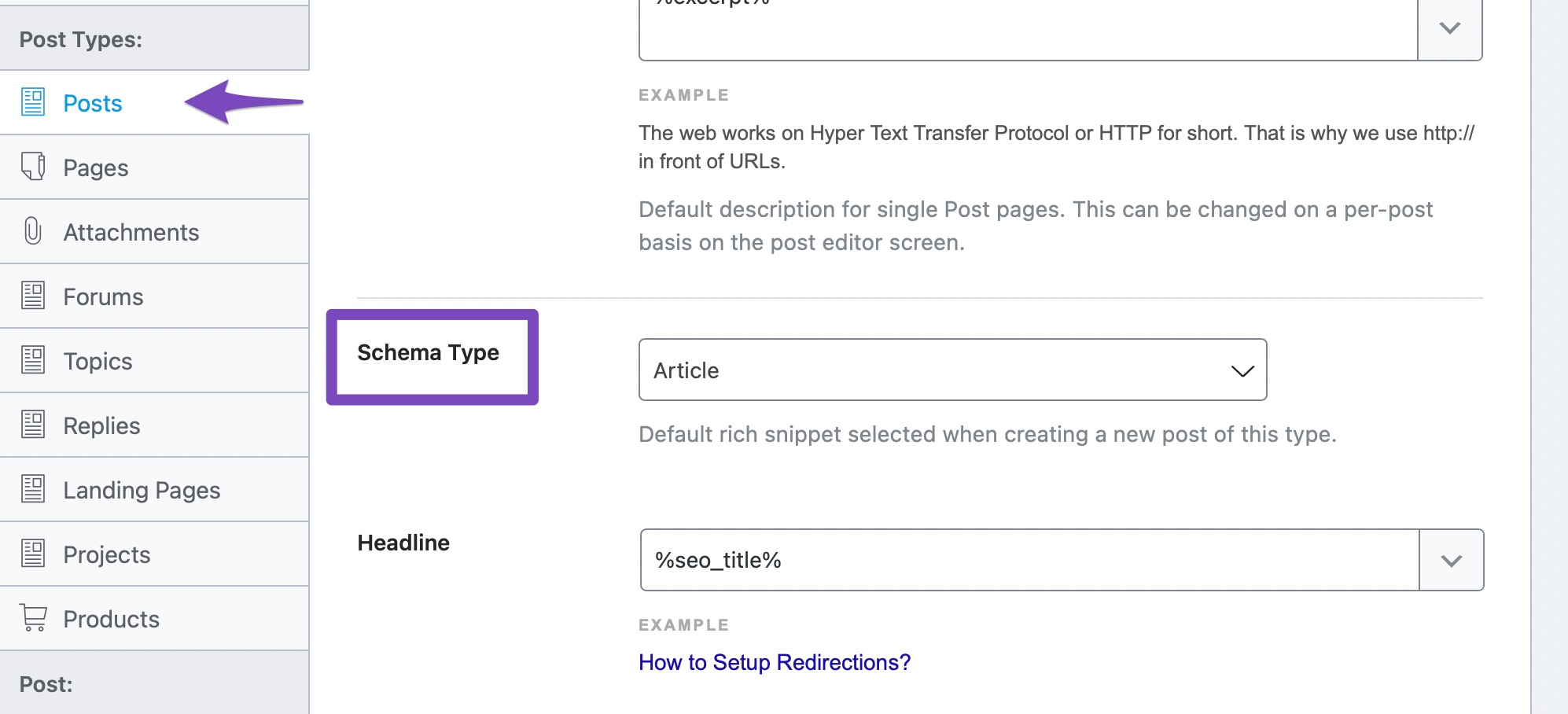
Check Default Schema Type: Ensure that you have set a default Schema type for your posts. You can do this by navigating to Rank Math SEO → Titles and Meta → Posts → Schema Type. This will help Rank Math automatically add the appropriate Schema Markup to your posts.
-
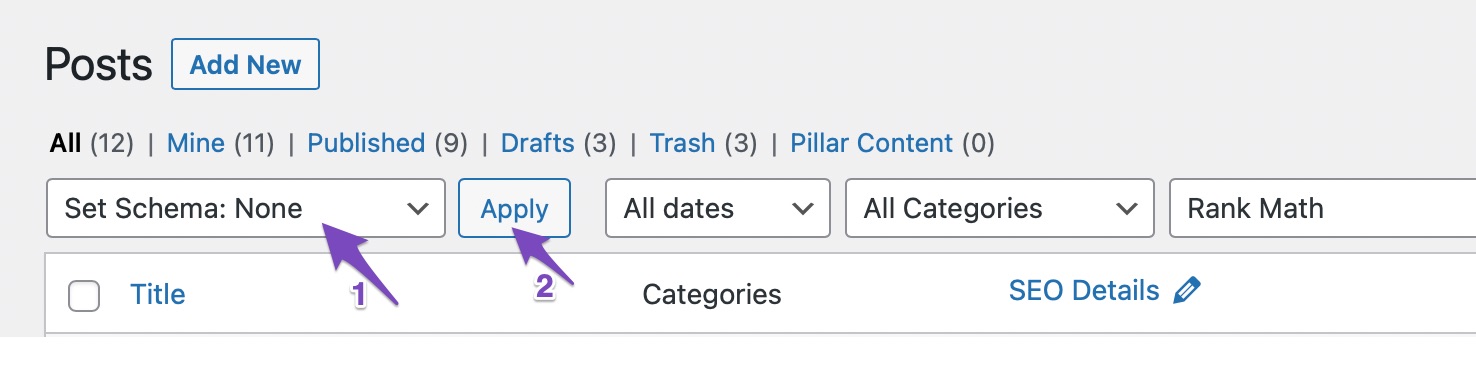
Remove and Reapply Schema: If the Schema is corrupted, you might want to remove it and then reapply it. You can do this by selecting the affected posts/pages in your WordPress admin area, choosing Set Schema: None from the Bulk Actions drop-down, and then applying it. After that, you can set the desired Schema type again.
-
Check for Plugin Conflicts: Sometimes, other plugins can conflict with Rank Math. Try deactivating other plugins temporarily to see if that resolves the issue.
-
Update Rank Math: Ensure that you are using the latest version of Rank Math, as updates often include bug fixes and improvements.
If these steps do not resolve the issue, we recommend replying to your ticket, and a human agent from the Rank Math Support team will be able to assist you further. Thank you for raising this concern!
Sources:
Removing Schema From Your Posts & Pages » Rank Math
Analyzing Your Site’s SEO with Rank Math’s SEO Analysis Tool
This is an automated reply from Rank Math Support Bot. If you need further assistance, please reply to this topic and a human support agent will reply to you shortly.
Hello,
Since we did not hear back from you for 15 days, we are assuming that you found the solution. We are closing this support ticket.
If you still need assistance or any other help, please feel free to open a new support ticket, and we will be more than happy to assist.
Thank you.


