Hello, we apologize for the issue you are facing with your robots.txt file.
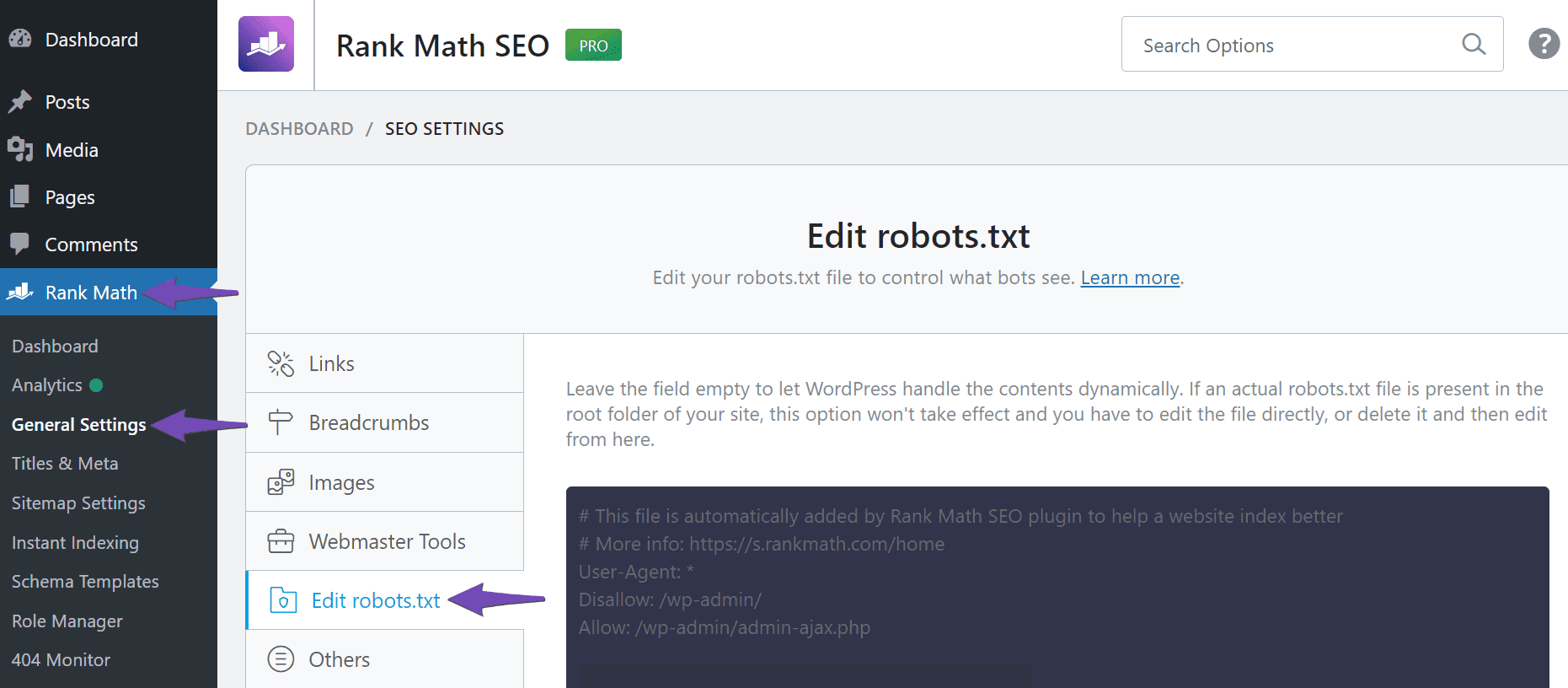
Rank Math creates a virtual robots.txt file that you can manage through the WordPress dashboard, so you do not need a physical robots.txt file in your website’s root folder. To edit your robots.txt file, please follow these steps:
-
Navigate to Rank Math SEO → General Settings → Edit robots.txt.
-
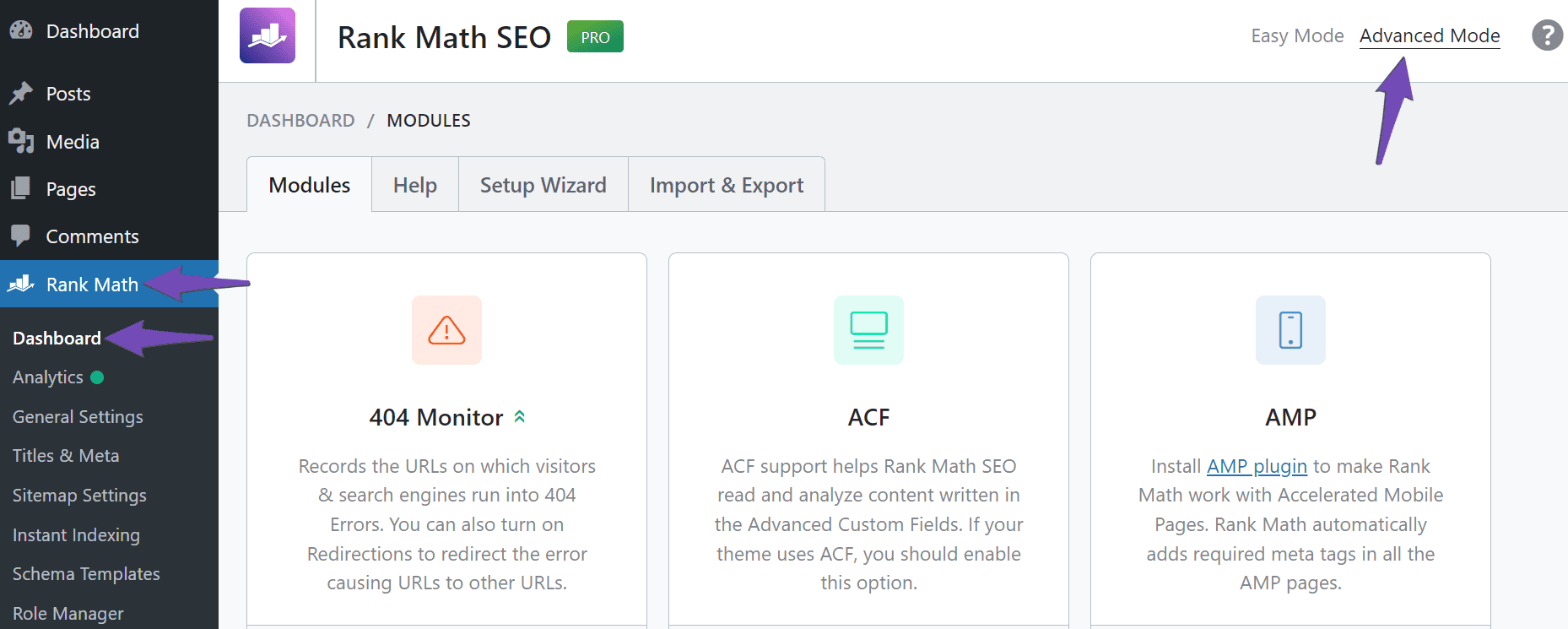
If you do not see the option to edit the robots.txt file, it may be because you are using Rank Math in Easy Mode. You can switch to Advanced Mode by going to WordPress Dashboard → Rank Math SEO and enabling Advanced Mode.
Once you have access to the Edit robots.txt option, you can make the necessary changes. If you need further assistance, please reply to this ticket, and a human agent from the Rank Math Support team will assist you.
Sources:
Common robots.txt Issues & How to Fix Them » Rank Math
i already seee the file but how can i edit that firle
Hello,
Thank you for contacting Rank Math support.
You can follow this guide to edit your site’s robots.txt file with Rank Math: https://rankmath.com/kb/how-to-edit-robots-txt-with-rank-math/
If you have a physical file in the site’s root directory, you must remove or edit it directly using the File Manager or FTP.
Let us know how that goes. Looking forward to helping you.
i still cant edit the robots.txt file
Hello,
Please share screenshots of the robots.txt editor using a tool like https://imgur.com/ so we can check this further.
Looking forward to helping you.
Hello,
Since we did not hear back from you for 15 days, we are assuming that you found the solution. We are closing this support ticket.
If you still need assistance or any other help, please feel free to open a new support ticket, and we will be more than happy to assist.
Thank you.



