
-
I have facing problem today ‘Requested entity was not found’ while i trying to ‘Get status of URL’ but i have checked lots of times my url is ok he opened in browser and also i have cleared the caches of my browser.
This is URL: https://bloggersqna.in/2024/09/11/blogger-table-of-content-tips-2024/

-
Hello, we apologize for the issue you are facing with the error message ‘Requested entity was not found’ when trying to get the status of your URL.
This error can occur for several reasons, including:
- The URL may not be indexed by Google yet.
- There might be a temporary issue with the server or the API.
To troubleshoot this further, we recommend checking the status of your website using the HTTP Status Checker. This tool will help you determine if your URL is returning the correct status code.
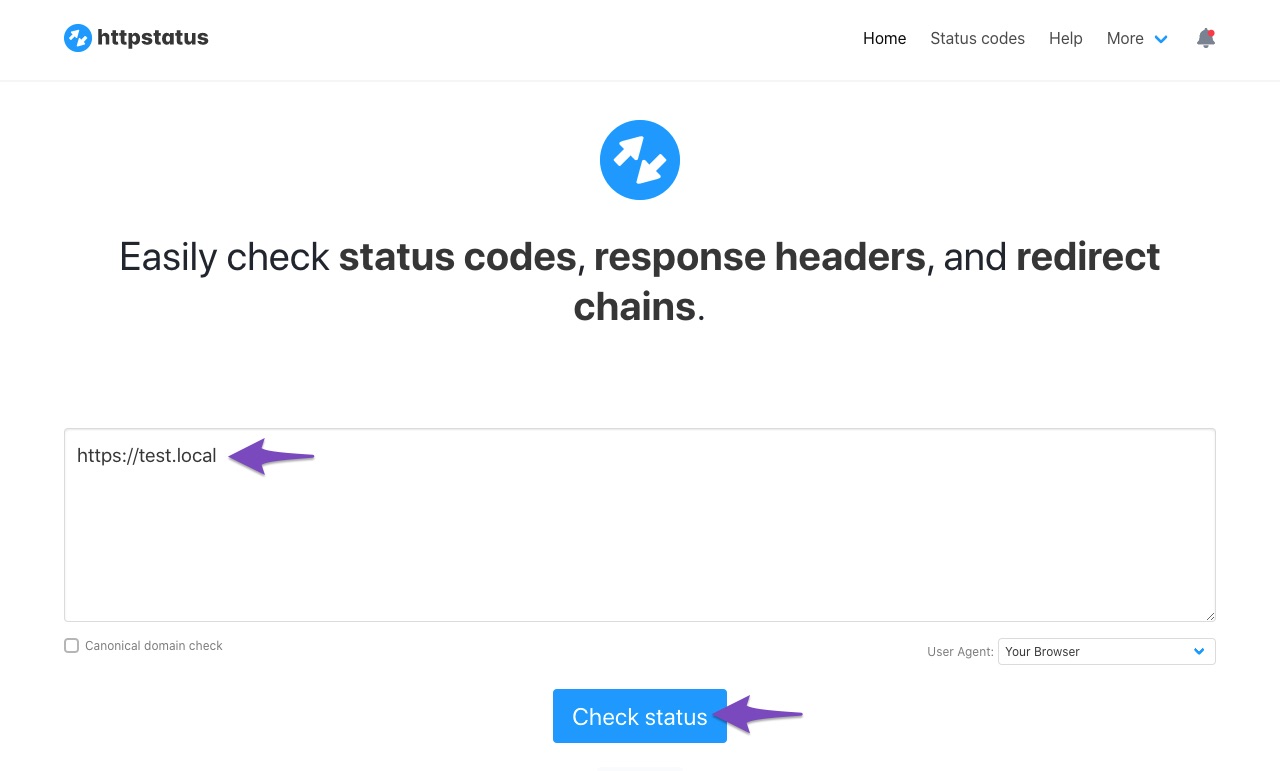
If the issue persists, please reply to this ticket, and a human agent from the Rank Math Support team will assist you further. Thank you for raising this concern!
Sources:
Why Am I Getting "API Error: HTTP 400" Error » Rank MathHTTP Status Checker : i haved checked. URL is ok (URL Status : 200)
Hello,
Thank you for contacting us. We apologize for any inconvenience this issue may have caused.
Please ensure you follow this guide religiously when setting up the Google indexing API: https://rankmath.com/blog/google-indexing-api/
If the issue persists, we might need to take a closer look at the settings. Please edit the first post on this ticket and include your WordPress logins in the designated Sensitive Data section.
Please do take a complete backup of your website before sharing the information with us.
It is completely secure and only our support staff has access to that section. If you want, you can use the below plugin to generate a temporary login URL to your website and share that with us instead:
https://wordpress.org/plugins/temporary-login-without-password/
You can use the above plugin in conjunction with the WP Security Audit Log to monitor what changes our staff might make on your website (if any):
https://wordpress.org/plugins/wp-security-audit-log/
We really look forward to helping you.
Please Provide customer care number for phone call
because I am3 not understand what are you saying
Hello,
Our scope of support does not extend to live support via phone calls. However, we are willing to assist you in checking this.
We requested access to your website dashboard to fully debug this issue further. This appears to be a website-specific problem and to properly diagnose and resolve it, we would need to thoroughly inspect your website.
There must be a reason the issue is happening on your website, and that is what we need to discover so that we can offer the right solution.
Please share your login details in the sensitive data section so we can check this for you.
We look forward to hearing from you.
Thank you.
Hello,
I have updated the sensitive data as requested. Can you please check further?
Thank you.
Hello,
We attempted to log in to your website with the login details provided in the sensitive data section but we cannot. We are seeing a 403 forbidden error due to security constraint.
Please try to whitelist or open access to the following countries India, Bangladesh, Nigeria, Portugal, and the Philippines so that we can investigate this issue further for you.
In the meantime, please go to the Google Instant Indexing API Settings page by navigating to WordPress Dashboard > Rank Math SEO > Instant Indexing > Google API settings and click on “Save Changes”.
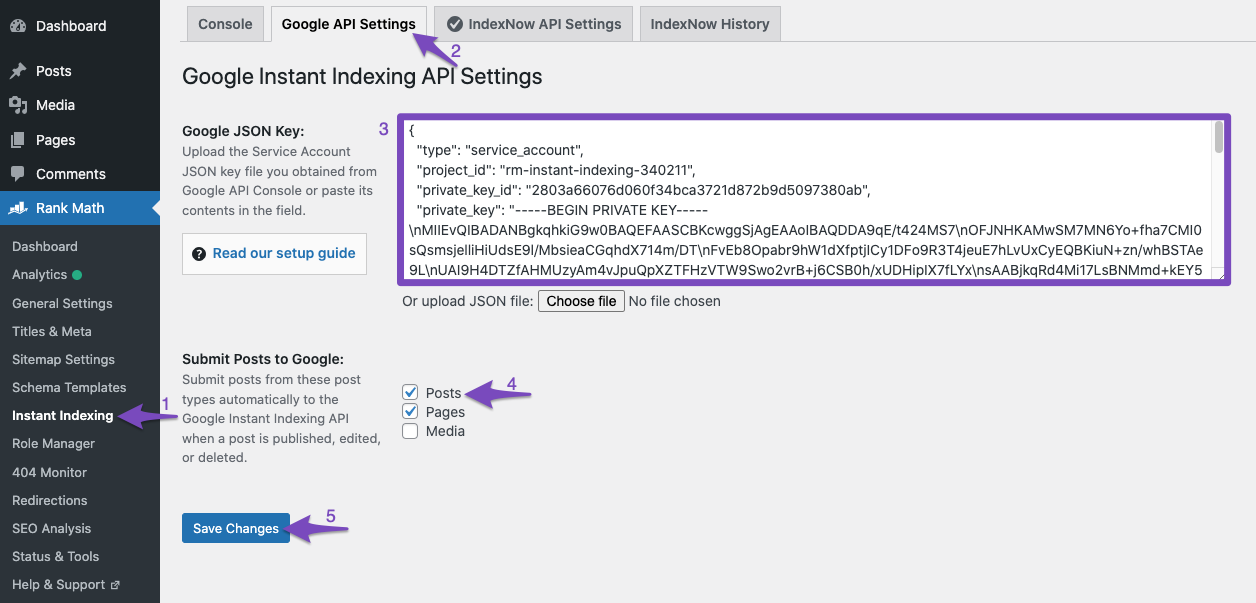
That should resolve the issue. Try and submit the URLs again.
We had another issue with a similar issue that was resolved after saving the changes.
We look forward to hearing from you.
Thank you.
Erverything is ok there, i have already updated JSON key but we are facing Error 4O4 problems while i clicked on ‘Get URL Status’
Hello,
We would like to check this issue but we are greeted with this error message when we try to login to your website’s WP admin:
403 Forbidden. Due to security constraints, WordPress Admin Login Page and PhpMyadmin Page are Forbidden to your system / network. Please contact Web Hosting support team to access the WordPress Admin Login Page from your system / networkIf you are using geo-blocking, please temporarily unblock the country Portugal, India, Nigeria, Bangladesh and the Philippines so we can further inspect your website.
Looking forward to helping you.
Hi Jeremy, I hope you’re having a nice day.
Would you mind checking my ticket, where I have the same issue?
Thanks.
NamanHello,
I have updated the sensitive data as requested. Can you please check further?
Thank you.
Hello,
The 404 error with the get status is normal for pages that have not been submitted to the Instant Indexing API, which is why you are receiving that.
If you are also having issues submitting URLs, our developers are debugging the issue further and when there’s an update on this matter we’ll ping you on this ticket.
Thank you.
Google Instant Indexing API is available for only events and job posts url..others types of url not allowed. Google announced at 12 September 2024
Hello,
Yes, we also highlighted this on our blog and the Instant Indexing plugin page on WordPress.
Google recommends using the Indexing API ONLY for JobPosting or BroadcastEvent embedded in VideoObject websites. During our tests, we found that it worked on any type of website with great results and created the plugin for testing.
Though Indexing API isn’t against Google AdSense Policy and Terms of Service, we do not recommend using it on money websites. If you are not sure whether you want to be using this or not, don’t proceed further.
Don’t hesitate to get in touch if you have any other questions.
Hello,
Since we did not hear back from you for 15 days, we are assuming that you found the solution. We are closing this support ticket.
If you still need assistance or any other help, please feel free to open a new support ticket, and we will be more than happy to assist.
Thank you.



The ticket ‘Requested entity was not found’ is closed to new replies.