Hello,
We apologize for the issue you are facing with the SEO Analyzer. It can be frustrating when the errors persist despite your efforts to fix them. Here are a few steps you can take to address the specific issues you mentioned:
1. Image ALT Attributes
Make sure that all images on your page have ALT tags specified. If you have a lot of images, consider using Rank Math’s automated solution for adding ALT text to images on the fly. You can read more about setting it up here.
2. Google Search Console
Ensure that your website is properly connected to Google Search Console. This connection helps in fetching accurate data for your SEO analysis.
3. Minify CSS and JavaScript
If you are using a caching plugin like WP Rocket, ensure that the settings for minifying CSS and JavaScript are correctly configured. Alternatively, you can use online tools to minify these files manually. Remember to test changes in a staging environment before applying them to your live site.
4. Minimize Page Objects
To minimize page objects, consider combining resources where possible to reduce the number of requests made by the server. This can help improve loading times.
5. Flush SEO Analysis Cache
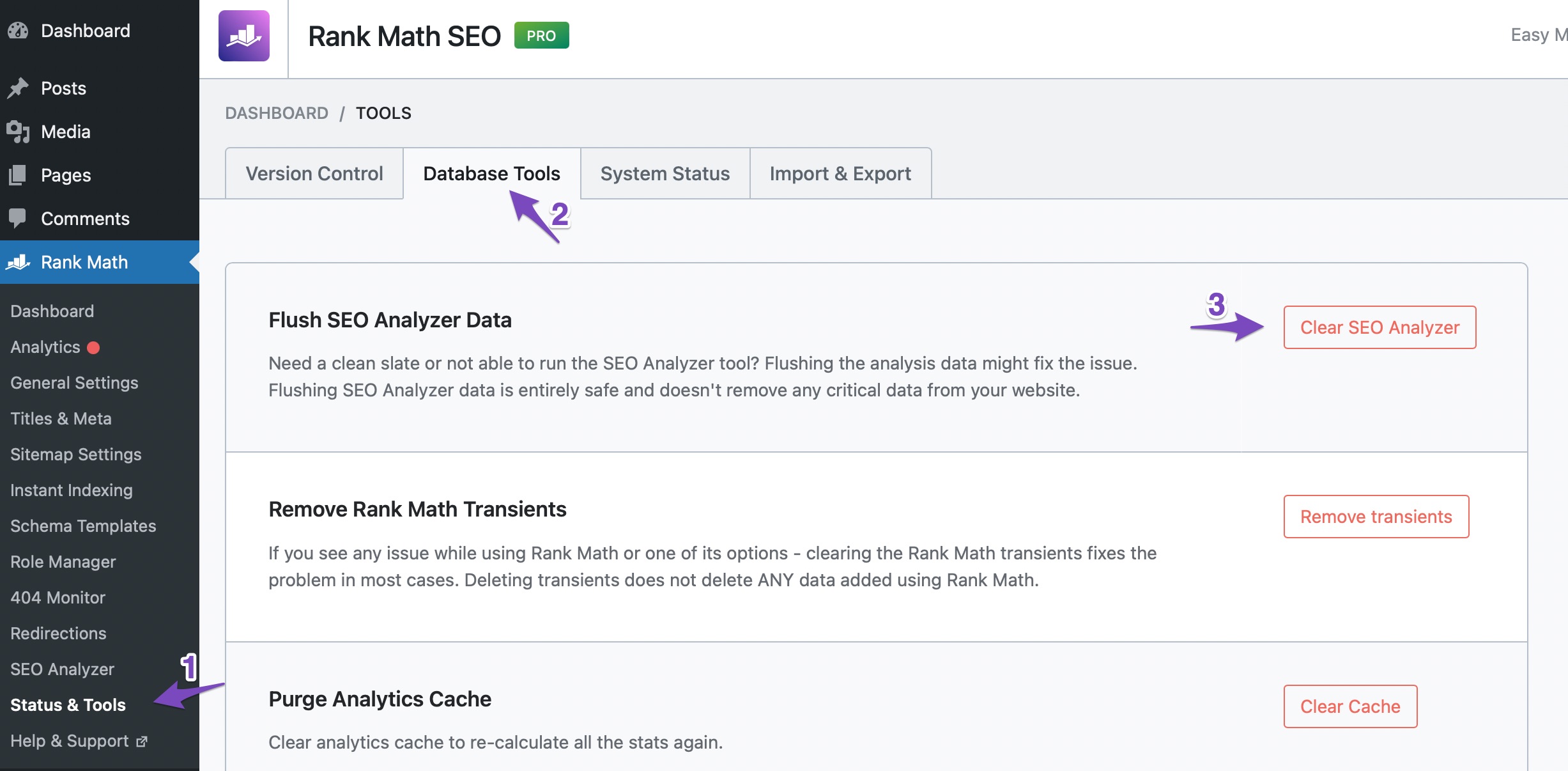
If you’ve made changes but still see outdated results, you may need to flush the SEO analysis cache. You can do this by going to WordPress Dashboard > Rank Math > Status and Tools > Database Tools and clicking on the Clear SEO Analysis button. After that, run a fresh analysis by going to Rank Math > SEO Analysis and clicking on Start Site-Wide Analysis.
If you continue to experience issues after following these steps, please reply to this ticket, and a human agent from the Rank Math Support team will assist you further.
Thank you for raising this concern! We’re here to help you resolve it.
Sources:
How to Fix the "No Keywords Found in the Page Title" Test in Rank Math » Rank Math
Analyzing Your Site’s SEO with Rank Math’s SEO Analysis Tool
Hello,
Thank you for contacting us and sorry for any inconvenience that might have been caused due to that.
Could you please share your website URL so that we can check the issue further for you?
Meanwhile, if you’ve already fixed the errors, please head over to your WordPress Dashboard > Rank Math > Status & Tools > Database Tools and click the Clear SEO Analysis and Remove Transients buttons to flush the SEO Analysis cache.

Please clear your website and any server-level caching on your site before doing the SEO analysis again.
For more details on SEO Analyzer tests, you can check this URL: https://rankmath.com/kb/seo-analysis/
Let us know how it goes. Looking forward to helping you.
Thank you.
Hello,
Since we did not hear back from you for 15 days, we are assuming that you found the solution. We are closing this support ticket.
If you still need assistance or any other help, please feel free to open a new support ticket, and we will be more than happy to assist.
Thank you.



