
-
Hello
I have the website: luxe3d.co.ukThe common keywords are: [moved to the sensitive data section]
I run the SEO analuzer and it says “No common keywords found in the page title and the description.”
Since there are common words, why is it still saying that?
I’ve waited for weeks hoping the error would somehow disappear but it’s still there.Let me know please or if you need any access to have a closer look.
Thank you

-
Hello,
We apologize for the issue you are facing with the SEO Analyzer indicating "No common keywords found in the page title and the description." This can be frustrating, especially when you have included relevant keywords in your title and description.
The error message you are seeing means that the SEO Analyzer is unable to find the common keywords it has identified in your page’s title and description. Here are a few steps you can take to resolve this issue:
1. Add Keywords in Your Page Title & Description
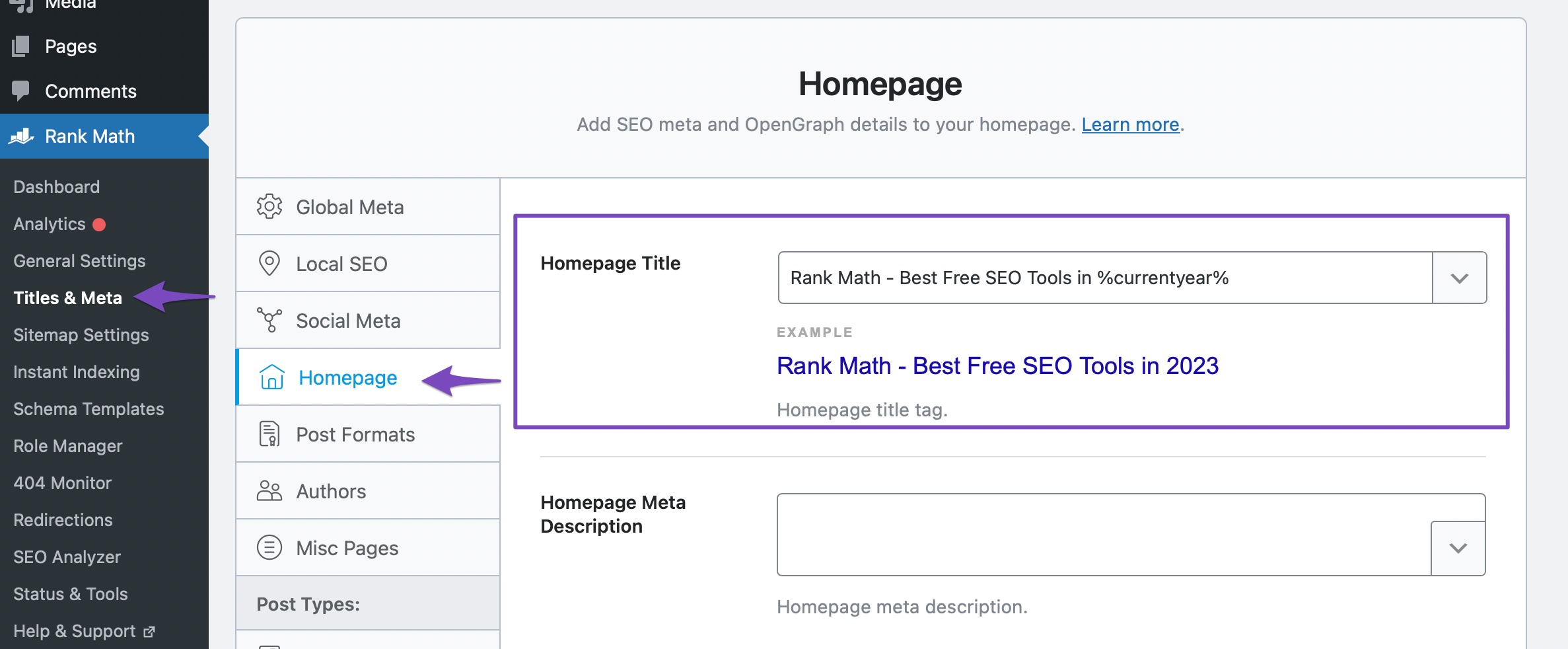
Ensure that the keywords you want to target are explicitly included in your page title and description. You can do this by navigating to Rank Math > Titles & Meta > Homepage or directly editing the Rank Math Metabox of your homepage if it is set as a static page.
2. Flush SEO Analysis Cache
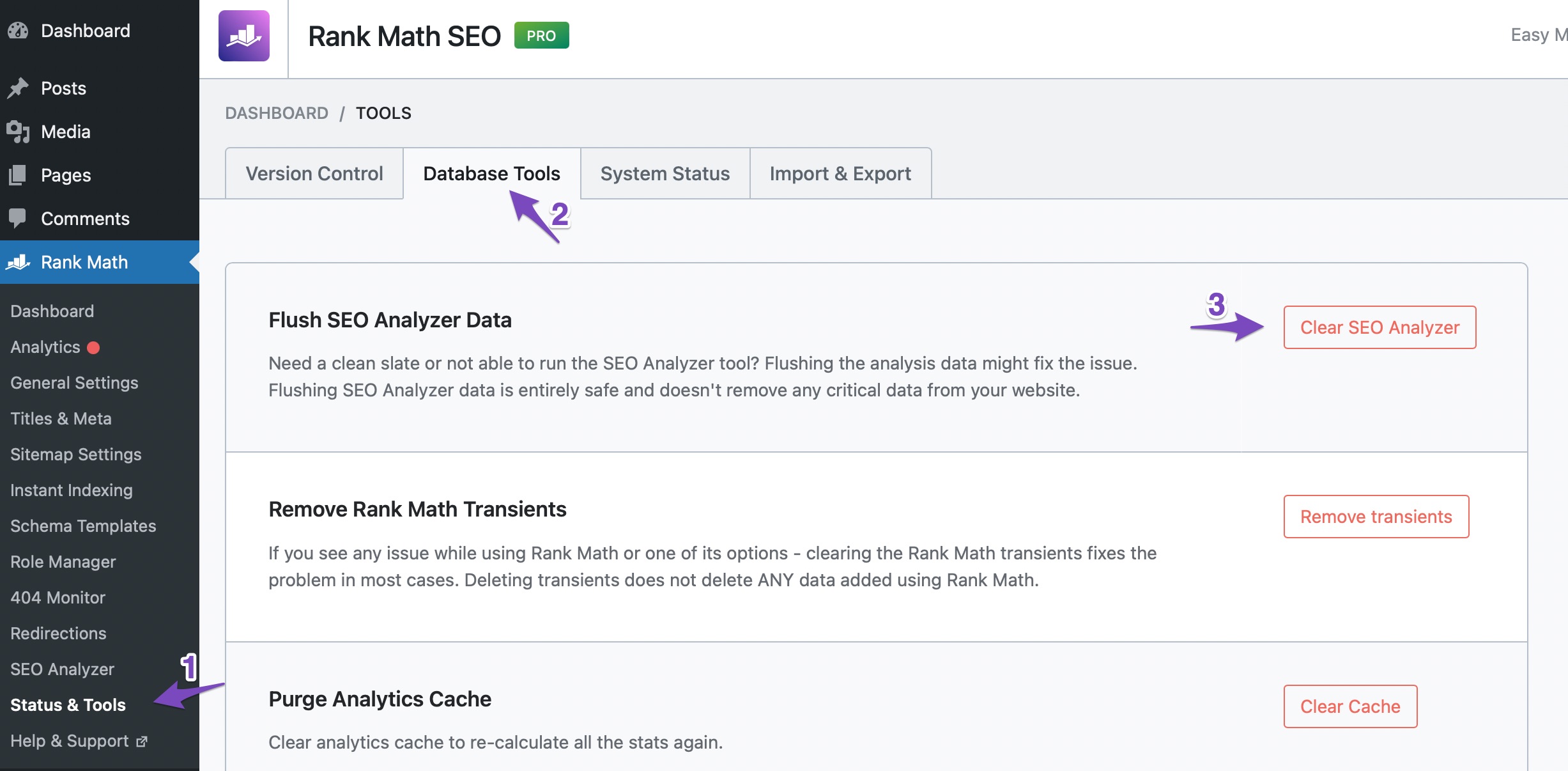
If you have already added the keywords but still see the error, it might be due to cached results. To clear the cache, go to WordPress Dashboard > Rank Math > Status and Tools > Database Tools and click on the Clear SEO Analysis button against the Flush SEO Analysis Data option.
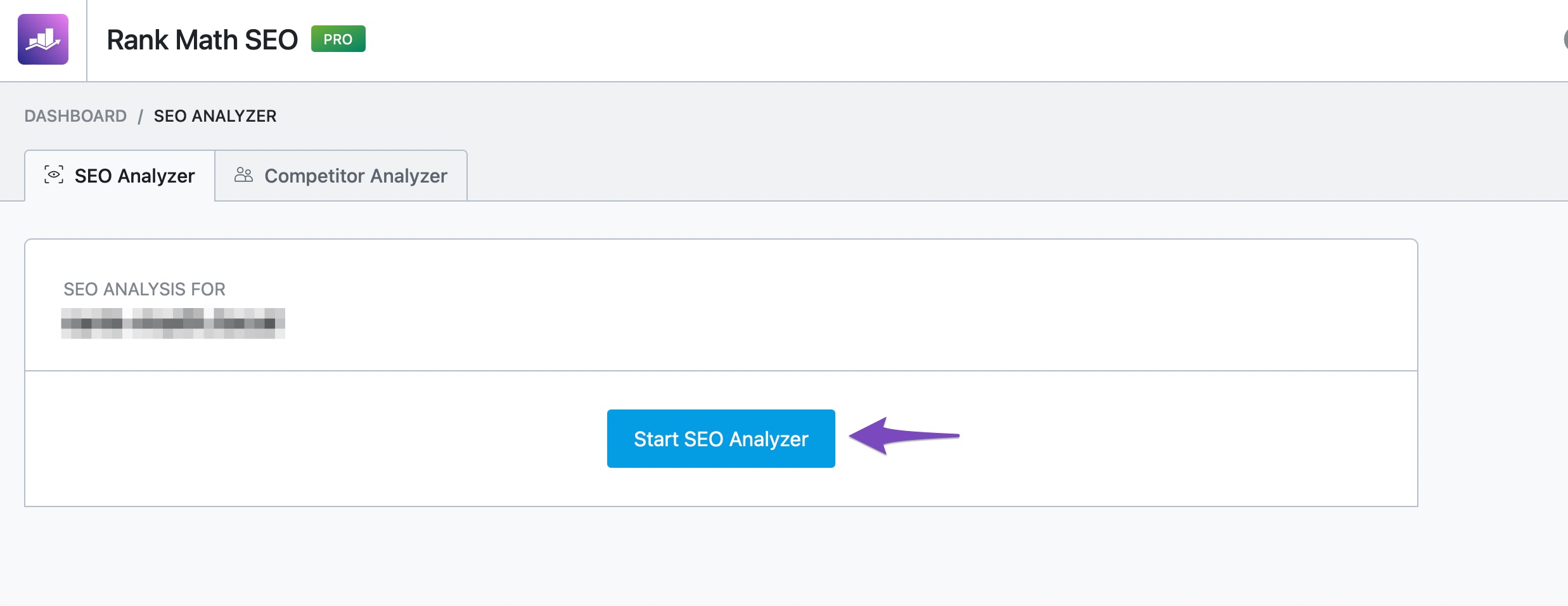
After clearing the cache, run a fresh analysis by going to Rank Math > SEO Analysis and clicking on the Start Site-Wide Analysis button.
3. Check for Plugin Conflicts
Sometimes, plugin conflicts can prevent Rank Math from functioning correctly. You can refer to our knowledgebase article on plugin conflict to troubleshoot this issue.
If you have followed these steps and are still experiencing issues, please reply to this ticket, and a human agent from our support team will assist you further. Thank you for your patience, and we hope this helps resolve your concern!
Sources:
How to Fix the "No Keywords Found in the Page Title" Test in Rank Math » Rank MathHello,
If you’re still seeing that failed test, head over to Rank Math > Status & Tools > Database Tools > and click the Clear SEO Analysis and Remove Transients buttons to flush the SEO Analysis cache
Once done, clear your website and any server-level caching on your site before doing the Sitewide analysis again.
Looking forward to helping you.
Hi Reinelle
I’ve followed your steps, and also cleared avadas’ cache and the issue is still there.
Would you like me to grand you access to have a look please?Hello,
To investigate this issue further, we might need to take a closer look at your website and settings. Please share the page and also follow these steps to share your website login details:
- Edit the first post on this ticket and include your WordPress and FTP logins in the Sensitive Data section. This is a secure section that only our support staff can access.
- Make sure you take a complete backup of your website before sharing the information with us.
- If you prefer, you can use this plugin to generate a temporary login URL to your website and share that with us instead: https://wordpress.org/plugins/temporary-login-without-password/
- You can also use this plugin to monitor what changes our staff might make on your website (if any): https://wordpress.org/plugins/wp-security-audit-log/
We appreciate your cooperation and patience.
Thank you for choosing Rank Math.
Hello,
I have updated the sensitive data as requested. Can you please check further?
Thank you.
Hi there,
The problem here is that Rank Math isn’t detecting any common keywords for your homepage.
When Rank Math analyzes your homepage’s content, it creates a list of ‘common keywords’. The “Keywords in Title & Description” test then checks for those ‘common keywords’ in your homepage’s SEO Title and Description. In your case, Rank Math didn’t find any common keywords in your homepage’s content, so there’s nothing to check in the “Keywords in Title & Description”.
I recommend changing and expanding your homepage’s content and using a set of keywords consistently while ensuring it’s done respectfully.
We hope this clarifies the issue. Please feel free to reach out if you have any other questions or concerns.
Can you please check my request written on the sensitive data?
Hello,
I have just moved the content. Let me know if you need help with anything else.
Regards,
Thank you so much for that. I’ll have a look on your solution in the following days and see if it resolves the issue.
Hello,
That’s fine. Let us know how that goes.
We look forward to helping you.
Thanks.
Hello,
I have updated the sensitive data as requested. Can you please check further?
Thank you.
Hello
I’m still getting the following errors:
No common keywords found in the page title and the description.
Focus Keyword doesn’t appear at the beginning of your content.Please have a look as I do have common keywords in the page title & description as well as focus keyword appears all over the content of the home page.
Hello,
We logged in to your site and the issue is fixed already.
The rest of the errors showed that the Keyword Density is 4.98 which is high, and that you should used Content AI to optimise the content.
Let us know how it goes.
Thank you.
Hi Adetayo, thank you for replying back.
I will definitely have a look at Keyword Density.
But why is it still saying “No common keywords found in the page title and the description.” while there are common keyword in both page title and description??Hello,
In order to fix that issue, you may need to add the common keywords detected on your homepage.
For more information, please follow the URL below:
https://rankmath.com/kb/no-keywords-found-in-the-page-title/Once you have common keywords on your content, then the `No common keywords found in the page title and the description.’ test will based on the result from those common keywords.
Looking forward to helping you.
Hello,
Since we did not hear back from you for 15 days, we are assuming that you found the solution. We are closing this support ticket.
If you still need assistance or any other help, please feel free to open a new support ticket, and we will be more than happy to assist.
Thank you.
- Edit the first post on this ticket and include your WordPress and FTP logins in the Sensitive Data section. This is a secure section that only our support staff can access.



The ticket ‘Regarding “Keywords in Title & Description”’ is closed to new replies.