Hello,
We apologize for the issue you are facing with adding the "FAQ Block" in your blog articles using the Rank Math plugin. To add the FAQ Block, please follow these steps:
- Open a new post by navigating to Posts → Add New in your WordPress dashboard.
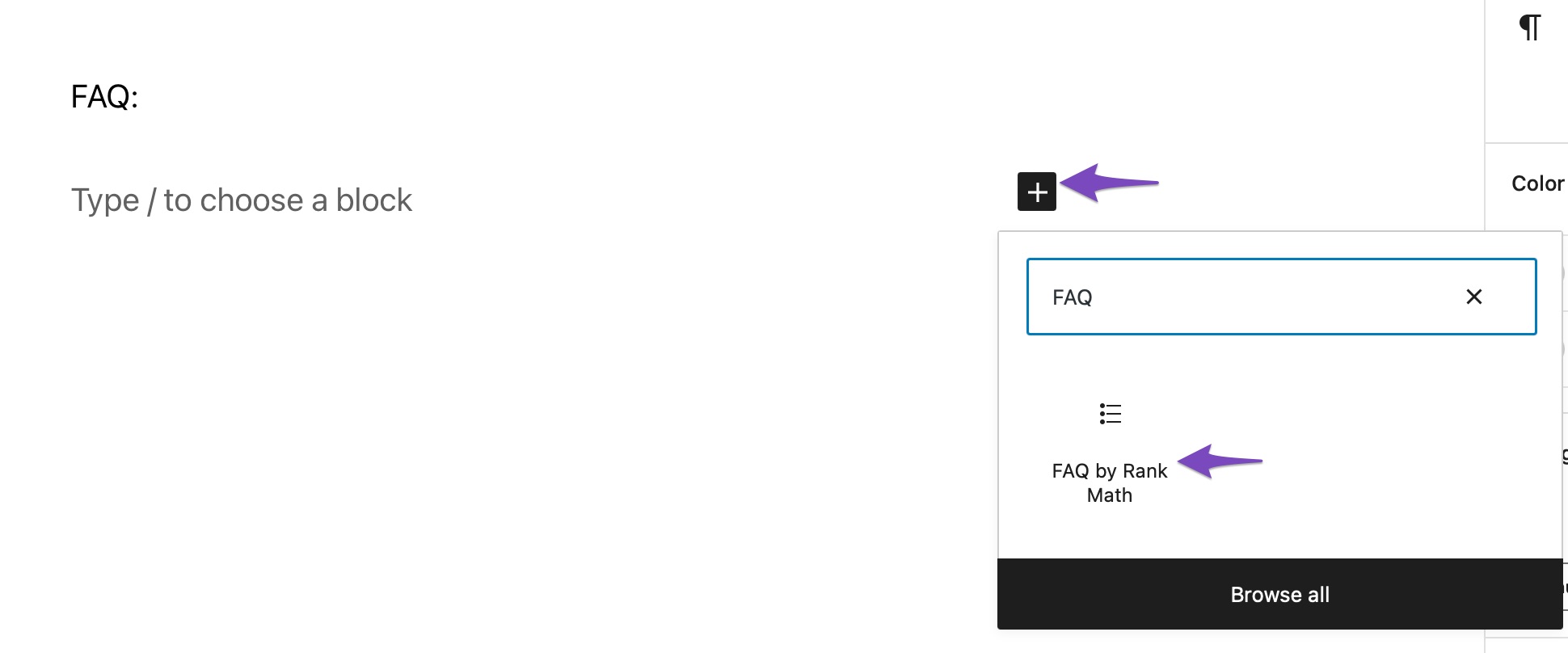
- Click on the + icon to add a new block and use the search bar to locate the FAQ by Rank Math feature.
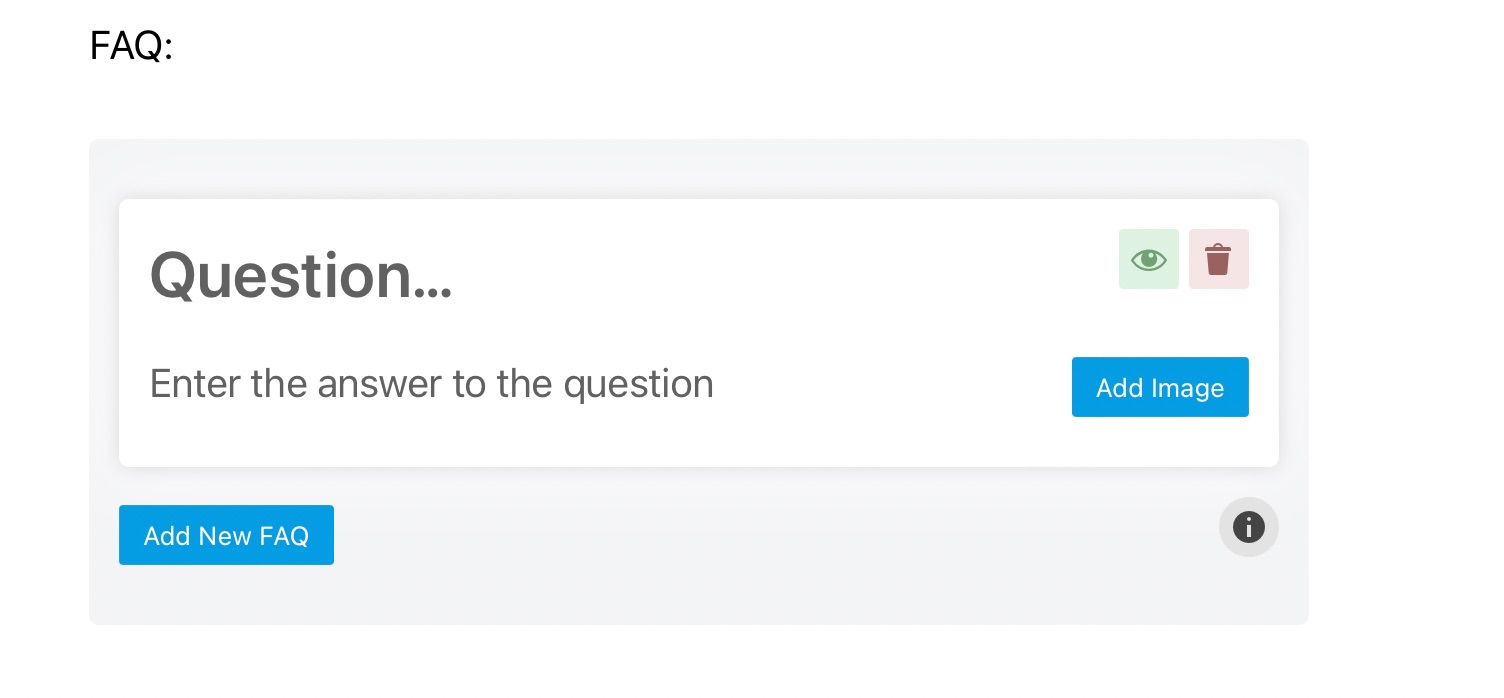
- Once you click on the FAQ by Rank Math option, the block will be added to your post where you can fill in relevant questions and answers.
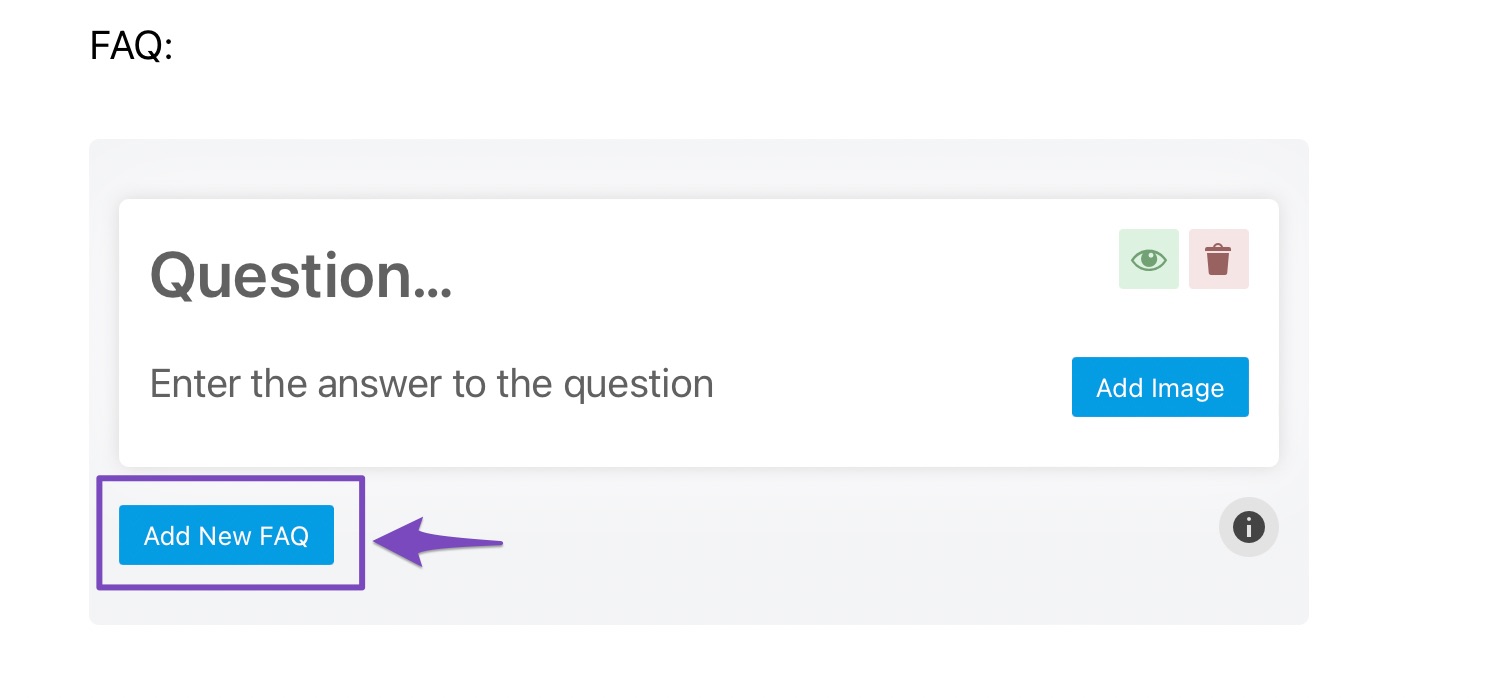
- To add more FAQs, click the Add New FAQ button at the bottom left of the box.
If you are still having trouble, please reply to this ticket with your site URL, and a human agent from our support team will assist you further. Thank you for raising this concern!
This is an automated reply from Rank Math Support Bot. If you need further assistance, please reply to this topic and a human support agent will reply to you shortly.
Hello,
Since we did not hear back from you for 15 days, we are assuming that you found the solution. We are closing this support ticket.
If you still need assistance or any other help, please feel free to open a new support ticket, and we will be more than happy to assist.
Thank you.


