Hello,
We apologize for the issue you are facing with the redirection on your website. It seems that there may be some incorrect configurations causing the URLs to redirect improperly.
Here are a few steps you can take to troubleshoot and potentially resolve the redirection issues:
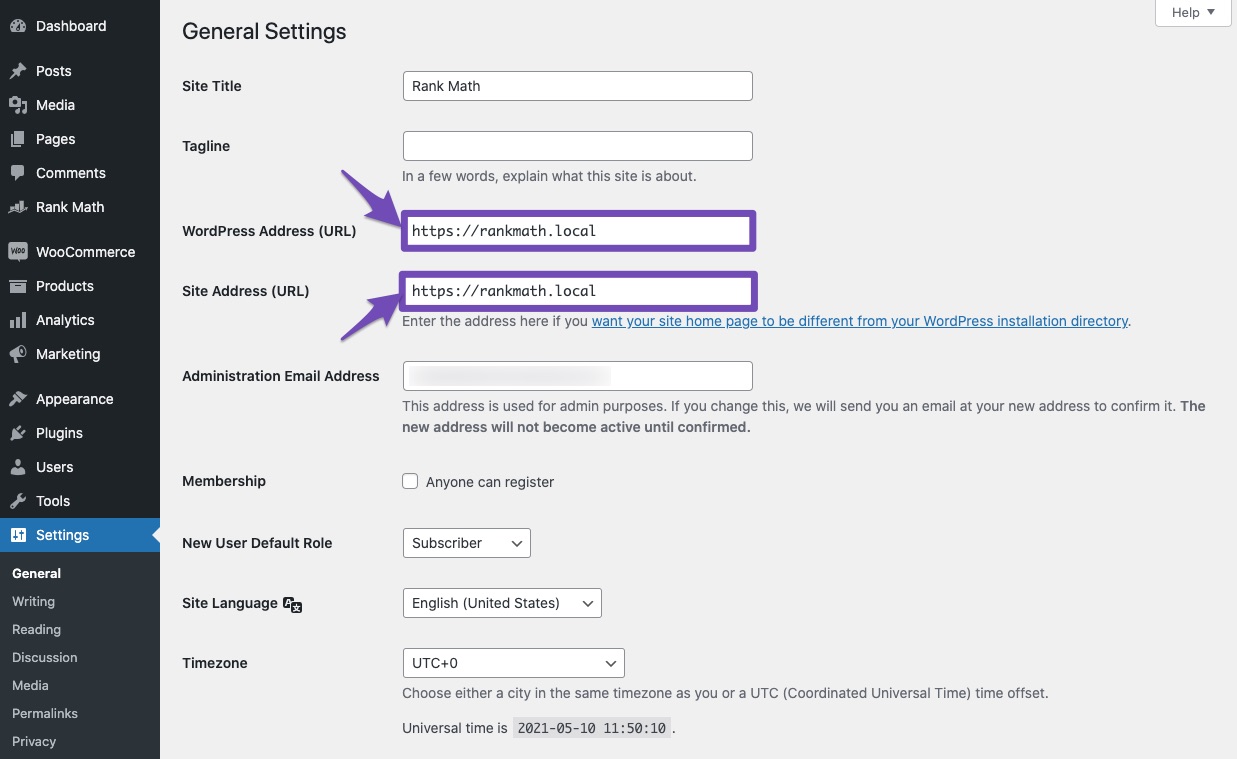
1. Check WordPress Address & Site Address
Make sure that your WordPress Address and Site Address are set correctly. You can check this by navigating to Settings → General in your WordPress admin area. Ensure both addresses point to the correct version of your website (either www or non-www).
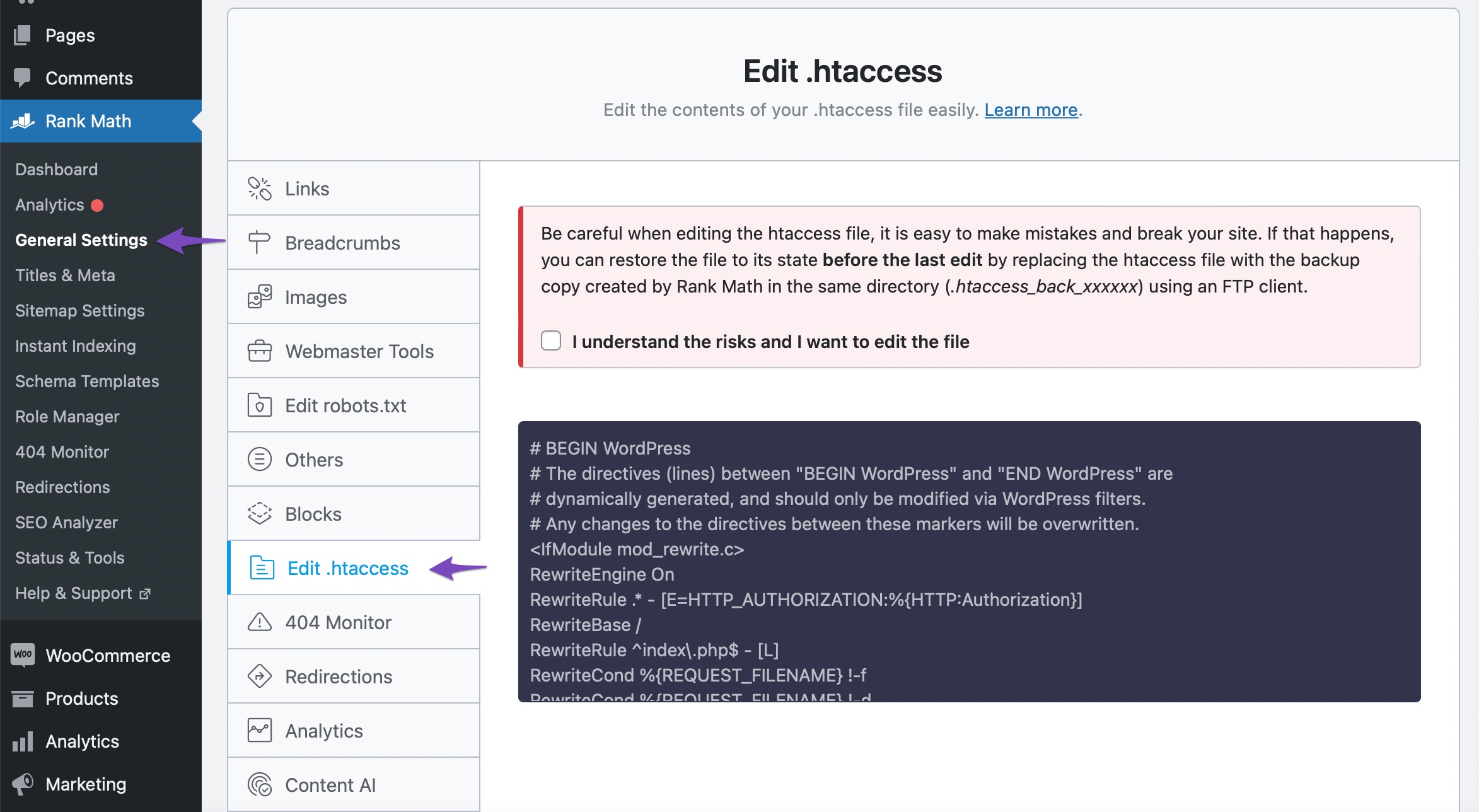
2. Review .htaccess File
Check your .htaccess file for any redirection rules that might be causing these issues. You can edit the .htaccess file directly from the Rank Math plugin by going to WordPress Dashboard → Rank Math SEO → General Settings → Edit .htaccess. Look for any rules that might be redirecting URLs incorrectly and remove them if necessary.
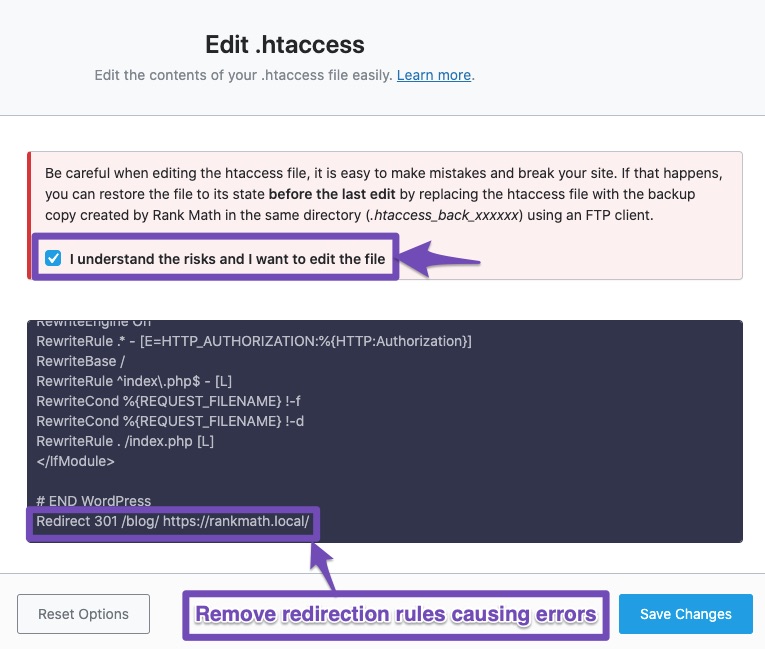
3. Remove Unwanted Redirects
If you find any unwanted redirects in your .htaccess file, you can delete them and save the changes. Remember to back up your .htaccess file before making any changes, as mistakes can break your site.
4. Test Your Changes
After making these adjustments, test your URLs again to see if the redirection issue has been resolved.
If the problem persists after trying these steps, please reply to this ticket, and a human agent from the Rank Math Support team will assist you further. Thank you for bringing this concern to our attention!
Sources:
Why Are Posts Redirecting to www or Non-www Incorrectly?
Random URLs Redirecting Even When No Redirect Was Created » Rank Math
Hello,
Thank you for contacting us. We apologize for any inconvenience this issue may have caused.
The redirection of the first URL is not coming from Rank Math, but instead, it is coming from the WordPress template redirection which redirects the incorrect URLs to a similar slug. You can try to use the following filter on your site and see if that works for you:
remove_action( 'template_redirect', 'redirect_canonical' );
Here’s how you can add filter/hook to your WordPress site:
https://rankmath.com/kb/wordpress-hooks-actions-filters/
The second redirect is from Rank Math so you can check the Redirection list from WordPress Dashboard > Rank Math SEO > Redirections.
Let us know how that goes.
Thanks.
Hello,
Since we did not hear back from you for 15 days, we are assuming that you found the solution. We are closing this support ticket.
If you still need assistance or any other help, please feel free to open a new support ticket, and we will be more than happy to assist.
Thank you.



