Red dot analytics

#865052
  • Resolved Prodigy Putt
    Rank Math free

    After installing Rank Math through WordPress and going through the steps, there is still a red dot beside “analytics” when I open Rank Math in WordPress, indicating that the connection is invalid.

    As well, when I click “general settings” -> “analytics”, under search console, it is titled
    “SC-domain:”my website”” show like, SC-domain:prodigyputt.com
    Is it correct that “SC domain” is written in front of my website?

    As well, under analytics, the column is empty and Rank Math did not make me an account.

    Please assist with this, thank you

Viewing 2 replies - 1 through 2 (of 2 total)

  • Hello,

    We apologize for the issue you are facing with the analytics connection in Rank Math. The red dot indicates that there is a problem with the connection to your Google Analytics account. Here are some steps you can take to troubleshoot this issue:

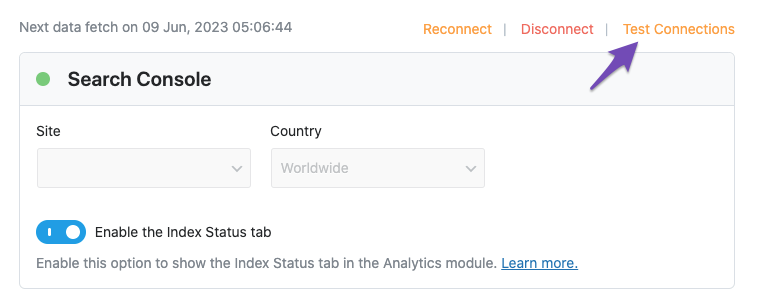
    1. Test Connections: Go to Rank Math SEO → General Settings → Analytics and click on the Test Connections option at the top right. This will validate your existing connections. A green signal indicates a valid connection, while a red signal indicates an issue.
      Test connections

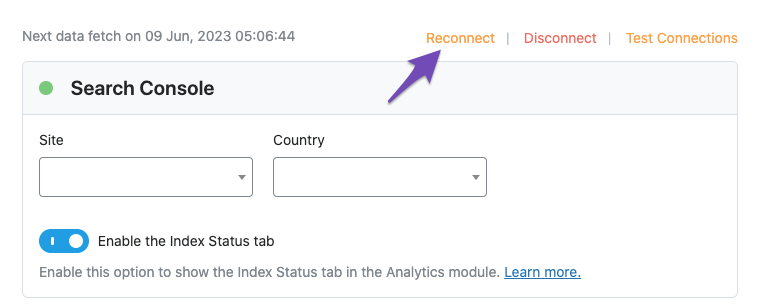
    2. Reconnect Your Google Account: If you see a red signal, try reconnecting your Google account. You can do this by clicking on the reconnect option in the same settings area.
      Reconnect Search Console connection

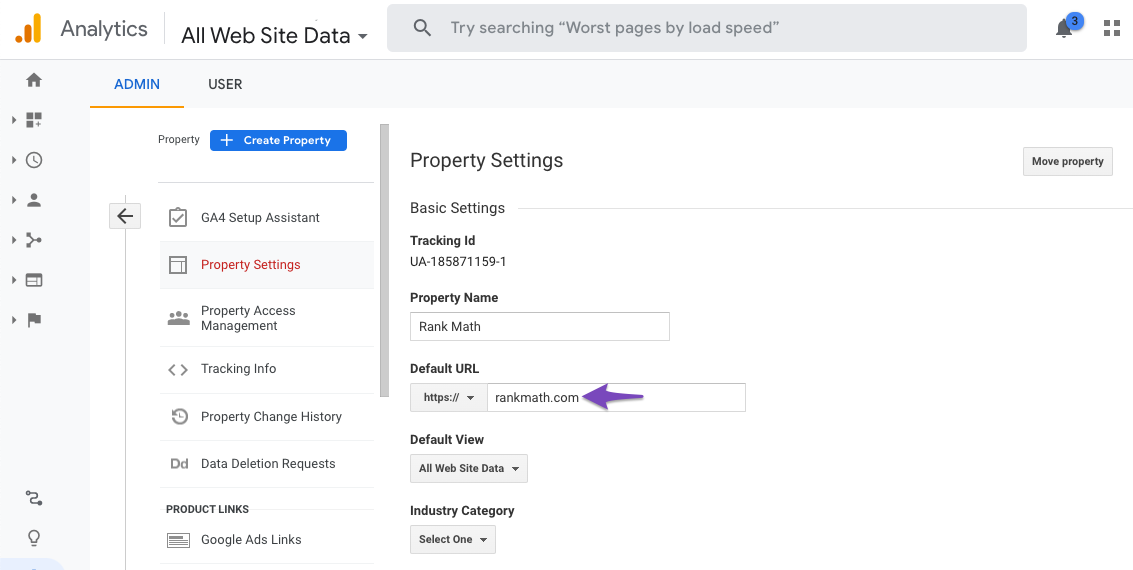
    3. Check Domain Name: Regarding the "SC-domain:" prefix, this is normal for properties created in Google Search Console. It indicates that it is a domain property. Ensure that the domain name matches your actual website.
      Check domain in Google Analytics

    4. Empty Analytics Column: If the analytics column is empty, it may be due to a connection issue or because Rank Math has not been able to fetch data from your Google Analytics account. After reconnecting, give it some time to populate.

    If the issue persists after trying these steps, please reply to this ticket, and a human agent from the Rank Math Support team will assist you further. Thank you for raising this concern!

    Sources:
    Resolving Rank Math Analytics Related Issues » Rank Math
    How to Connect Your Google Account With Rank Math SEO » Rank Math

    Hello,

    Thank you for contacting us and bringing your concern to our attention.

    Please note that our plugin is only compatible with the URL prefix properties and it doesn’t fully support fetching data from domain properties (sc-domain:yourdomain.com). Also, the IndexStatus feature doesn’t work with it.

    You can follow this guideline on how you can create URL prefix properties: https://rankmath.com/kb/google-site-verification/#num-1-how-to-add-your-website-to-the-google-search-console

    Regarding Google Analytics, can you please confirm if you have an active Google Analytics account? You can follow this guideline to create a Google Analytics account for your websites: https://support.google.com/analytics/answer/9304153?hl=en

    In case, you have a Google Analytics account but on another email address, then you can follow this URL to transfer the property to the same email address: https://support.google.com/google-ads/answer/44500?hl=en

    Once done, please try to reconnect your Google account again from WordPress Dashboard > Rank Math > General Settings > Analytics and see if that works for you.

    Let us know how it goes. Looking forward to helping you.

    Thank you.

    Hello,

    Since we did not hear back from you for 15 days, we are assuming that you found the solution. We are closing this support ticket.

    If you still need assistance or any other help, please feel free to open a new support ticket, and we will be more than happy to assist.

    Thank you.

Viewing 2 replies - 1 through 2 (of 2 total)
The ticket ‘Red dot analytics’ is closed to new replies.