Hello,
We apologize for the issue you are facing with your agency subscription. To reactivate your Rank Math PRO membership, you can follow these steps:
-
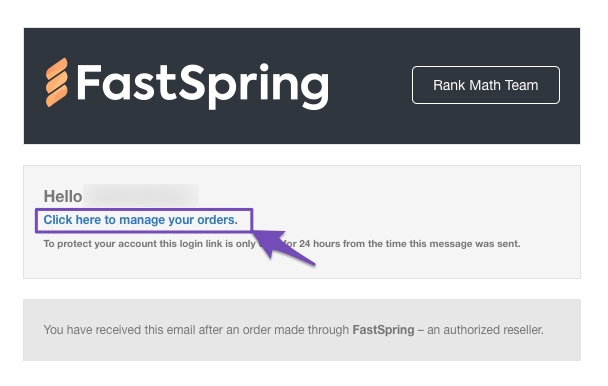
Login to FastSpring Checkout: Check your inbox for an email from our Rank Math SEO team with your unique login link to FastSpring. Choose the Click here to manage your orders link option.
-
Access Subscriptions: Once logged in, navigate to the Subscriptions tab.
-
Manage Subscription: Click the Manage button next to your agency subscription and choose the option to reactivate it.
If you encounter any issues during this process, please reply to this ticket, and a human agent from the Rank Math Support team will assist you further.
Thank you for reaching out, and we hope to have your subscription active again soon!
Sources:
How to Cancel Your Rank Math Subscription » Rank Math
Hello,
Thank you for contacting us and bringing your concern to our attention.
FastSpring, our payment processor, automatically retries the charge 1, 3, and 5 days after a declined rebill/payment failed.
There is no option to renew manually at this time.
However, as your subscription has already expired, you’ll have to purchase a new subscription from here: https://rankmath.com/pricing/
Hope that helps and please don’t hesitate to let us know if you have any other questions.
Thank you.
Hello,
Since we did not hear back from you for 15 days, we are assuming that you found the solution. We are closing this support ticket.
If you still need assistance or any other help, please feel free to open a new support ticket, and we will be more than happy to assist.
Thank you.



