Hello,
We apologize for the issue you are facing regarding your Rank Math subscription status. To check if your Rank Math account has an active subscription, please follow these steps:
- Log in to your Rank Math account: Go to the Rank Math account area and log in.
-
Check Subscriptions: From the left sidebar, select Subscriptions to view the current status of your subscription.
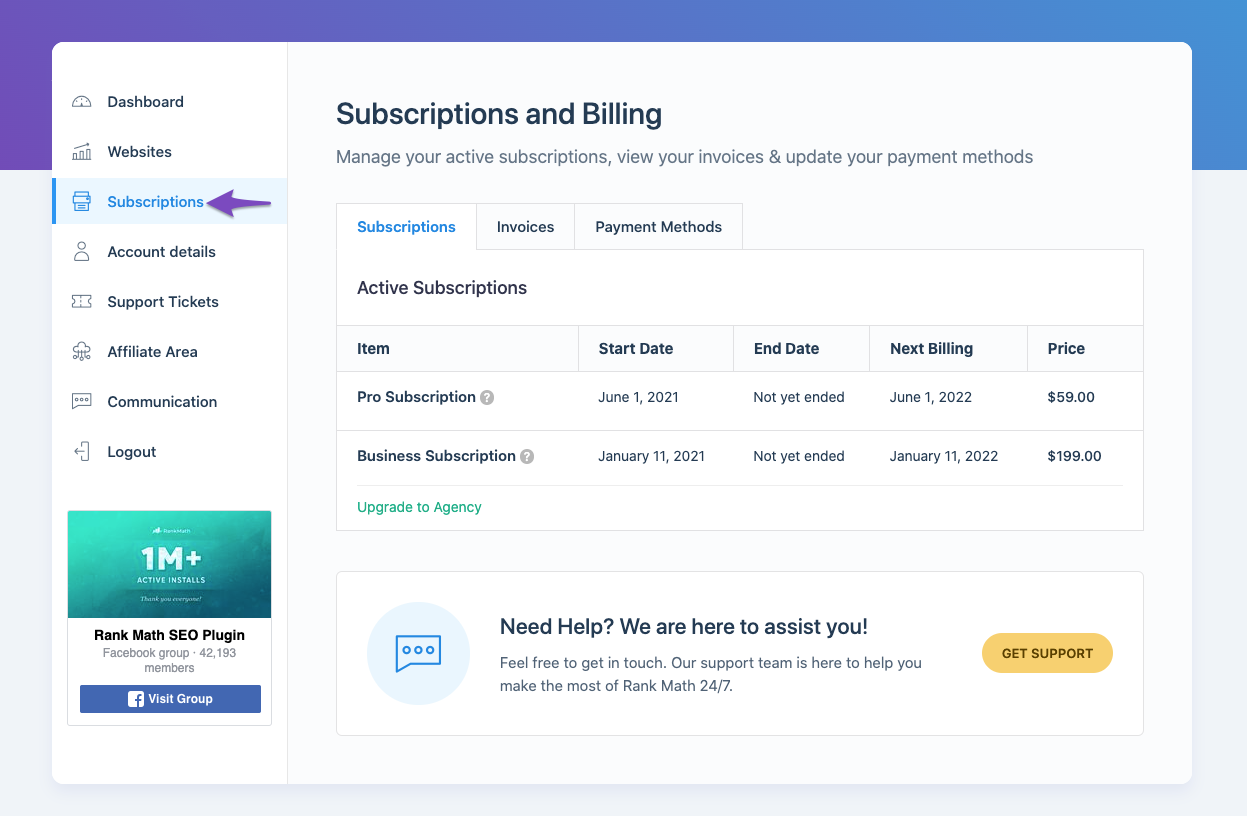
If you find that your subscription is inactive due to a failed auto-renewal, you can update your payment method by following the instructions in this article: How to Change or Update the Payment Method.
If you need further assistance or if you want to reactivate your subscription, please reply to this ticket, and a human agent from the Rank Math Support team will take over and assist you further.
Thank you for raising this concern!
Sources:
How to Ensure Your Account Has an Active Subscription » Rank Math
This is an automated reply from Rank Math Support Bot. If you need further assistance, please reply to this topic and a human support agent will reply to you shortly.
Hello,
Since we did not hear back from you for 15 days, we are assuming that you found the solution. We are closing this support ticket.
If you still need assistance or any other help, please feel free to open a new support ticket, and we will be more than happy to assist.
Thank you.


