Hello,
We apologize for the issue you are facing with the homepage being noindexed despite the Rank Math settings indicating it should be indexed. Thank you for raising this concern.
To troubleshoot this issue, please follow these steps:
-
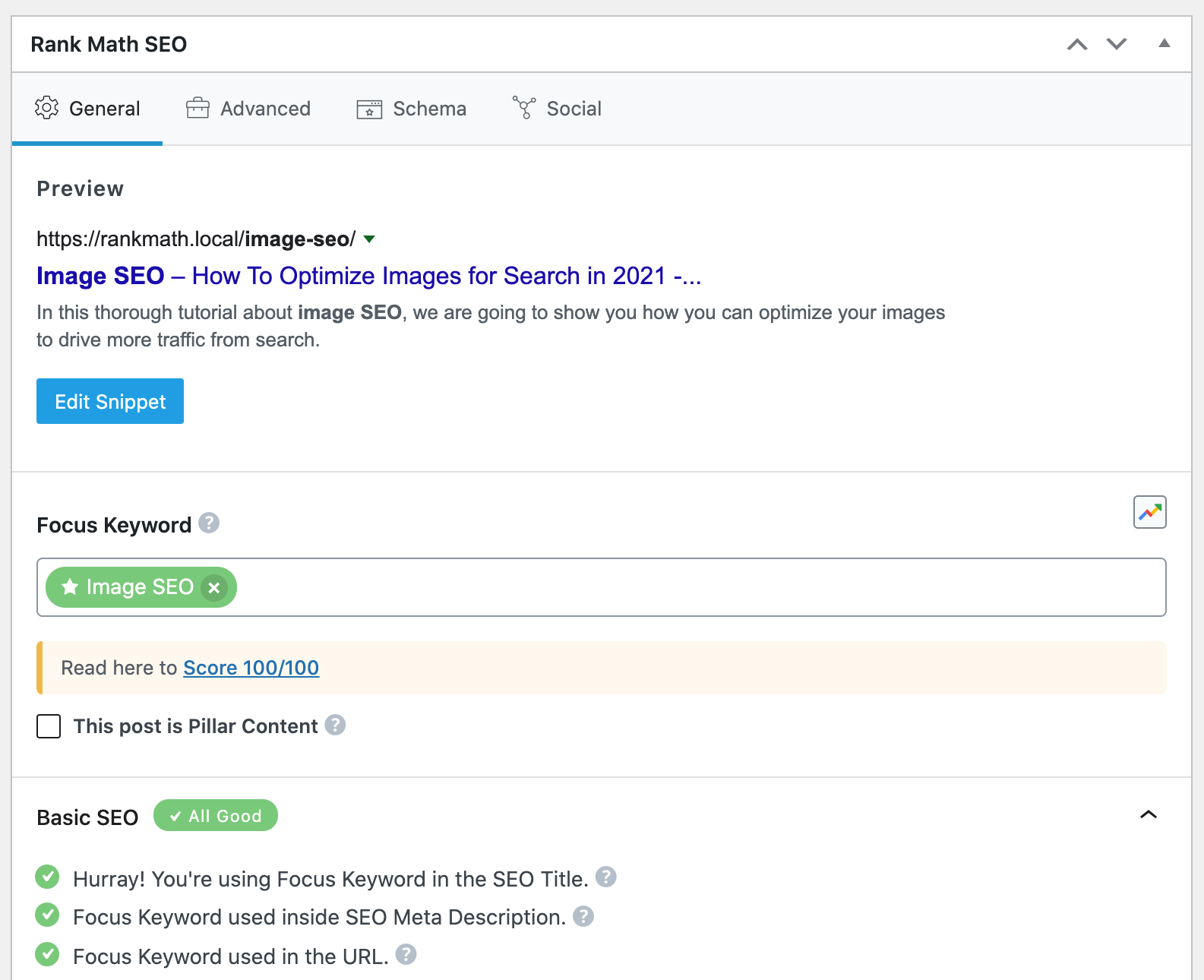
Check the Rank Math Metabox: Open your homepage in the WordPress Editor. If you are using the Gutenberg Editor, click the Rank Math SEO icon in the top-right corner to open the Rank Math Metabox. For Classic Editor, scroll down to find the Rank Math Metabox at the bottom of the page.
-
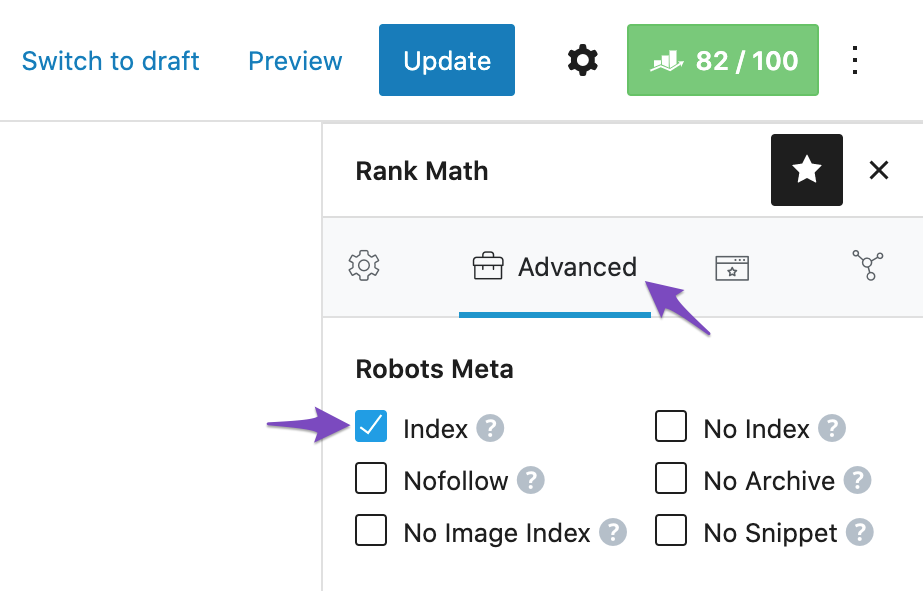
Verify Robots Meta Setting: In the Rank Math Metabox, go to the Advanced Tab. Ensure that the Robots Meta is set to Index. If it is set to No Index, simply select the Index checkbox and update the page.
-
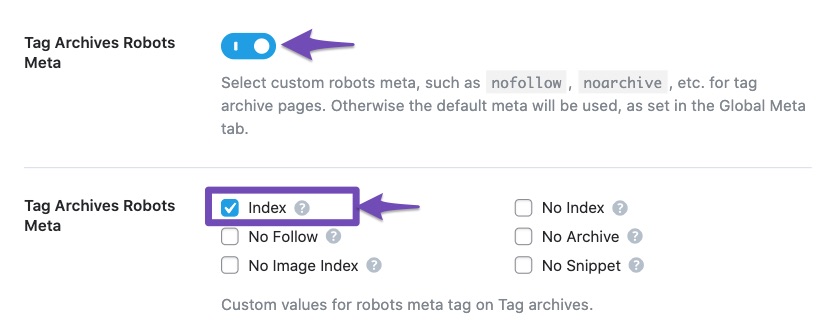
Check Titles & Meta Settings: Navigate to Rank Math SEO → Titles & Meta in your WordPress dashboard. Double-check each section to ensure that no default settings are overriding your homepage settings.
-
Clear Cache: If you are using any caching plugins, clear your cache after making changes to ensure that the latest settings are reflected.
-
Inspect Source Code: Finally, inspect the source code of your homepage to see if there are any conflicting noindex tags being added by other plugins or themes.
If after following these steps the issue persists, please reply to this ticket, and a human agent from the Rank Math Support team will take over and assist you further.
Thank you for your patience!
Sources:
Fix Excluded by NoIndex Tag – Google Search Console Status » Rank Math
Fix Excluded by NoIndex Tag – Google Search Console Status » Rank Math
How to Fix Submitted URL Marked ‘NoIndex’ Error » Rank Math
I have checked these but the page is still being shown as noindex under the rankmath settings in the page source
Hello,
We are glad that you managed to resolve the issue.
Please feel free to reach out to us again in case you need any other assistance.
We are here to help.
Thank you.



