Hello,
We apologize for the issue you are facing during the installation of Rank Math on your self-hosted WordPress network edition.
To install Rank Math on a multisite environment, you can follow these steps:
1. Navigate to the Plugins Section
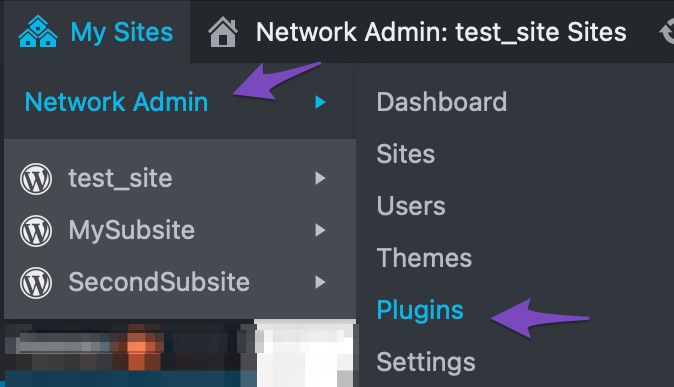
Go to My Sites → Network Admin and then navigate to the Plugins section.
2. Add New Plugin
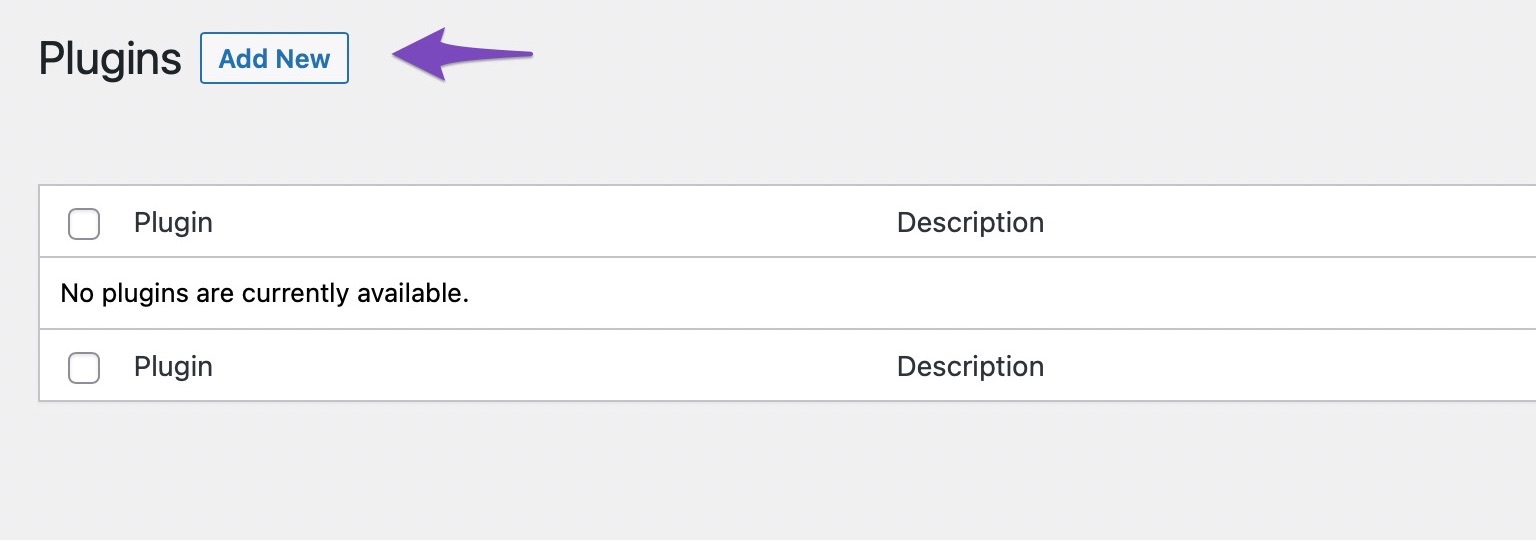
In the Plugins section, click on Add New to install the free version of the Rank Math plugin.
3. Install Rank Math
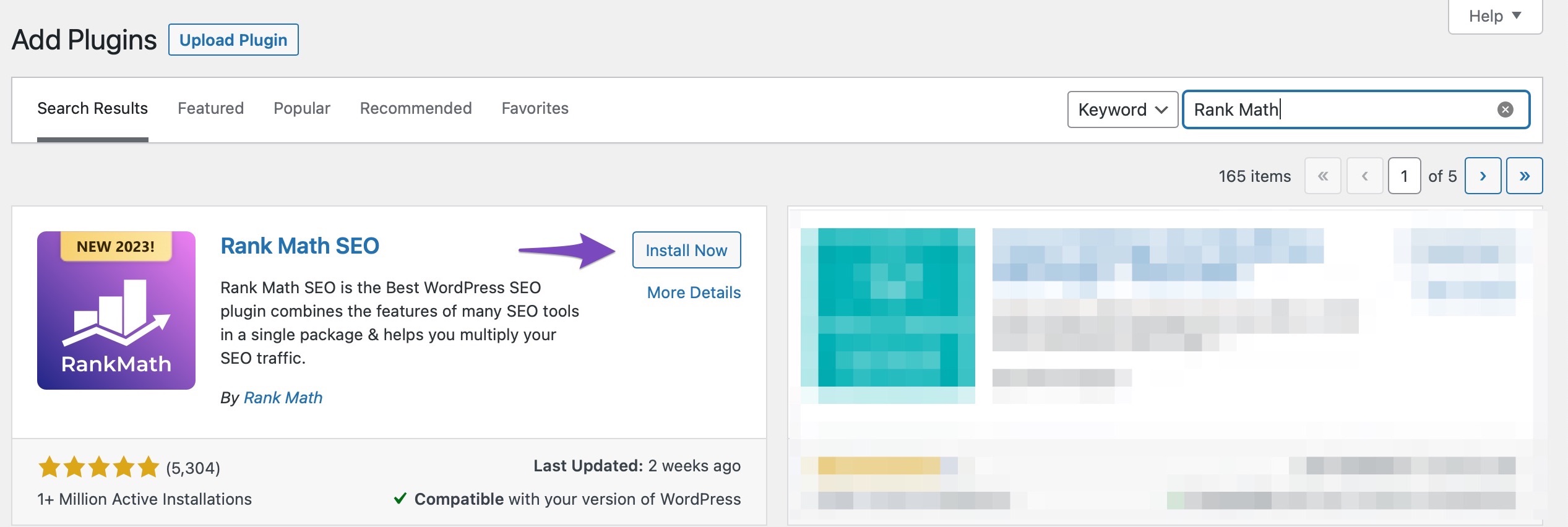
Search for the Rank Math plugin in the search bar and click on Install Now to initiate the installation process. Don’t click the Activate button that appears after Rank Math is installed.
4. Activate Rank Math on Sub-Sites
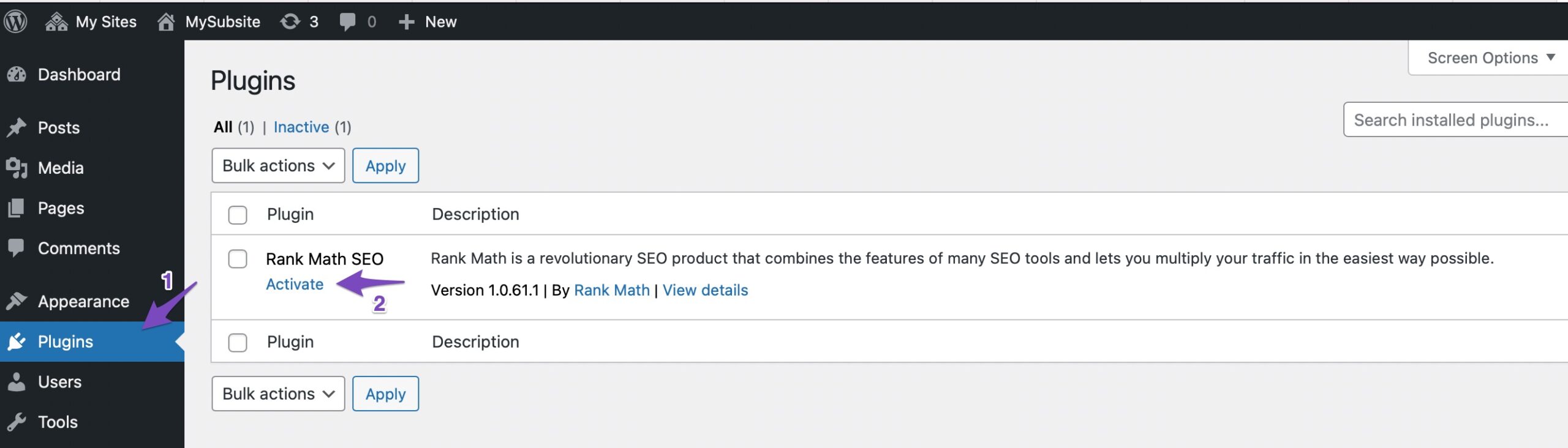
After installing, navigate to your individual subsites where you’d like to activate Rank Math. In each subsite’s WordPress dashboard, go to the Plugins section and click on Activate.
If you encounter any specific errors or issues during this process, please reply to this ticket with more details, and a human agent from the Rank Math Support team will assist you further.
Thank you for raising this concern!
Sources:
Installing Rank Math on a Multisite Environment » Rank Math
Hello,
I have updated the sensitive data as requested. Can you please check further?
Thank you.
Hello,
Thank you for contacting us. We apologize for any inconvenience this issue may have caused.
We can see that the Content AI Starter Trial is still available on your account.
For initial troubleshooting, please follow the steps in this guide: https://rankmath.com/kb/how-to-restore-missing-content-ai-credits/
If the issue persists, let us know the site’s URL you are attempting to use Content AI on.
We look forward to hearing back from you.
Thanks.
Hello,
Since we did not hear back from you for 15 days, we are assuming that you found the solution. We are closing this support ticket.
If you still need assistance or any other help, please feel free to open a new support ticket, and we will be more than happy to assist.
Thank you.



