Hello,
We apologize for the issue you are facing with the Rank Math Table of Contents (TOC) block not rendering correctly. It sounds like you’ve already taken several steps to troubleshoot this issue.
Here are a few things you can check:
-
Headings Presence: Ensure that your content contains valid heading blocks (H2, H3, etc.) before the TOC block. The TOC block requires headings to generate its content. If there are no headings, it will display the message "Add Heading blocks to this page to generate the Table of Contents."
-
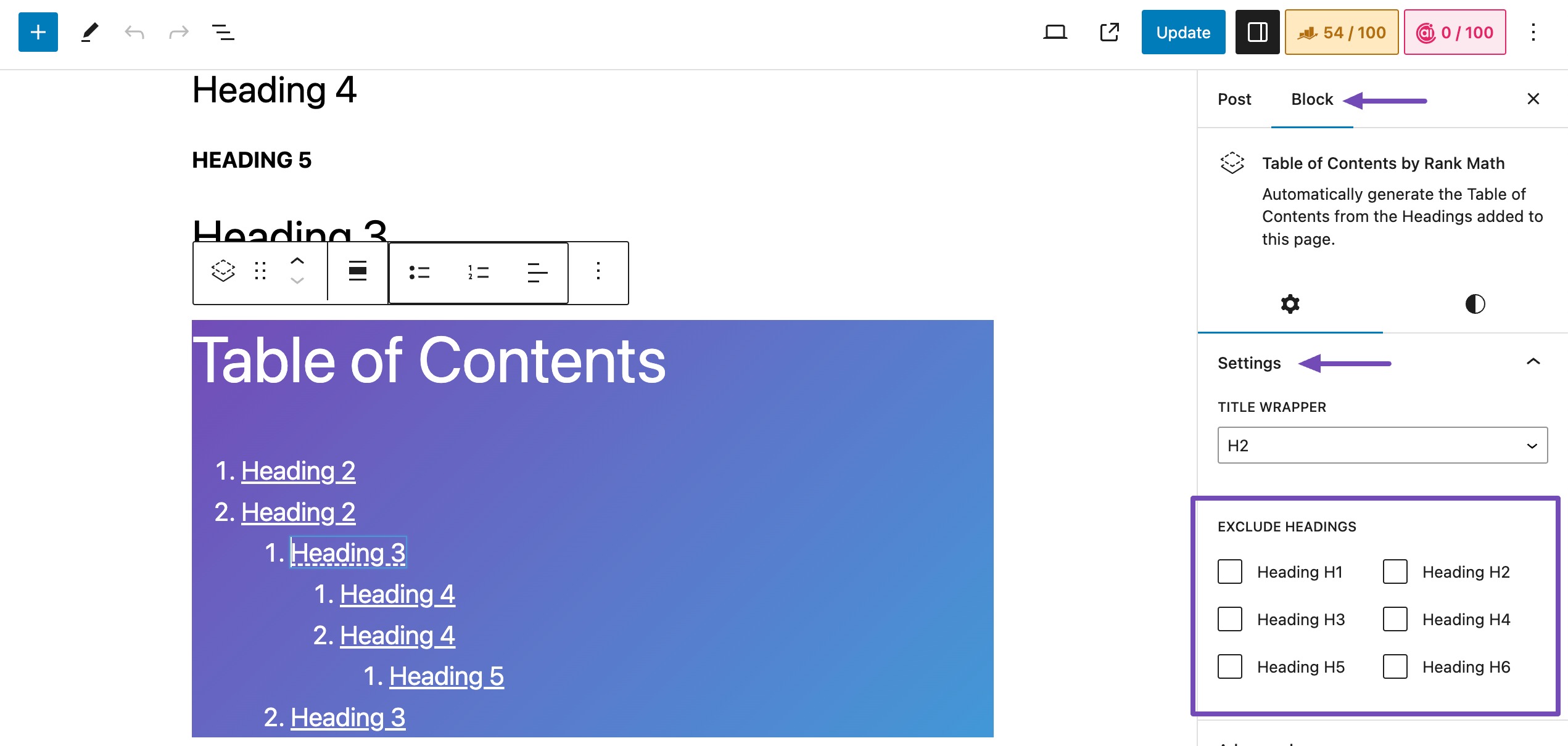
Exclude Headings Setting: Check if any headings have been excluded from appearing in the TOC. You can do this by clicking on the TOC block, navigating to Settings, and then checking under Block → Settings → EXCLUDE HEADINGS to ensure no headings are excluded.
-
Bug with Higher-Level Headings: There is a known bug where higher-level headings may disappear if a lower-level heading is added before it. If this is the case, you might want to rearrange your headings temporarily to see if that resolves the issue.
-
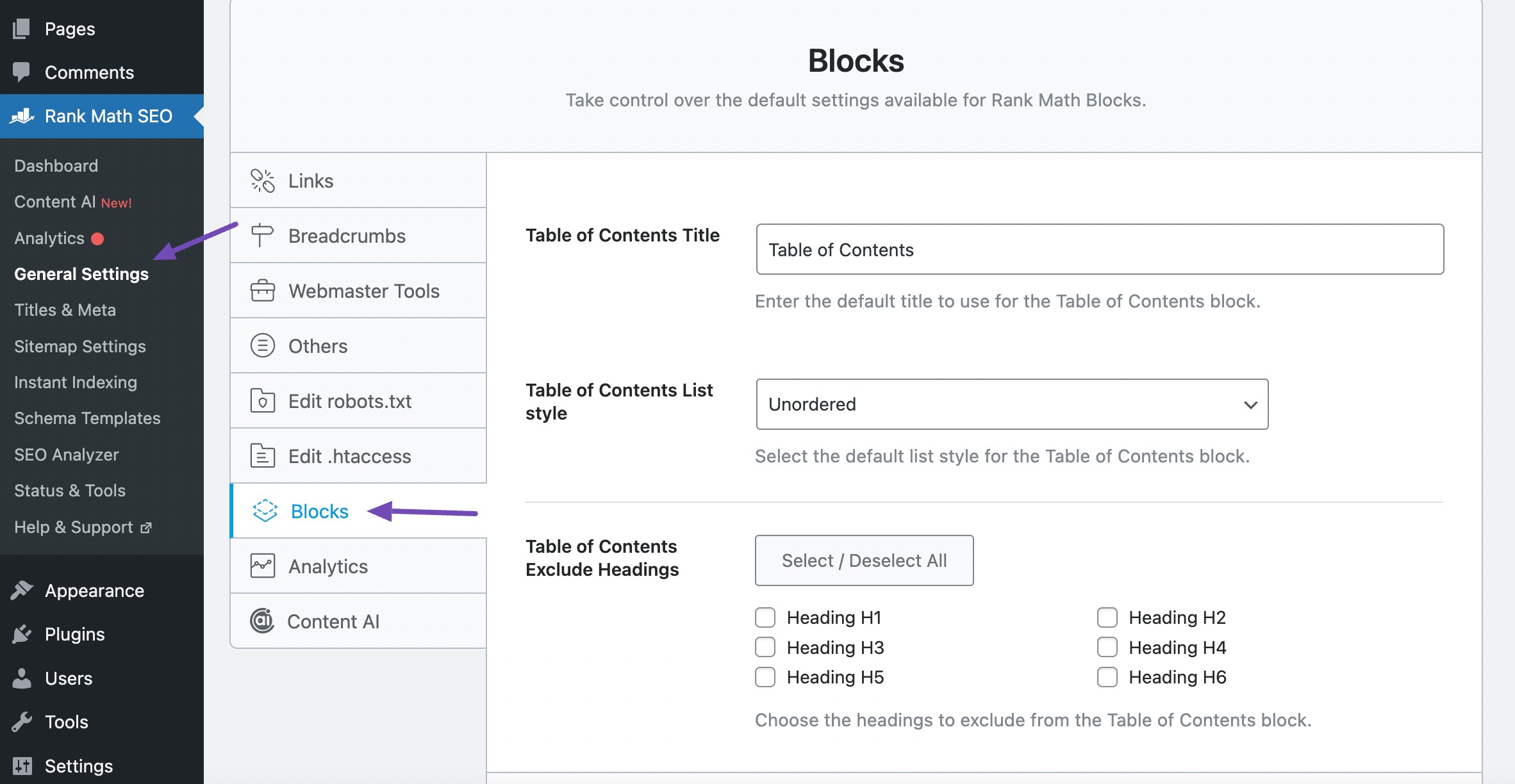
Schema Module: Make sure that the Schema module is enabled in Rank Math, as it is required for the TOC block to function properly. You can check this in Rank Math SEO → General Settings → Blocks.
If you’ve checked all these points and the issue persists, we recommend replying to this ticket so a human agent from the Rank Math Support team can assist you further.
Thank you for bringing this concern to our attention! We hope to resolve it for you soon.
Sources:
How to Add Rank Math’s Table of Contents Block » Rank Math
Found the solution thanks to automatic reply.
Hello,
We are super happy that your issue has been addressed.
If you have another question in the future, please feel free to create a new forum topic, and it will be our pleasure to assist you again.
Thank you.



