Hello,
We apologize for the issue you are facing with the indexing of your page. It sounds like there may be a few factors contributing to this mismatch between Rank Math and Google Search Console. Here are some steps you can take to diagnose and resolve the issue:
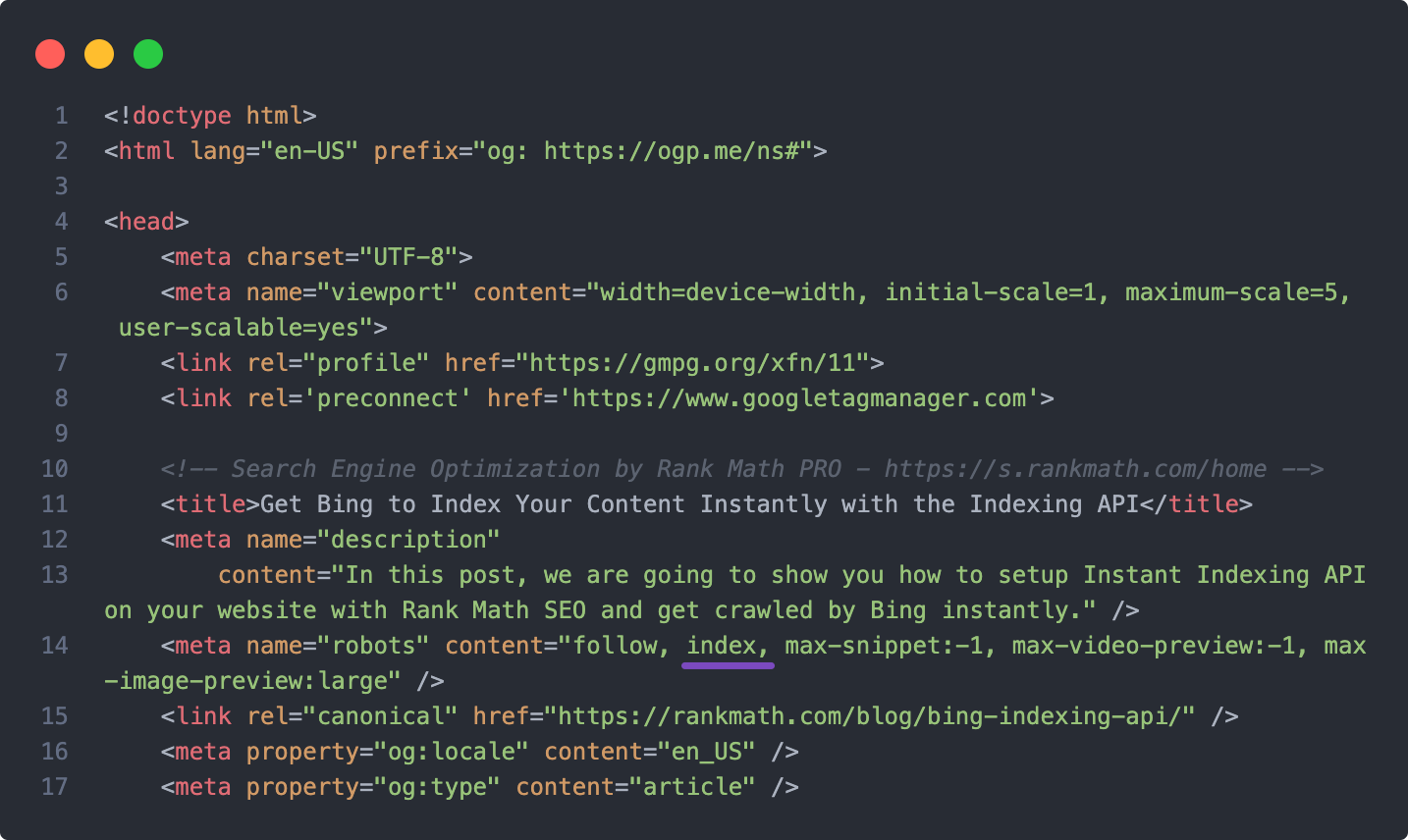
1. Check for the Noindex Tag
Ensure that there is no noindex meta tag present on your page. You can do this by inspecting the page’s source code or using the URL Inspection Tool in Google Search Console. If you find a noindex tag, you will need to remove it to allow Google to index the page.
2. Review Global Settings in Rank Math
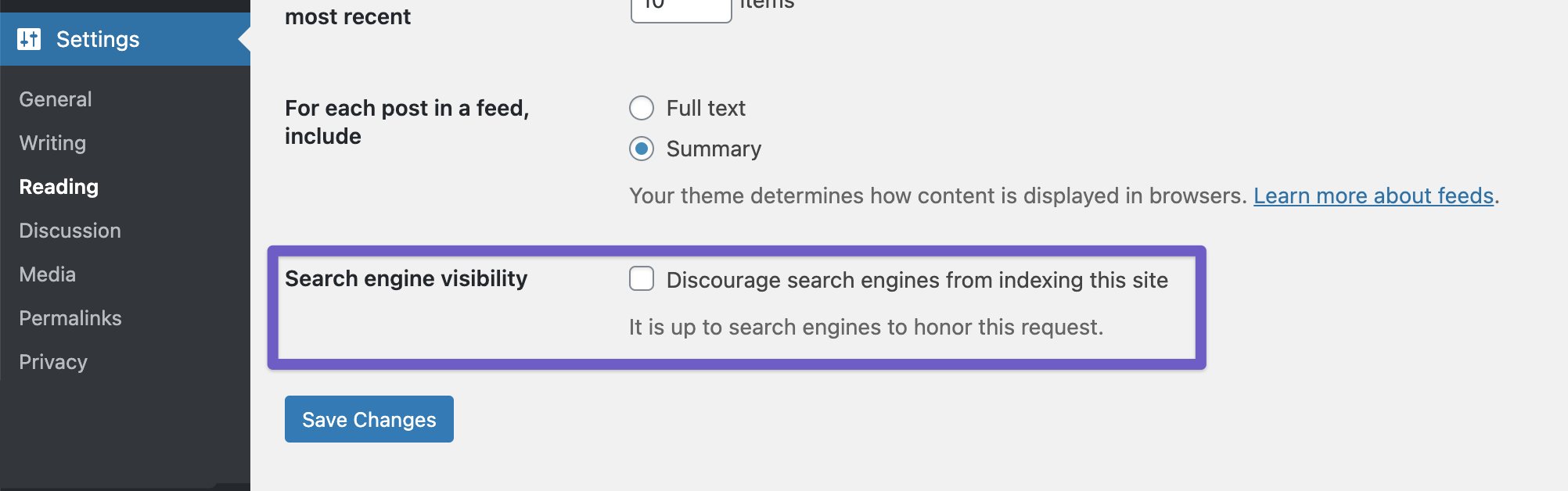
Go to WordPress Dashboard → Rank Math SEO → Titles & Meta → Posts/Pages and ensure that the settings for your post type do not have the noindex option enabled. Additionally, check the global setting at WordPress Dashboard → Settings → Reading to ensure that the Discourage search engines from indexing this site option is unchecked.
3. Check Robots.txt File
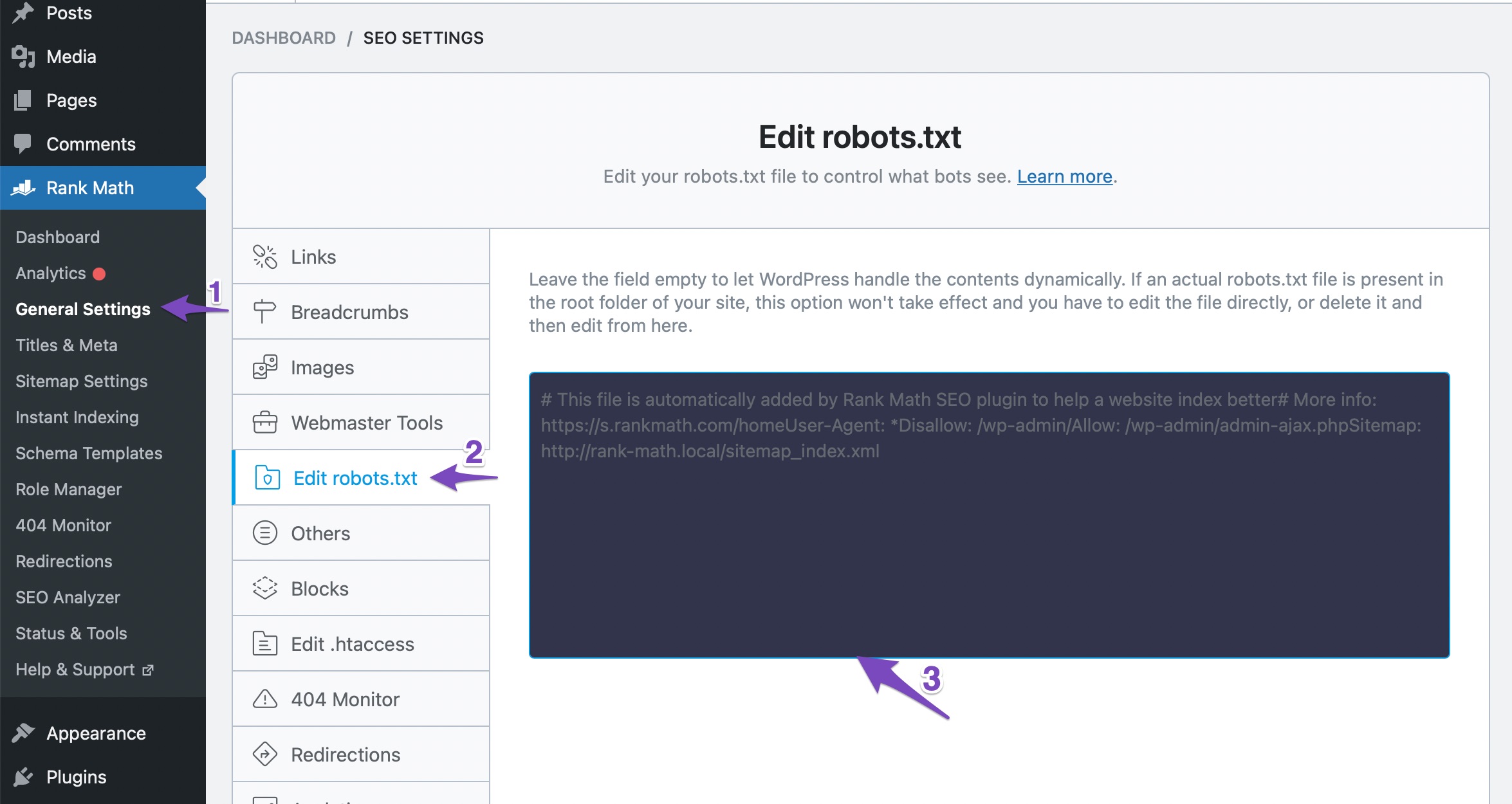
Make sure that your robots.txt file does not contain any rules that might be blocking Google from indexing your page. You can check your robots.txt file using this tool and edit it if necessary through WordPress Dashboard → Rank Math SEO → General Settings → Edit Robots.txt.
4. Clear Caches Again
Since you’ve already cleared caches, ensure that any server-side caching (like Varnish or CDN caching) is also cleared, as these can sometimes serve outdated versions of your pages.
5. Re-submit the Page in Google Search Console
After making any changes, re-submit the page in Google Search Console for indexing. This can help expedite the process of getting Google to recognize the changes you’ve made.
If after following these steps the issue persists, we recommend replying to this ticket with any additional details or screenshots of your settings, and a human agent from our support team will assist you further.
Thank you for raising this concern, and we hope to help you resolve it soon!
Sources:
Why Google Hasn’t Indexed Your Post, Page, and/or Website? » Rank Math
How to Fix Indexing Issues in Google Search Console » Rank Math
Hello Rank Math Team,
Thank you very much for your quick and detailed reply. I really appreciate the clear explanation and the practical steps you shared. I will go through each point carefully, check the noindex tag, review the robots.txt file, and confirm that the visibility settings are correct. After making the changes, I’ll resubmit the page in Google Search Console and monitor the results.
Thanks again for your support and for taking the time to provide such a thorough response.
Kind regards,
Jennifer Waltz
Founder and CEO, GetGulfVacancy.com
Hello,
Thank you for contacting Rank Math support.
We checked the post and can see that it is already set with the index tag and also included in the post-sitemap1.xml.
Hope this helps, and please do not hesitate to let us know if you need our assistance with anything else.
Hello,
Thank you for the update. I actually resolved the issue yesterday following the directions provided by one of your team members who reached out to me via email.
Appreciate your assistance!
Best regards.
Hello,
Glad that helped.
If you have any other concerns, please don’t hesitate to contact us anytime so we can assist you further.
Looking forward to helping you.




