Hello,
We apologize for the issue you are facing with the Rank Math SEO option not showing for your coupon stores. It seems that the Rank Math Meta Box may not be enabled for the specific post type or taxonomy you are trying to edit.
To resolve this, please follow these steps:
-
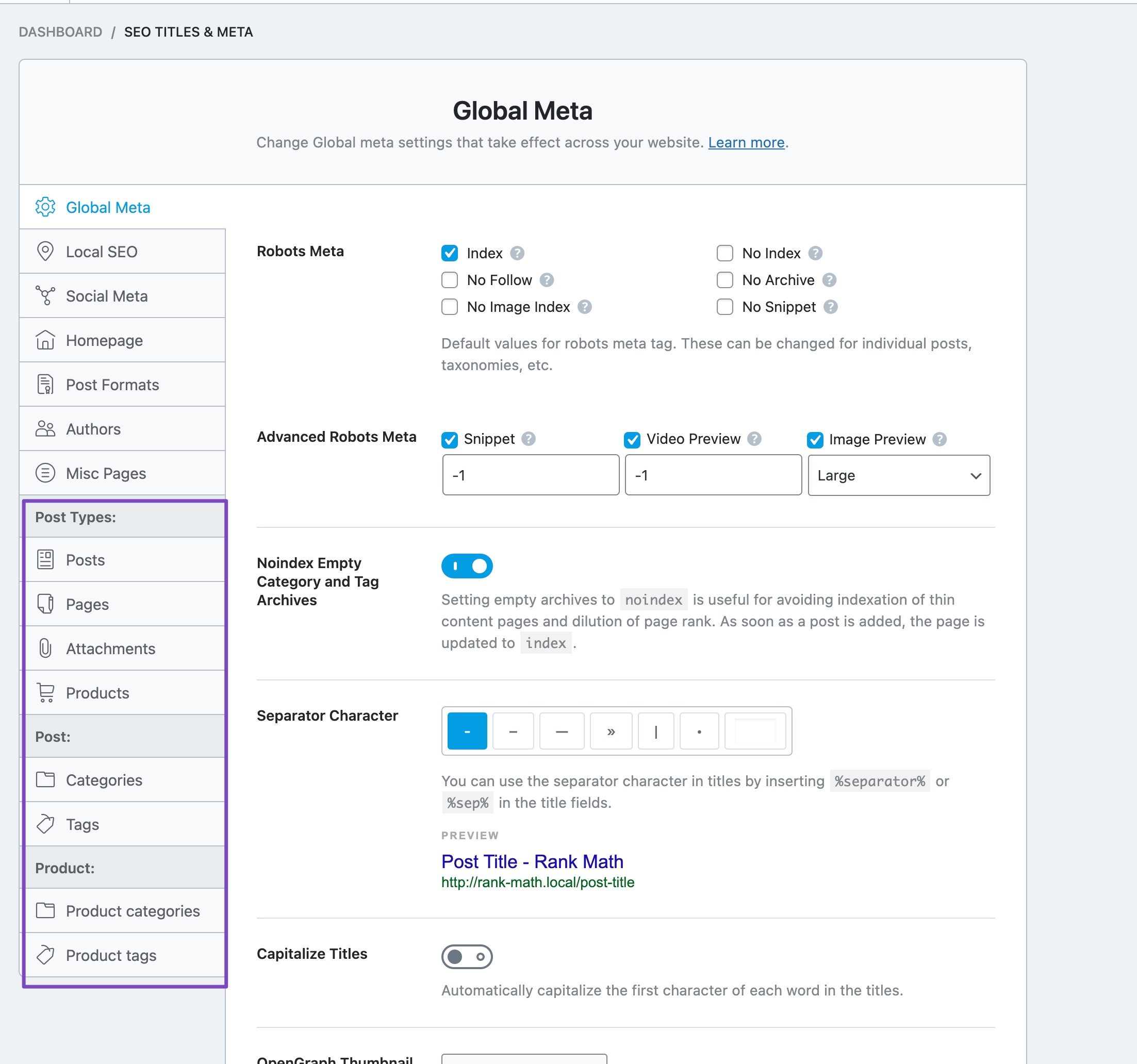
Check Post Type/Taxonomy Settings: Go to Rank Math SEO → Titles & Meta in your WordPress dashboard. Ensure that the post type for your coupon stores is selected and that the Add SEO Controls option is enabled for it.
-
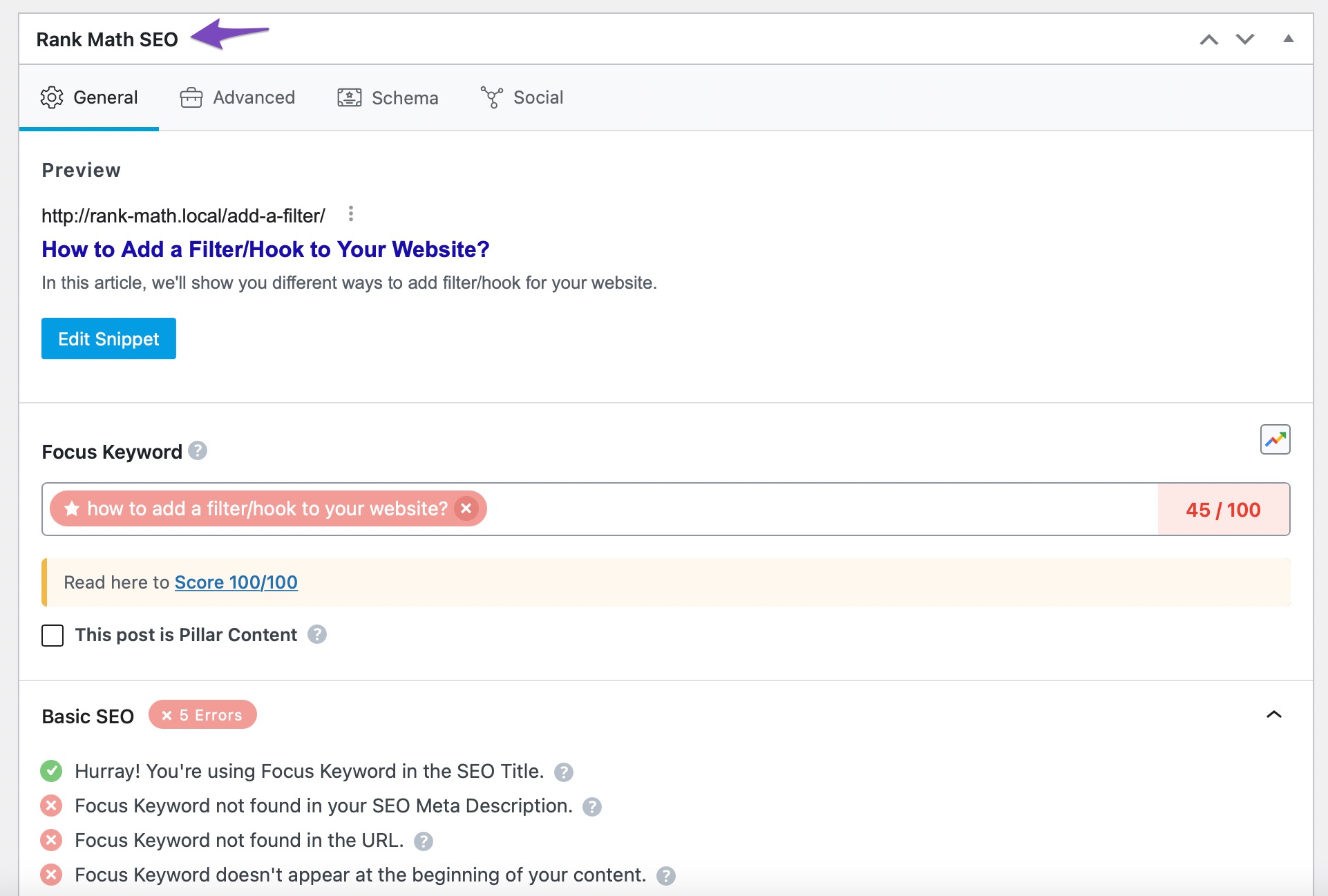
Enable Meta Box: If you are using the Block Editor, check if the Rank Math SEO icon appears at the top-right corner when editing a coupon store. If you are using the Classic Editor, scroll down to see if the Meta Box is visible. If not, click on Screen Options at the top-right of your screen and ensure that the Rank Math SEO checkbox is checked.
-
Run a Quick Check: After enabling the settings, try editing a coupon store again to see if the Rank Math SEO option appears.
If you have followed these steps and still do not see the Rank Math SEO option for your coupon stores, please reply to this ticket, and a human agent from the Rank Math Support team will assist you further.
Thank you for bringing this concern to our attention!
Sources:
Why Rank Math’s Meta Box is Not Showing? » Rank Math
Hello,
Thank you for contacting us and sorry for any inconvenience that might have been caused due to that.
It looks like you’ve shared your website backend URL instead of sharing the screenshot URLs.
However, can you please confirm if you’re facing the issue on your custom taxonomy pages? If so, please try to update the plugin to the latest beta version and see if that works for you. You can enable the Beta update by following this guideline:
https://rankmath.com/kb/version-control/#beta-updates
If you are unable to see an update, please clear Rank Math’s transients from WP Dashboard > Rank Math > Status & Tools > Database Tools > Remove Rank Math Transients: https://rankmath.com/kb/rank-math-status-and-tools/#rank-math-transients
Please clear the caches, server, and WordPress after updating.
You can disable the Beta updates once you update to the latest version and if the issue is fixed.
Let us know how it goes. Looking forward to helping you.
Thank you.
Hello,
Since we did not hear back from you for 15 days, we are assuming that you found the solution. We are closing this support ticket.
If you still need assistance or any other help, please feel free to open a new support ticket, and we will be more than happy to assist.
Thank you.



