Rank Math Error

#223055
  • Resolved Juan Rubin
    Rank Math free

    my team sent me an email from wordpress saying this:

    “Since WordPress 5.2 there is a built-in feature that detects
    when a plugin or theme causes a fatal error on your site and alerts you
    using this automated email.

    In this case, WordPress has detected an error with one of your plugins,
    Rank Math SEO.

    First, visit your website (https://palermonline.com.ar/wordpress/) and
    check if there are any visible problems. Then visit the
    page where the error has been detected
    (https://palermonline.com.ar/wordpress/wordpress/wp-admin/admin.php?page=rank-math-options-sitemap)
    and check if there are any visible problems.

    Please contact your accommodation to help you
    Investigate this issue further.”

    Maybe you can help me with this, we really want to know what the problem is and why we have it.

    Also we want to know what do you think about this robots.txt, maybe you have a recommendation for this stuff

    User-Agent: *
    Disallow: /wordpress/wp-admin/
    Allow: /wordpress/wp-admin/admin-ajax.php
    Allow: /wordpress/wp-content/uploads/

    User-agent: APIs-Google
    Allow: /

    User-agent: Mediapartners-Google
    Allow: /

    User-agent: AdsBot-Google-Mobile
    Allow: /

    User-agent: AdsBot-Google
    Allow: /

    User-agent: Googlebot-News
    Allow: /

    User-agent: Googlebot
    Allow: /

    User-agent: AdsBot-Google-Mobile-Apps
    Allow: /

    User-agent: Googlebot-Image
    Allow: /

    Sitemap: https://palermonline.com.ar/wordpress/sitemap_index.xml

Viewing 12 replies - 1 through 12 (of 12 total)
  • Hello,

    Thank you for contacting the support, and sorry for any inconvenience that might have been caused due to that.

    Could you please share your website’s error log and so we can further check it on our end? You may also contact your hosting provider if you are not able to find it.

    Also, it would also be nice to check if there are other plugins or your current theme that is conflicting with Rank Math. Please follow this guide to determine that: https://rankmath.com/kb/check-plugin-conflicts/

    Here is a video you can follow as well: https://www.youtube.com/watch?v=FcIWRhcUP2c

    Only the site admin would know and your users won’t be affected by this troubleshooting.

    As for your robots.txt configuration, it seems to be fine. I also tested it in a robots.txt validator and it returns without any issue.

    We are looking forward to helping you with this one.

    Hi Jeremy !

    This is the error, i´ll send you the email in original language

    Cuando busques ayuda para este problema, es posible que se te pida la
    siguiente información:
    WordPress versión 5.7.2
    Tema actual: Maxwell (versión 2.3.1)
    Plugin actual: Rank Math SEO (versión 1.0.67)
    PHP versión 7.4.16

    Thanks !!

    Detalles del error
    ==================
    Se ha producido un error del tipo E_ERROR en la línea 249 del archivo
    /home2/palermon/public_html/wordpress/wp-content/plugins/seo-by-rank-math/vendor/cmb2/cmb2/includes/CMB2_Base.php.
    Mensaje de error: Allowed memory size of 1073741824 bytes exhausted
    (tried to allocate 462581760 bytes)

    Hello,

    Thank you for that information.

    From the error message you have sent, it seems that there are some PHP values that are too low and which you should increase (specifically the PHP Memory limit).

    Please get in touch with your web host and ask them to set the following values which should fix this issue:

    PHP Memory Limit: 512M
    Max input time: 150
    PHP time limit: 120
    PHP max input variables: 1000

    I hope that helps.

    Thank you.

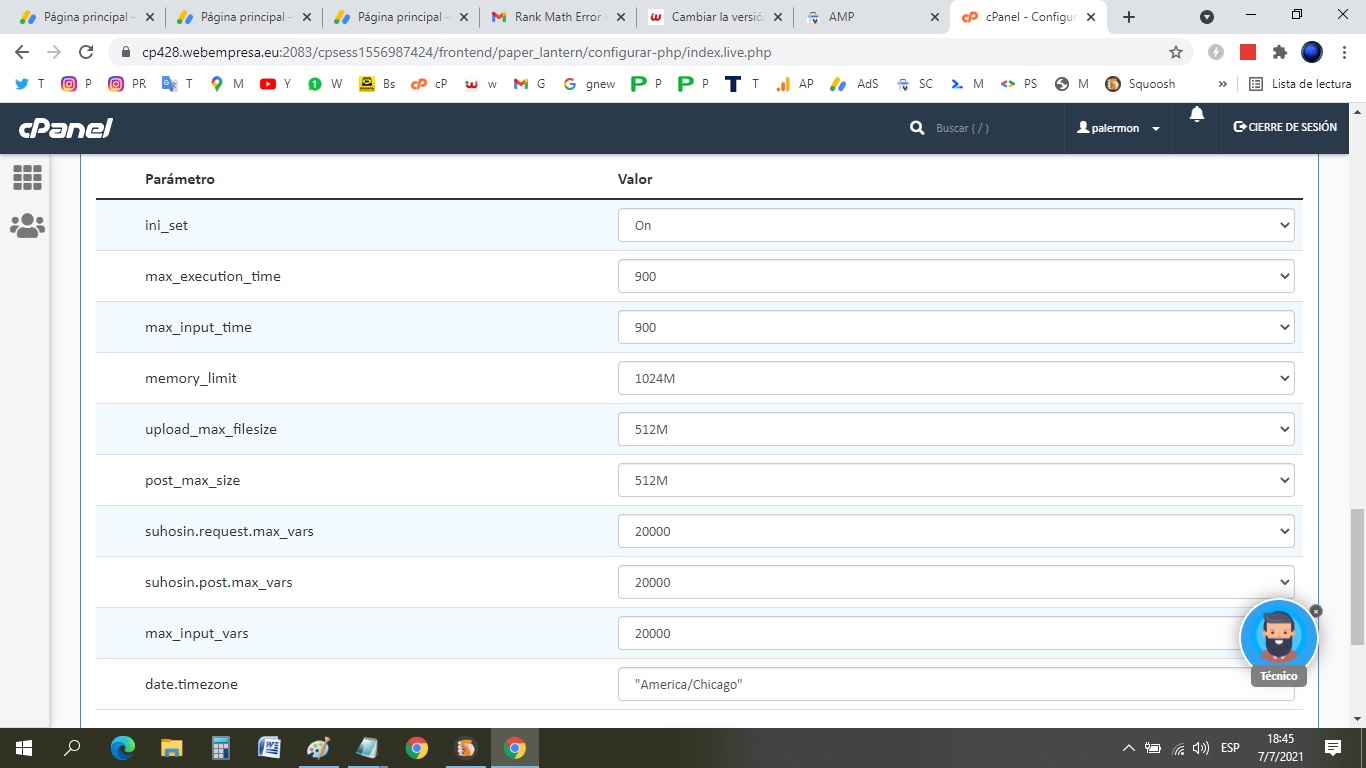
    Hi again and thank you very much for your replys.

    Here are the values

    Maybe whit this you can give me a clearer answer

    Thanks !

    Hello,

    Thank you for the follow-up.

    If you have already set the PHP values and the issue still persists, we might need to take a closer look at your website.

    Please edit the first post on this ticket and include your WordPress & FTP logins in the designated Sensitive Data section.

    Please do take a complete backup of your website before sharing the information with us.
    Sensitive Data Section

    It is completely secure and only our support staff has access to that section. If you want, you can use the below plugin to generate a temporary login URL to your website and share that with us instead:

    https://wordpress.org/plugins/temporary-login-without-password/

    You can use the above plugin in conjunction with the WP Security Audit Log to monitor what changes our staff might make on your website (if any):

    https://wordpress.org/plugins/wp-security-audit-log/

    We really look forward to helping you.

    Thank you.

    Reinelle thanks for all your answers, i have the last question, then if the issue continues, we’ll send you the info to log in, we still must do a back up.

    Taking into account that palermonline.com.ar
    It is a ROOT address and it IS different where it is
    https://palermonline.com.ar/wordpress/

    THE QUESTION IS WHICH OF THE TWO ROBOTS IS CORRECT

    Taking into account that the robot must be in the root folder
    but the wp is in a folder one level lower

    N 1
    ROBOTS.TXT
    User-agent: *
    Disallow: /wordpress/wp-admin/
    Allow: /wordpress/wp-admin/admin-ajax.php
    Sitemap: https://palermonline.com.ar/wordpress/sitemap_index.xml

    N 2
    ROBOTS.TXT
    User-agent: *
    Disallow: /wp-admin/
    Allow: /wp-admin/admin-ajax.php
    Sitemap: https://palermonline.com.ar/wordpress/sitemap_index.xml

    Hello,

    Sure, let us know how this goes.

    For your robots.txt question, you should choose the first one (N 1) with /wordpress/ as you need to declare the folder where the WordPress is installed for that directory.

    The second robots.txt format you provided (N 2) will only work for https://palermonline.com.ar/

    I hope that helps.

    Thank you, and please don’t hesitate to contact us anytime if you need further assistance with anything else.

    As always thanks for your help !

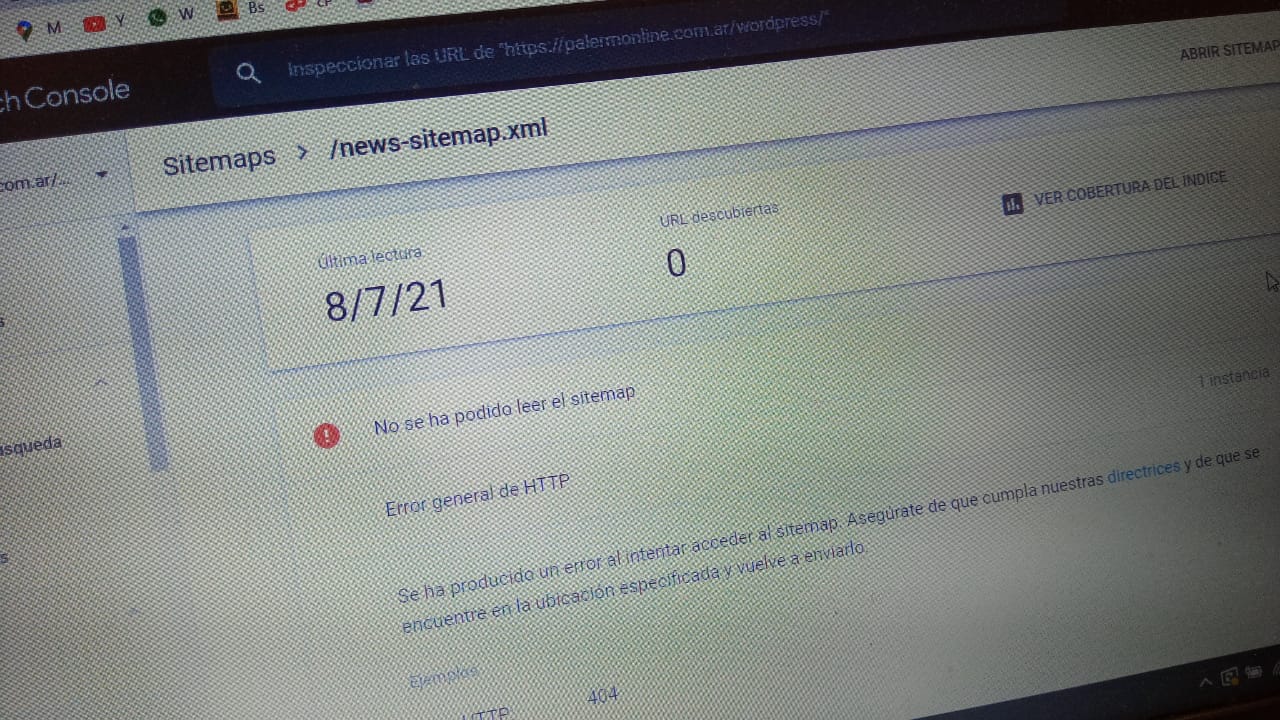
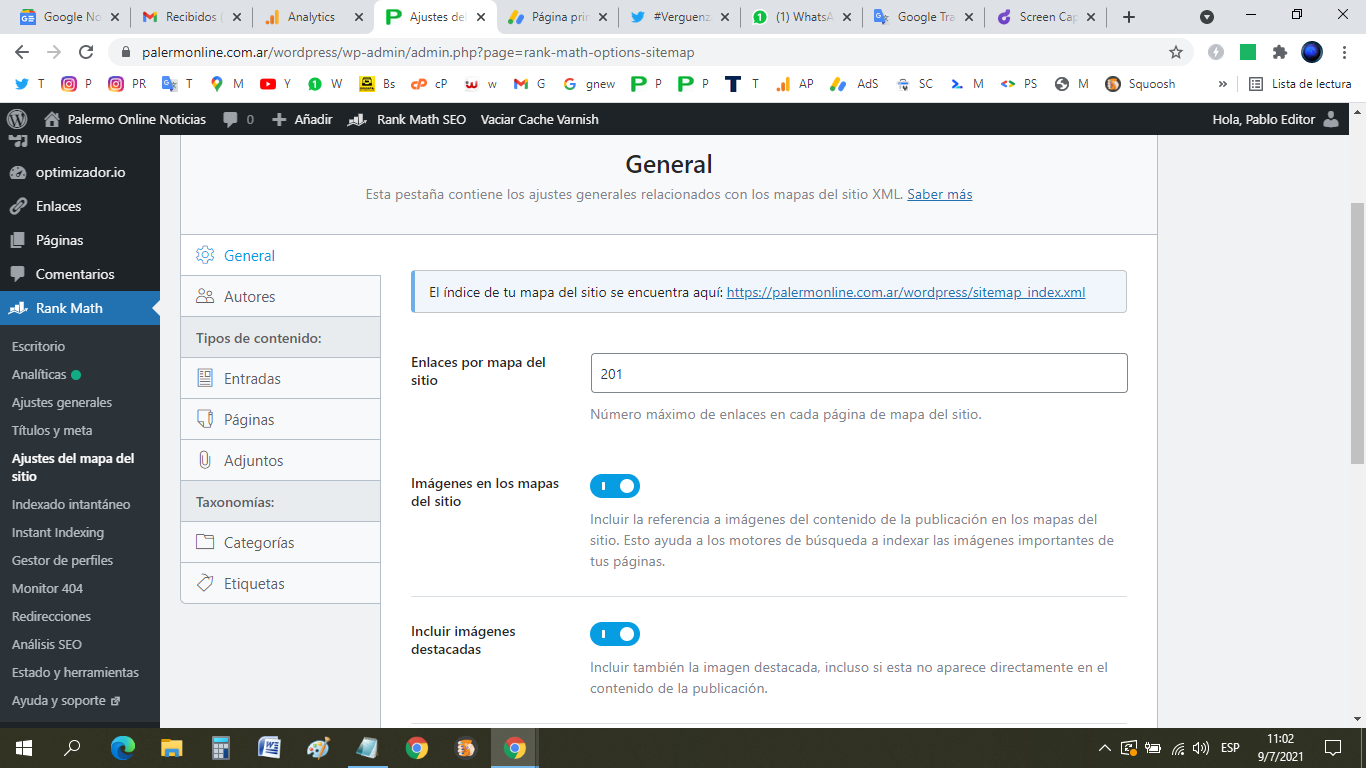
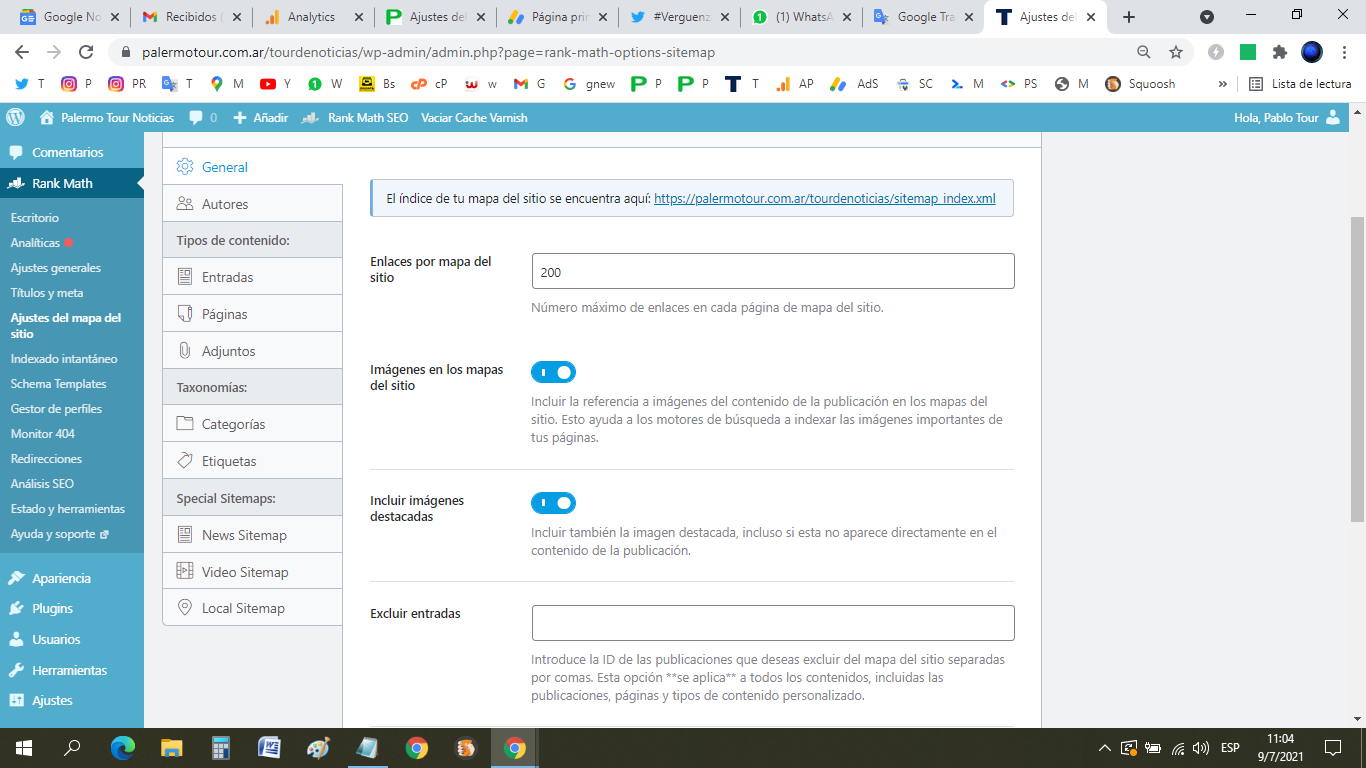
    I want to know why the news site map tab don´t appear, here is the print screen:

    Also we have rank math pro and this tab appear

    i updated the sensitive data

    Hello,

    I have updated the sensitive data as requested. Can you please check further?

    Thank you.

    Ankit
    Rank Math business

    Hello,

    We can’t able to access the link, Getting 403 forbidden error.

    See the screenshot for your reference:
    https://i.rankmath.com/ciWR6u

    Meanwhile Could you please confirm if the news sitemap module is enabled under Rank Math > Dashboard?

    Also if you have checked the proper post types under Rank Math > Sitemap Settings > News Sitemap.

    Also, Flush the Sitemap cache by following this video screencast:
    https://i.rankmath.com/xXXhDt

    That should fix the issue. Please let us know if that does not. We are here to assist.

    Hello,

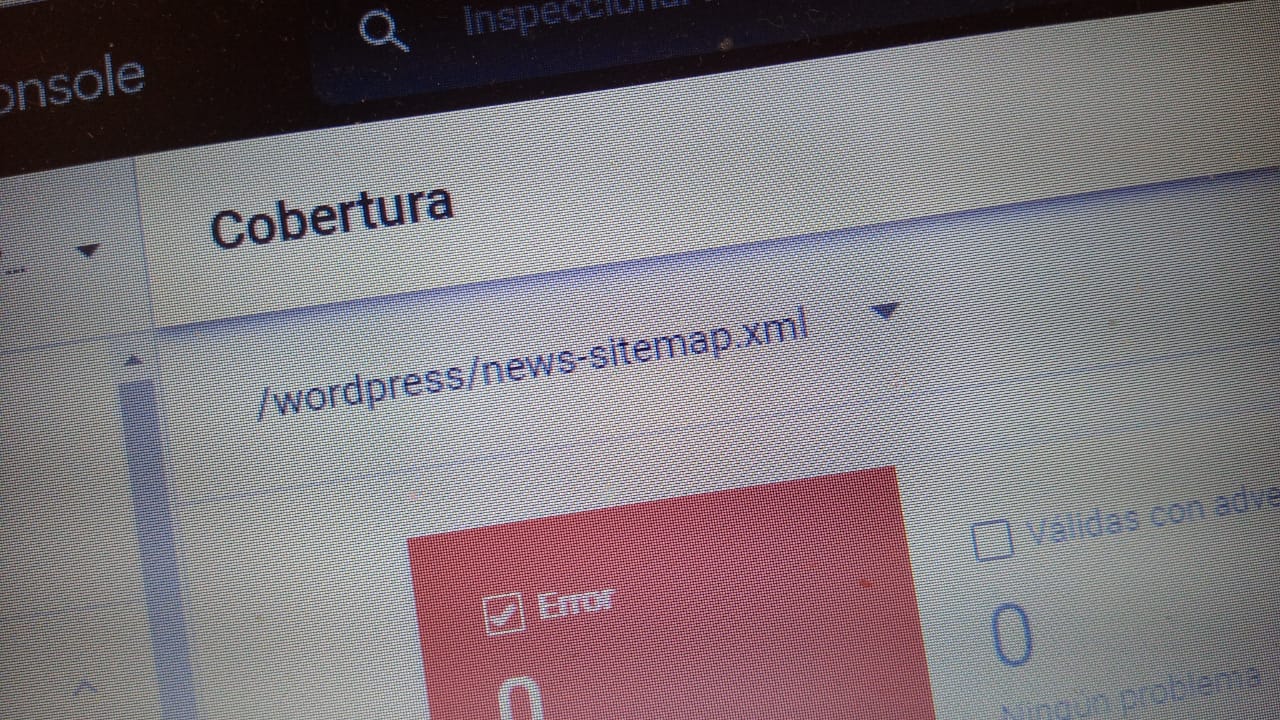
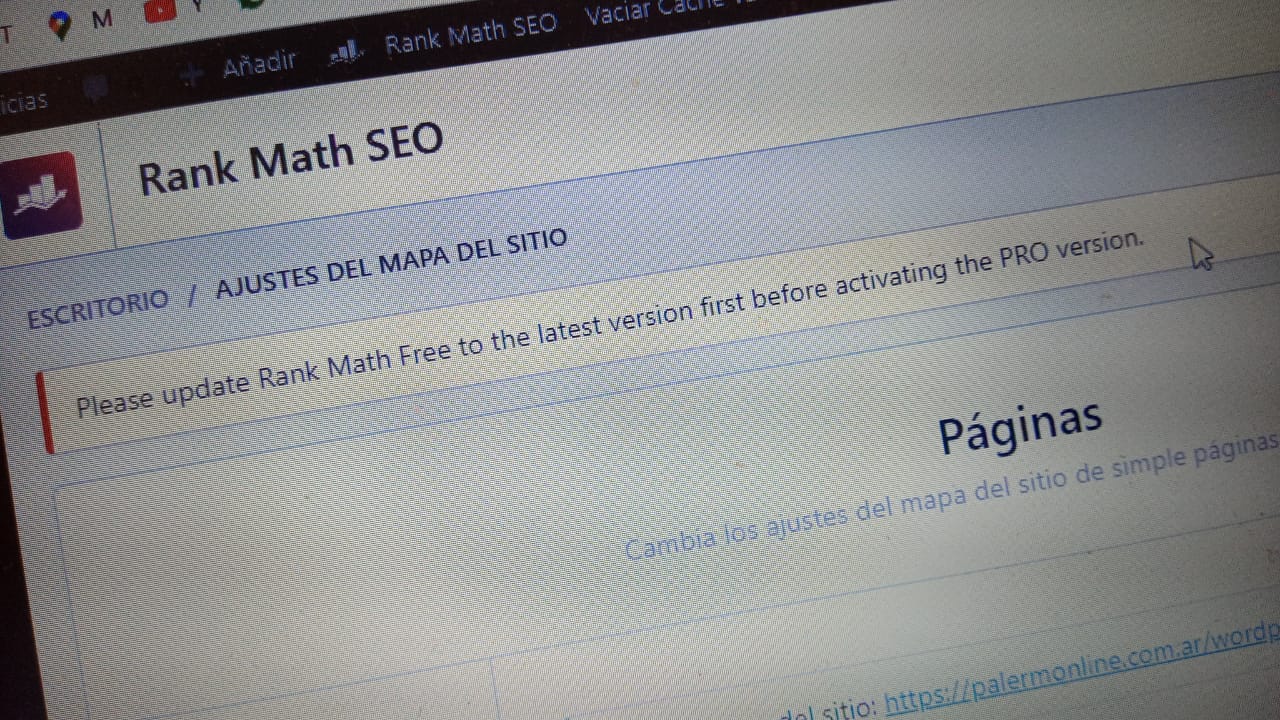
    I send you the images of two diferent sites and you ´ll see

    This is other website that works

    How we fix the 403 error ?

    Anas
    Rank Math business

    Hello,

    Please note that the news sitemap is a feature of the Rank Math PRO plugin.

    As you are using the PRO plugin on one site, you can install and activate the PRO plugin on the other website and connect it to your PRO account by going to WordPress dashboard > Rank Math dashboard > Help > Disconnect and Connect.

    Then go to Rank Math > Sitemap Settings > News Sitemap > Include in sitemap

    For the 403 error, please disable the Firewall or if you have geo-restrictions, you can temporarily disable them for India, Portugal, and the Philippines to further investigate this issue.

    We look forward to helping you.

    Hello,

    Since we did not hear back from you for 15 days, we are assuming that you found the solution. We are closing this support ticket.

    If you still need assistance or any other help, please feel free to open a new support ticket, and we will be more than happy to assist.

    Thank you.

Viewing 12 replies - 1 through 12 (of 12 total)

The ticket ‘Rank Math Error’ is closed to new replies.