Hello,
We apologize for the issue you are facing with the specific product category remaining set to "noindex." It sounds like you’ve already taken some important steps by configuring the settings in both the global and individual category settings, as well as clearing the cache.
To further troubleshoot this issue, please ensure that you have checked the following:
-
Rank Math’s Titles & Meta Settings: Navigate to Rank Math SEO → Titles & Meta and double-check the settings for the specific category. Make sure that it is set to "Index" and not "Noindex".
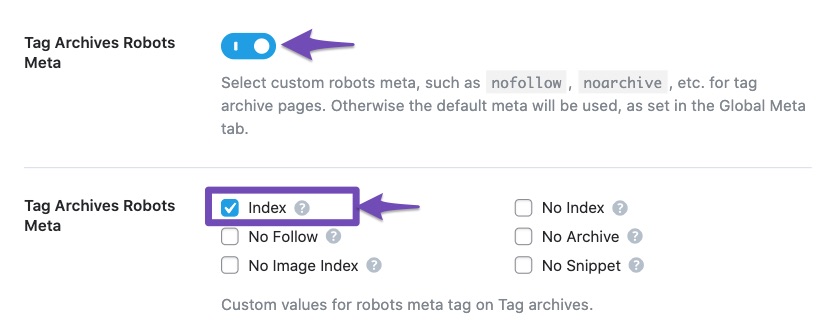
-
Category Archives Robots Meta: Ensure that the Category Archives Robots Meta option is enabled from Rank Math SEO → Titles & Meta → Categories settings.
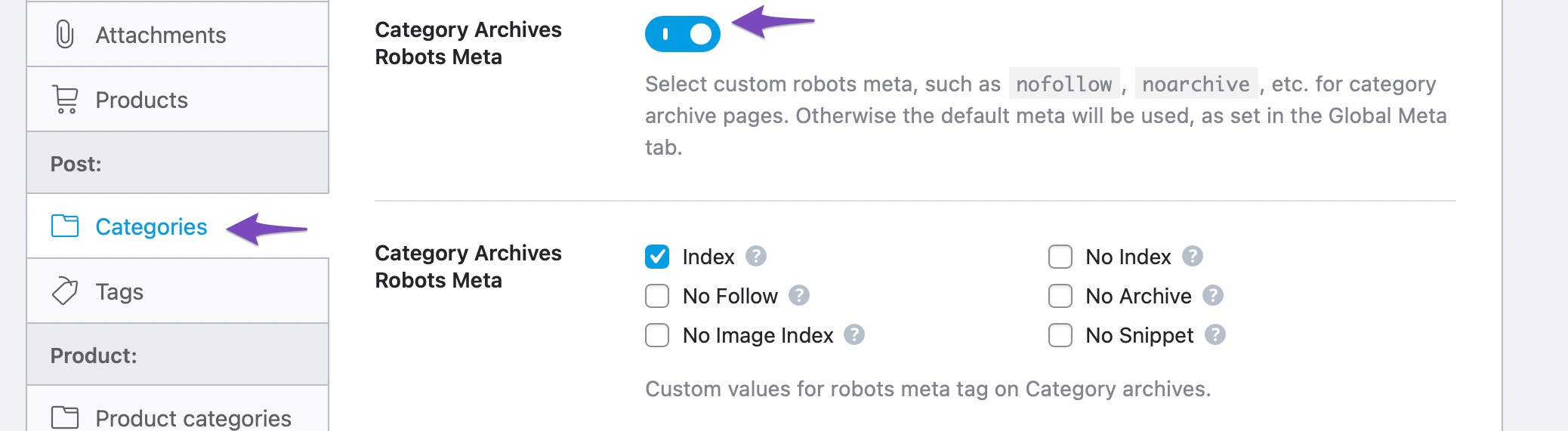
-
Advanced Robots Meta Settings: Check if there are any conflicting settings in the Advanced Robots Meta settings for that category.

-
Other Plugins or Theme Conflicts: Sometimes, other plugins or theme settings can override Rank Math’s settings. Temporarily disable other SEO-related plugins to see if that resolves the issue.
-
Check for Custom Code: If you have added any custom code to your theme or site that might affect the indexing of this category, please review that as well.
If after checking all these settings the issue still persists, we recommend replying to this ticket so a human agent from our support team can assist you further.
Thank you for bringing this concern to our attention!
Hello,
Thank you for contacting us and sorry for any inconvenience that might have been caused due to that.
We checked the product category page and we can see it is currently set to index:

However, please note that if the Noindex Empty Category and Tag Archives option is enabled in Rank Math > Titles & Meta > Global Meta, then the category pages will remain Noindex until you add any post/product to them.
Hope that helps and please don’t hesitate to let us know if you have any other questions.
Thank you.
Hello,
Since we did not hear back from you for 15 days, we are assuming that you found the solution. We are closing this support ticket.
If you still need assistance or any other help, please feel free to open a new support ticket, and we will be more than happy to assist.
Thank you.



