Hello,
We apologize for the issue you are facing with the All Products page in the WordPress admin panel after installing Rank Math. This misalignment can indeed be frustrating.
To resolve this issue, you can try the following steps:
-
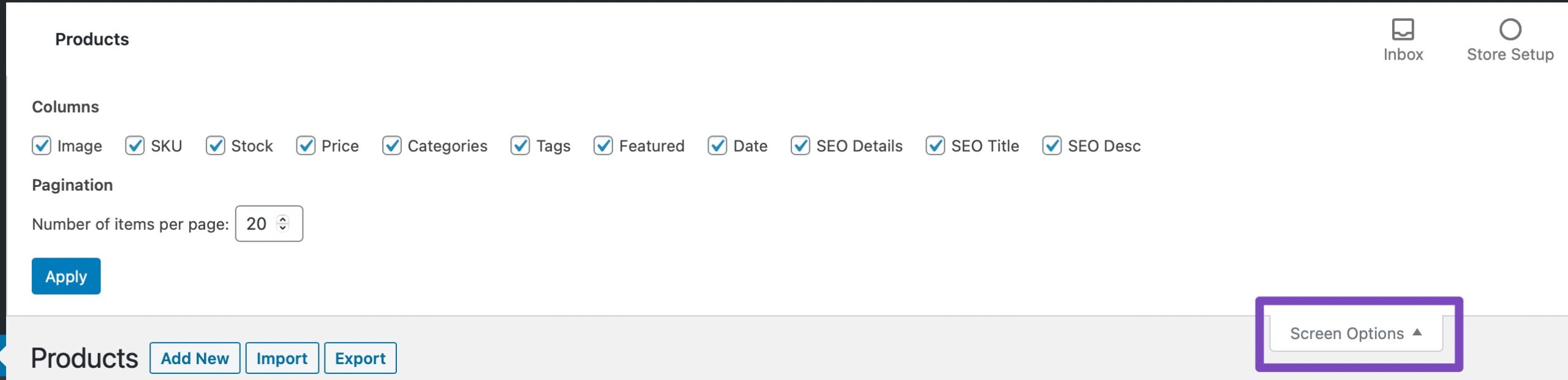
Open Screen Options: Click on the Screen Options menu at the top right of the WooCommerce Products page in your WordPress admin area.
-
Adjust Columns: From there, you can adjust the number of columns displayed or any other settings that might help realign the elements on the page.
If this does not resolve the issue, it may be related to a conflict with another plugin or theme. We recommend checking for any plugin conflicts by temporarily deactivating other plugins to see if that resolves the problem.
If you continue to experience difficulties, please reply to this ticket, and a human agent from the Rank Math Support team will assist you further. Thank you for raising this concern!
Sources:
WooCommerce Products Page is Misaligned When Using Rank Math


