Hello, we’re sorry to hear that you’re having trouble activating your license for the plugin. To activate your Rank Math license, please follow these steps:
- Navigate to your WordPress Dashboard.
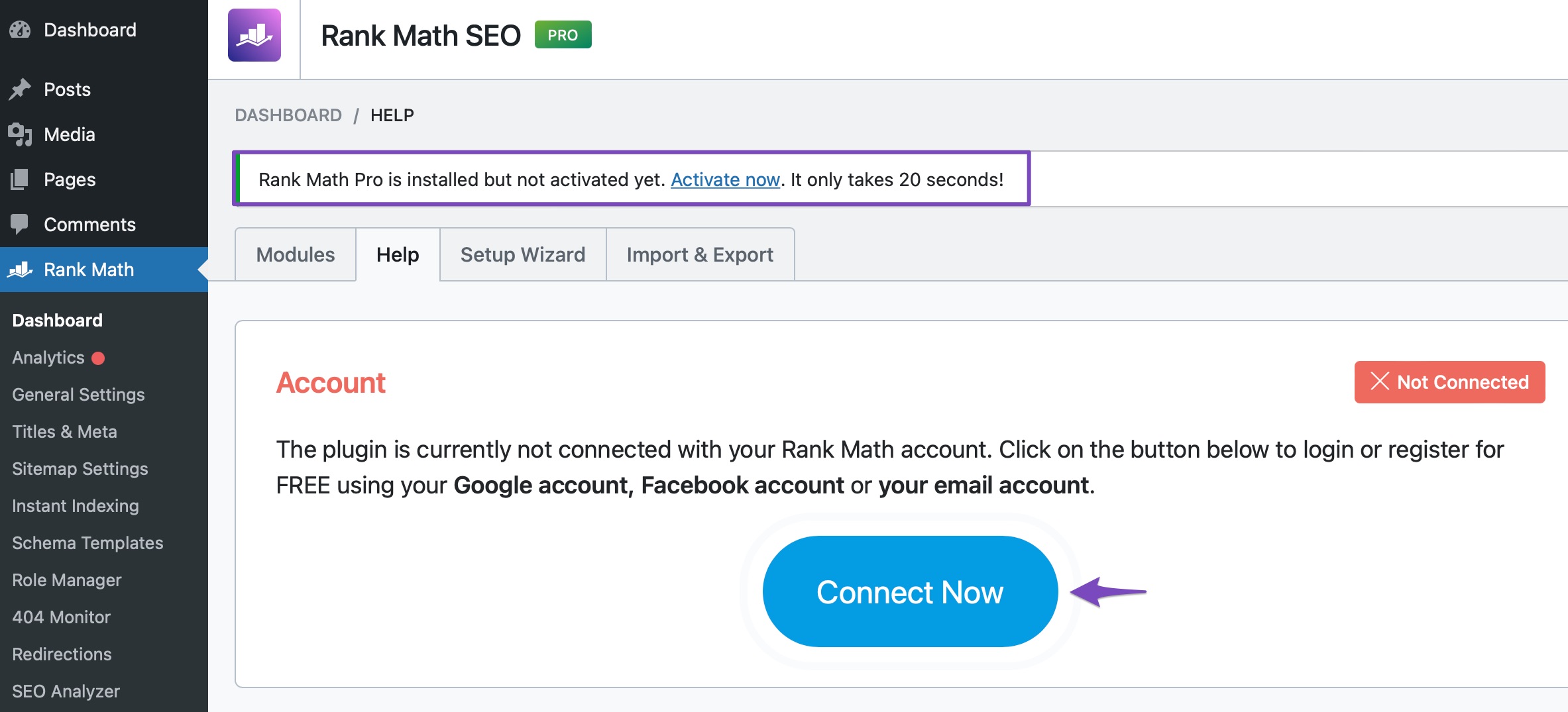
- Go to Rank Math SEO > Dashboard > Help.
- Click on Connect Now as shown in the image below:
- You will be redirected to rankmath.com, where you can connect your account to activate your license. Make sure to use the same Rank Math account you used to subscribe to a Rank Math PRO plan.
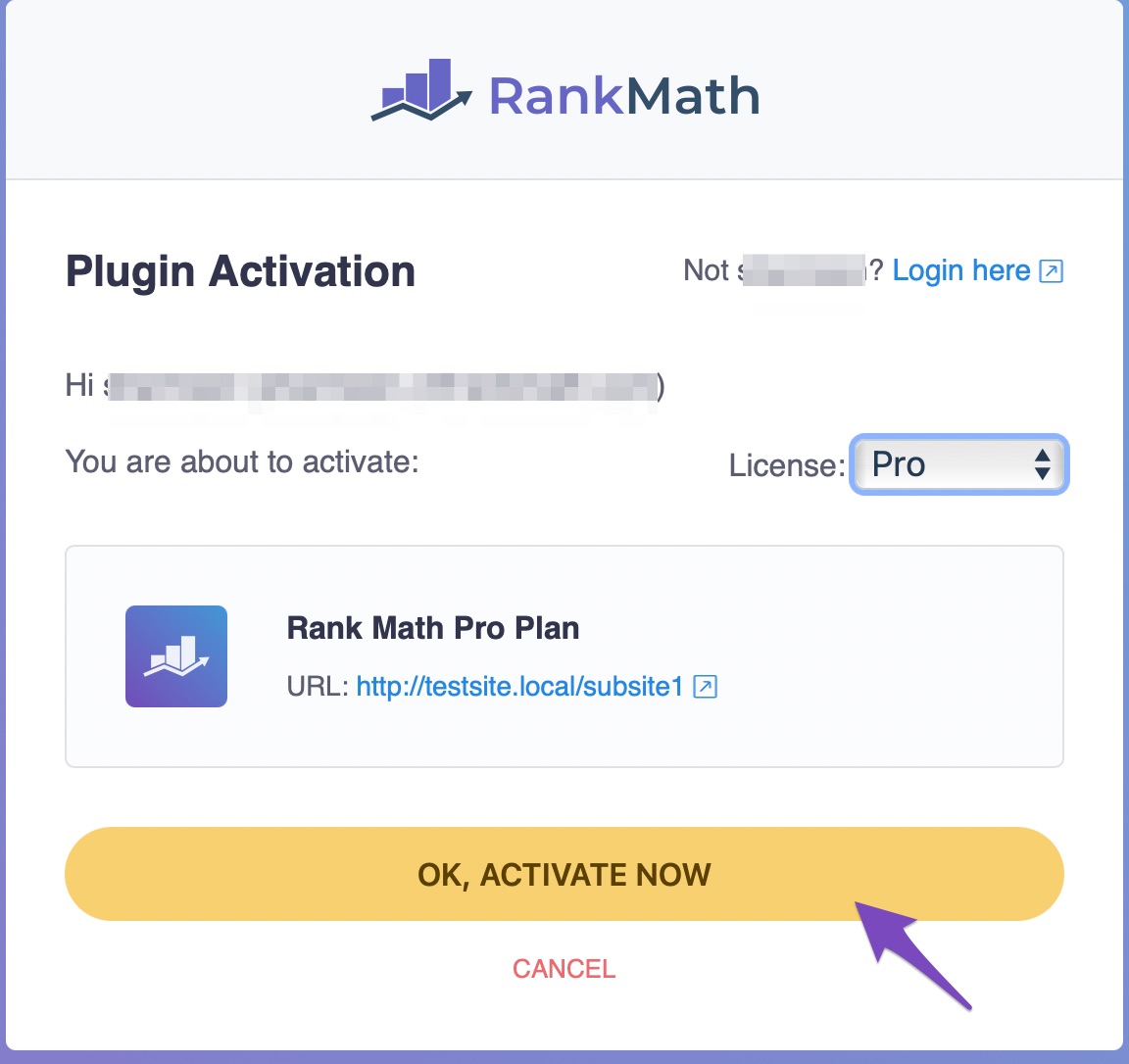
- After clicking OK, select ACTIVATE NOW to complete the activation process.
If you still have any questions or need further assistance, please feel free to reply to this ticket, and a human agent from the Rank Math Support team will assist you shortly!
Sources:
Installing Rank Math on a Multisite Environment » Rank Math
My website is already connected, but it’s still showing as a free version
I have purchased these subscriptions:
Rank Math PRO
Subscription renews every 1 year. Next charge: 03/02/2026 (US$115.06).
Full Terms and Subscription Management
US$83.88 x 1
Content AI Starter
Subscription renews every 1 year. Next charge: 18/02/2025 (US$71.86).
Full Terms and Subscription Management
US$0.00 x 1
Yet when I go to my account, it does not show any active subscriptions. This is not a very good start!
Hello,
Thank you for contacting the support and sorry for any inconvenience that might have been caused due to that.
It seems like you purchased the plugin with some other email address.
Can you please search and forward a receipt from FastSpring.com so we can locate your account?
We need to see the order number that starts with RANKMATH2#####-####-#####
We really look forward to hearing back from you. Thank you.
I used my Paypal email address p***********@u******************** to buy this, here is the order number – RANKMATH250203-9644-51124
Hello,
We have replied to your other ticket about the same issue. We are closing this one in favor of that.
Looking forward to helping you.



