Hello,
We apologize for the issue you are facing with the Rank Math plugin. A blank page when trying to access the Analytics section can be caused by several factors. Here are some steps you can take to troubleshoot the problem:
-
Check for Plugin Conflicts: Sometimes, other plugins can conflict with Rank Math. We recommend running a plugin conflict test to see if the issue persists when other plugins are disabled. You can find more information on how to do this in our plugin conflict guide.
-
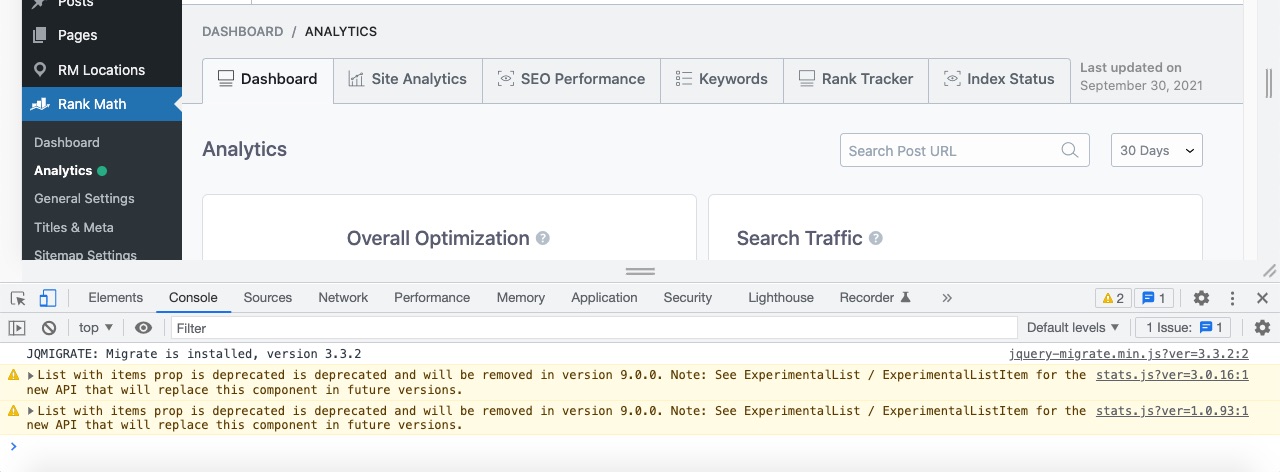
Inspect for Errors: You can check for any errors in the developer console of your browser. Right-click on the page and select "Inspect" or "Inspect Element", then navigate to the "Console" tab to see if there are any error messages that could provide more insight into the issue.
-
Update Rank Math: Ensure that you are using the latest version of Rank Math. Go to WordPress Dashboard → Plugins → Installed Plugins and check if there is an update available for Rank Math.

-
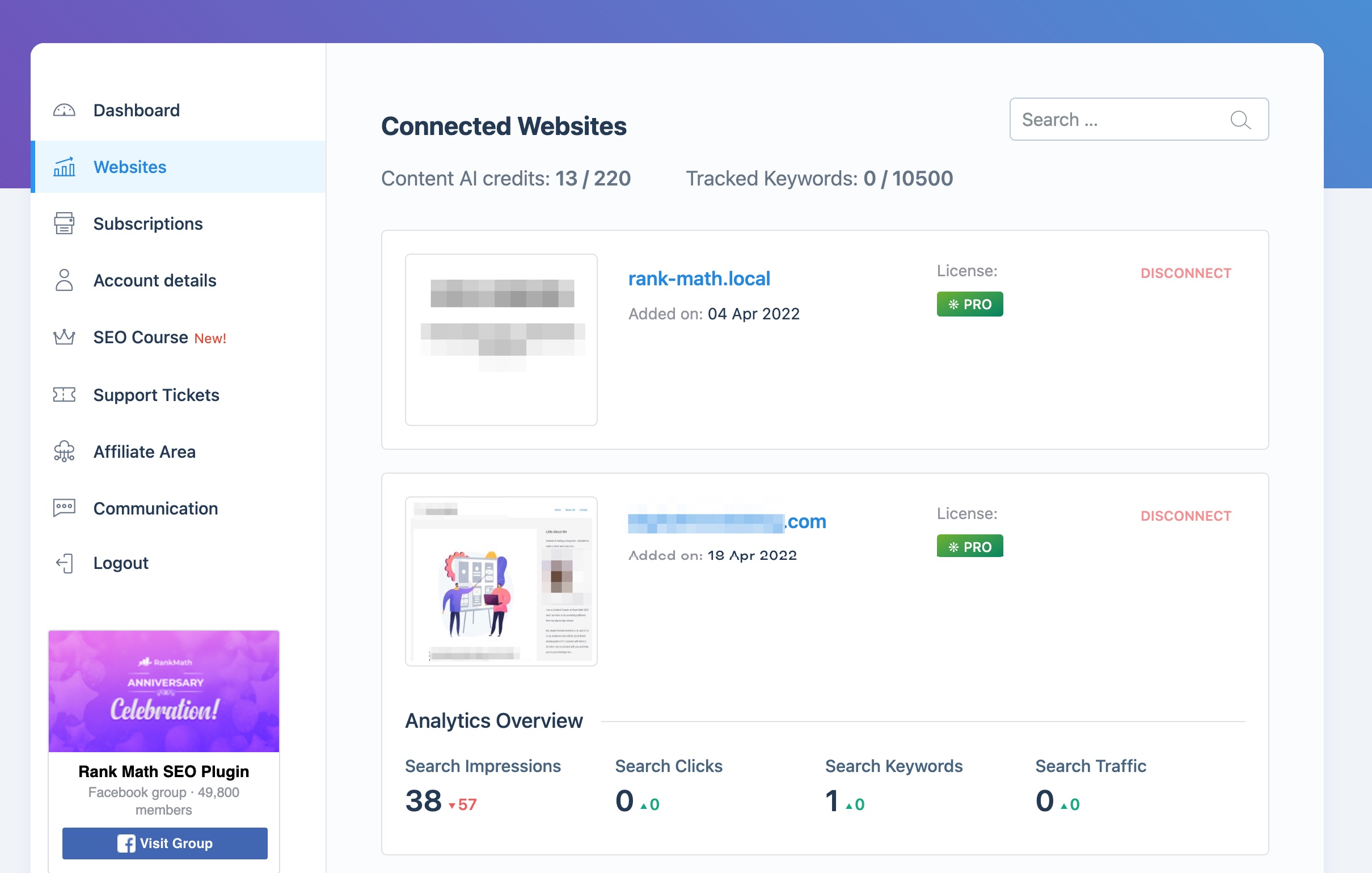
Check Connection to Rank Math Account: Make sure your website is connected to your Rank Math account. You can verify this from the Client Management dashboard.
-
Clear Cache: If you are using a caching plugin, try clearing the cache and see if that resolves the issue.
If these steps do not resolve the problem, please reply to this ticket, and a human agent from the Rank Math Support team will assist you further. Thank you for raising this concern!
Sources:
Resolving Rank Math Analytics Related Issues » Rank Math
yes actually i see on the console some errors :”SyntaxError: Invalid regular expression: /*$/: Nothing to repeat
at String.match (<anonymous>)
at String.endsWith (script.js?ver=6.6.1:129:17)
at stats.js?ver=1.0.224:1:117414
at F (stats.js?ver=1.0.224:1:118075)
at B (stats.js?ver=1.0.224:1:116994)
at P (stats.js?ver=1.0.224:1:115439)
at se (stats.js?ver=1.0.224:1:123046)
at Ee (stats.js?ver=1.0.224:1:127392)
at hu (react-dom.min.js?ver=18.3.1:2:60308)
at xi (react-dom.min.js?ver=18.3.1:2:119597)
co @ react-dom.min.js?ver=18.3.1:2″
Hello,
Thank you for contacting us and sorry for any inconvenience that might have been caused due to this issue.
Please follow the steps below to see if it works for you:
1. Delete RankMath’s app from here:
https://myaccount.google.com/permissions

2. Re-create tables by clicking WP Dashboard > Rank Math > Status & Tools > Database Tools and click the Re-create database Table button.

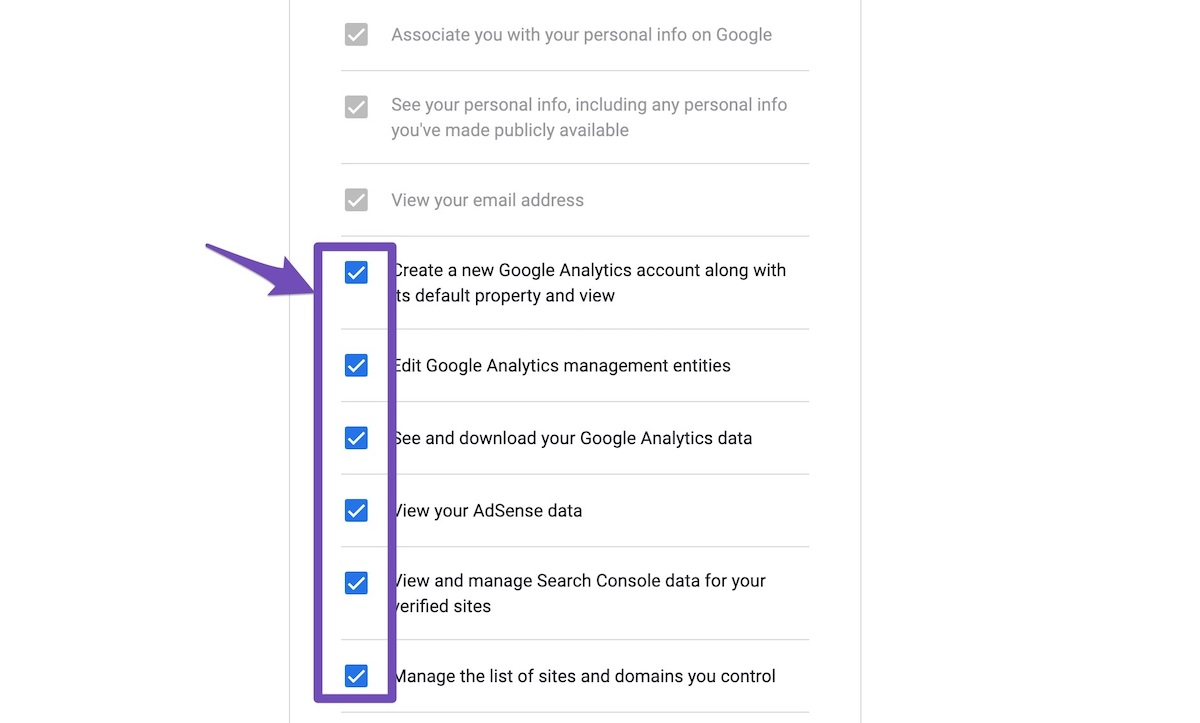
3. Reconnect the account inside Rank Math by clicking here and ensure that you approve all the permission notices that show up:
WP Dashboard >> Rank Math >> General Settings >> Analytics tab, and click the Reconnect link

Allow all the permissions on the next screen.
4. Let the process complete, which might take around 30 minutes.
5. Now head over to WP Dashboard > Rank Math > Status & Tools > Database Tools and click the Rebuild Index for Analytics button.

6. Please check if the data shows up here:
/wp-admin/admin.php?page=rank-math-analytics#/

If that does not help, please paste the data from here:
WP Dashboard > Rank Math > Status & Tools > System Status and click the Copy System Info to Clipboard button

Let us know how this goes.
Thank you.
Hello,
Since we did not hear back from you for 15 days, we are assuming that you found the solution. We are closing this support ticket.
If you still need assistance or any other help, please feel free to open a new support ticket, and we will be more than happy to assist.
Thank you.



