Hello,
We apologize for the issue you are facing with the Meta Box not showing, which is preventing you from adding the Meta Title and Description. This can be frustrating, but there are a few steps you can take to resolve this issue.
Why Rank Math’s Meta Box Might Not Be Showing
Rank Math’s Meta Box is enabled by default, but it can go missing if it has been disabled for certain post types or taxonomies. Here are some steps to check:
-
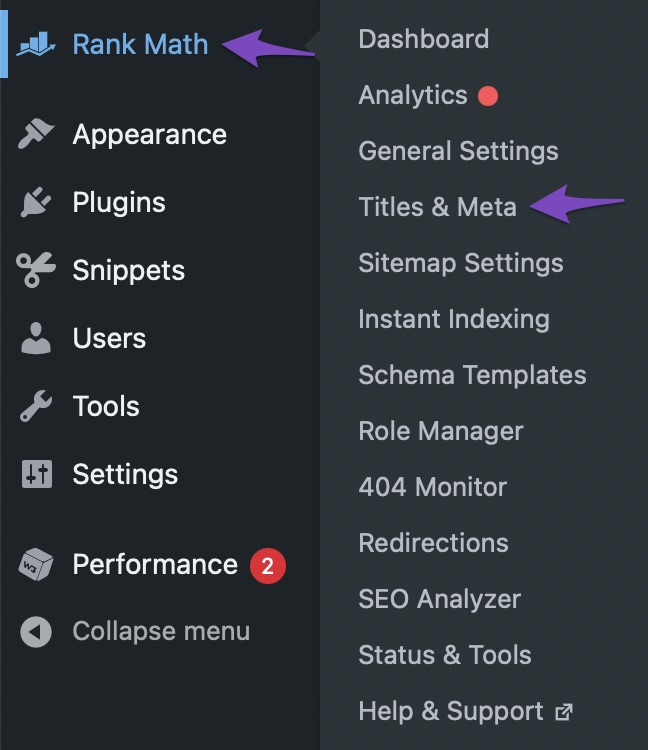
Navigate to Titles & Meta Settings
Go to Rank Math SEO → Titles & Meta from your WordPress dashboard.
-
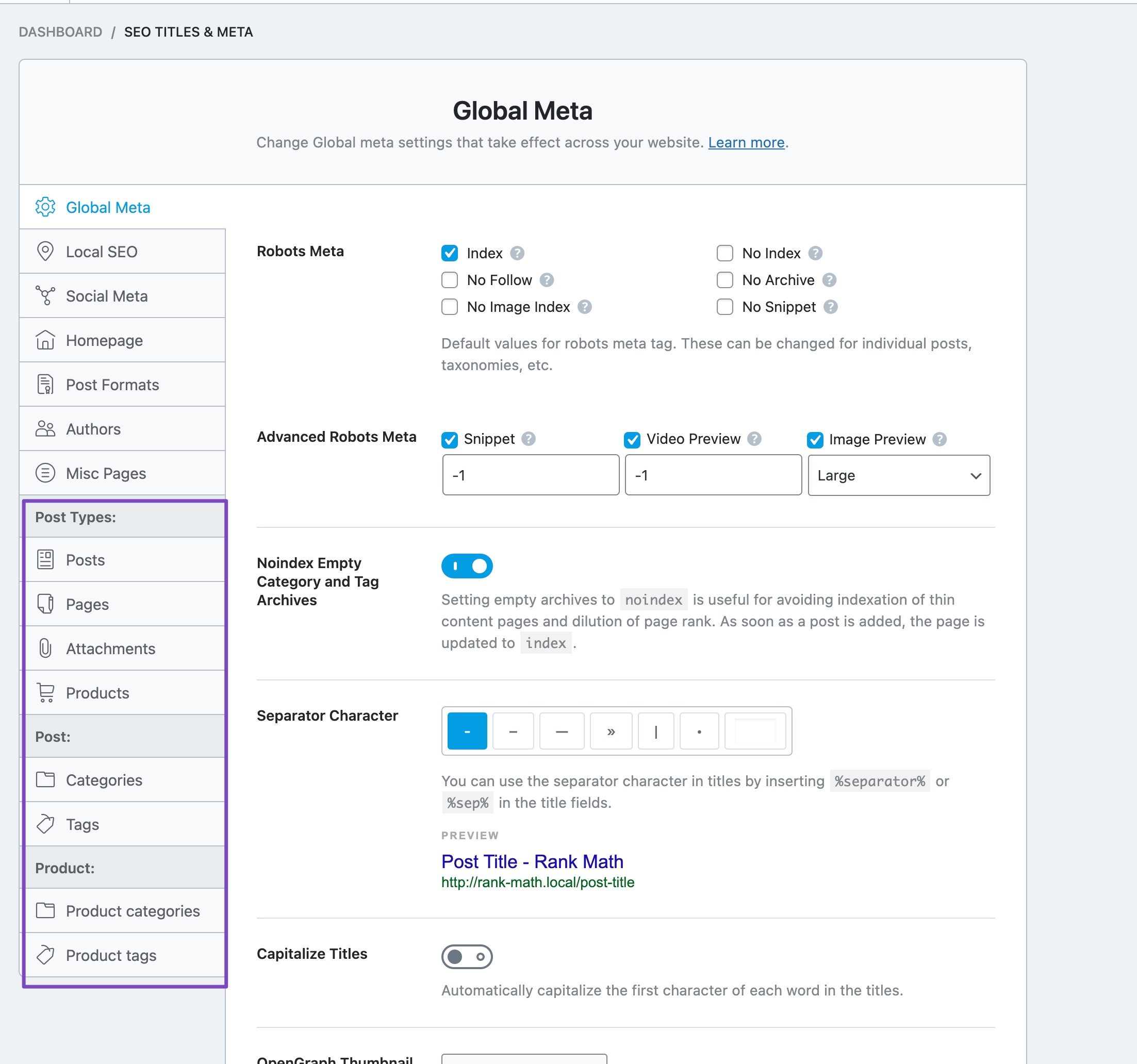
Select the Post Type/Taxonomy
In the Titles & Meta settings, select the post type or taxonomy where you want the Meta Box to appear.
-
Enable Add SEO Controls
Scroll down to find the Add SEO Controls option and ensure it is enabled.

If you have followed these steps and the Meta Box is still not showing, please reply to this ticket, and a human agent from the Rank Math Support team will assist you further.
Thank you for raising this concern, and we hope to resolve it quickly for you!
when i shared web site to other its show as
Home page (Main Page)- Ajay packers
Tag line also not show
It show a description of my image description
how i corrext it
Hello,
Thank you for contacting us and sorry for any inconvenience that might have been caused due to that.
Could you please share a screenshot of the issue by using a tool like https://imgur.com/upload so that we can check this further for you?
Also, please share the affected URL so that we can check this as well.
Looking forward to helping you.
Thank you.
Hello,
Since we did not hear back from you for 15 days, we are assuming that you found the solution. We are closing this support ticket.
If you still need assistance or any other help, please feel free to open a new support ticket, and we will be more than happy to assist.
Thank you.



