Hello, we apologize for the issue you are facing with the Rank Math plugin. It sounds like your colleague might not have the necessary permissions to activate the plugin, especially if you are working in a multisite environment. Here are a few steps you can take to troubleshoot this issue:
-
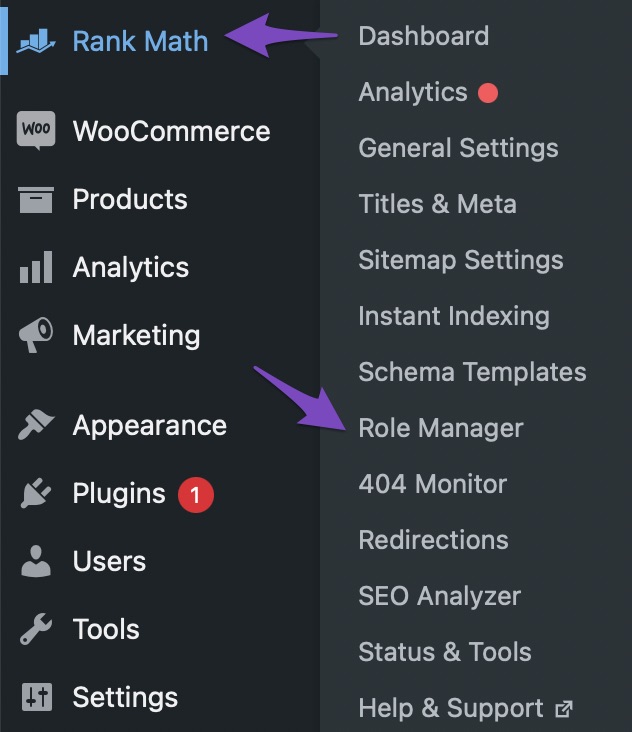
Check User Roles and Capabilities: Ensure that your colleague’s user role has the required capabilities to manage plugins. You can do this by checking the Role Manager settings inside Rank Math. Make sure that the user role is granted all necessary capabilities and click the Update Capabilities button to save any changes.
-
Network Activation: If you are using a multisite setup, ensure that Rank Math is activated network-wide by a Super Admin. Site admins can only activate or deactivate plugins on their sub-sites if the plugin is installed correctly at the network level.
-
Recheck Plugin Installation: If the above steps do not resolve the issue, consider reinstalling the plugin to ensure it is set up correctly.
If these steps do not resolve the problem, please reply to this ticket, and a human agent from the Rank Math Support team will assist you further. Thank you for bringing this concern to our attention!
Sources:
Sorry, You Are Not Allowed to Access This Page » Rank Math
This is an automated reply from Rank Math Support Bot. If you need further assistance, please reply to this topic and a human support agent will reply to you shortly.
Hello,
Since we did not hear back from you for 15 days, we are assuming that you found the solution. We are closing this support ticket.
If you still need assistance or any other help, please feel free to open a new support ticket, and we will be more than happy to assist.
Thank you.


