Hello,
We apologize for the issue you are facing regarding the auto-renewal of your subscription. To disable the auto-renewal for your Rank Math subscription, you can follow these steps:
-
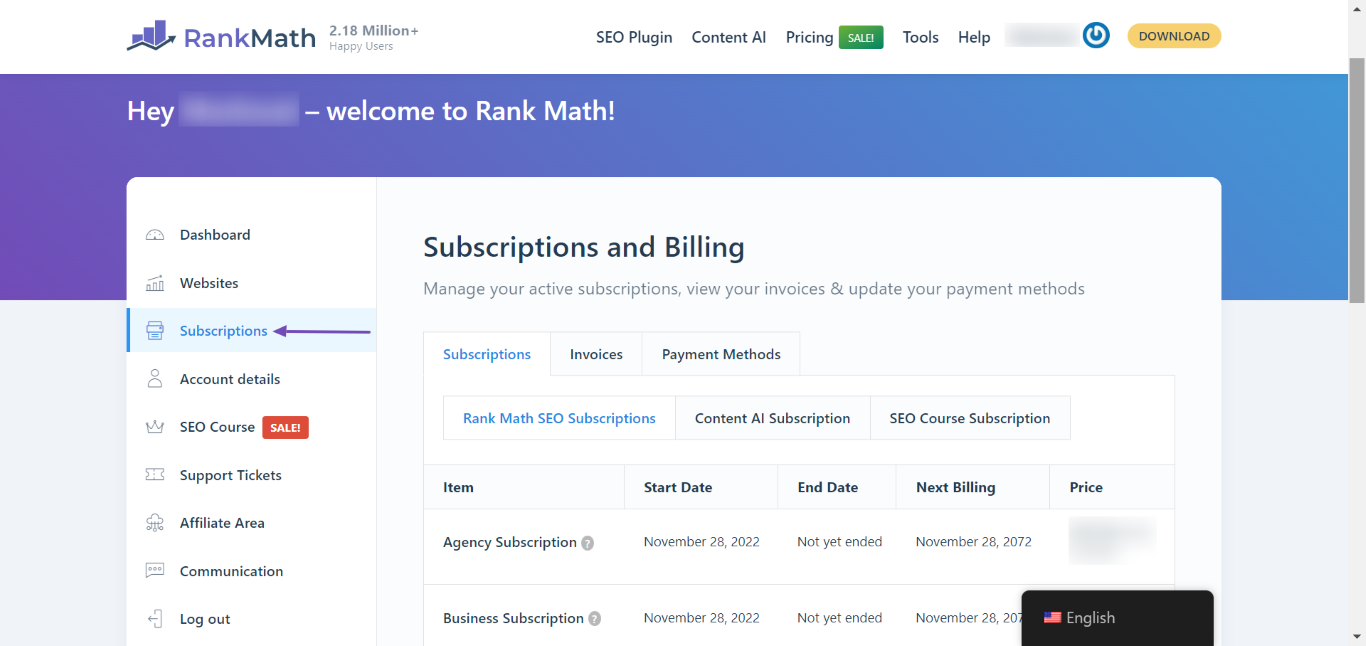
Navigate to Rank Math Dashboard: Log in to your Rank Math account and go to Rank Math Dashboard → Subscriptions.
-
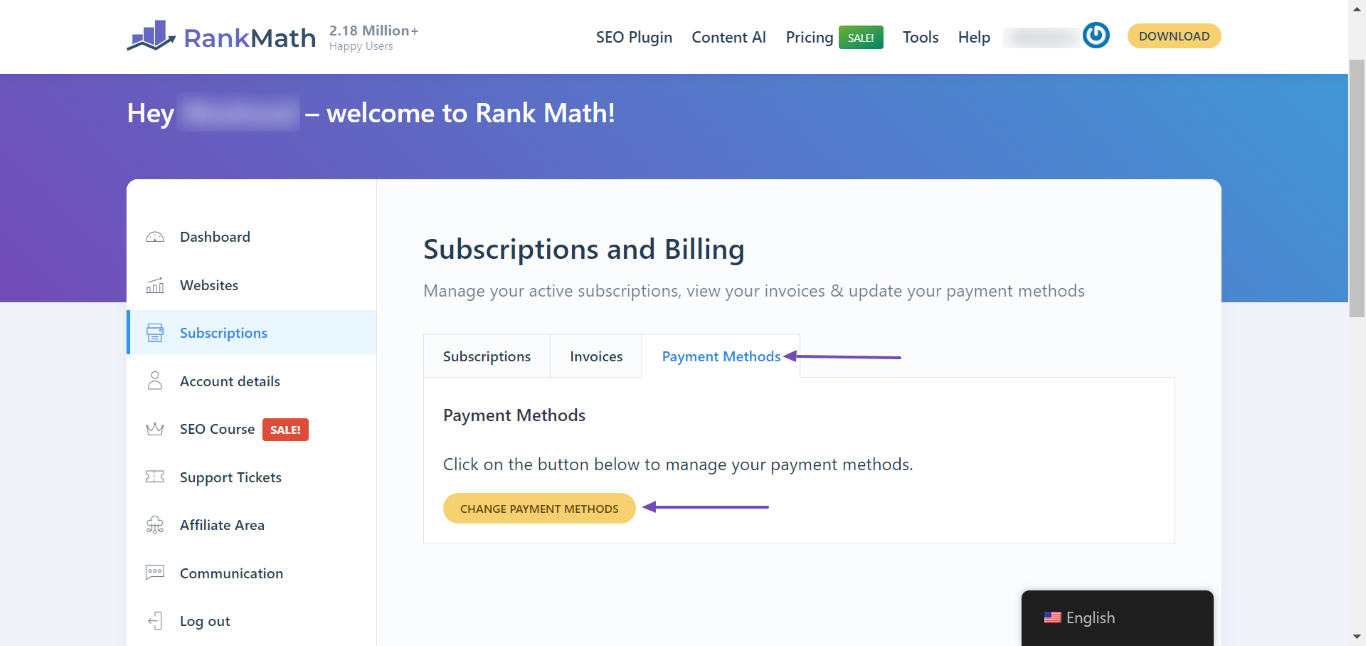
Change Payment Methods: In the subscriptions page, select the Payment Methods tab and click on the Change Payment Methods button.
-
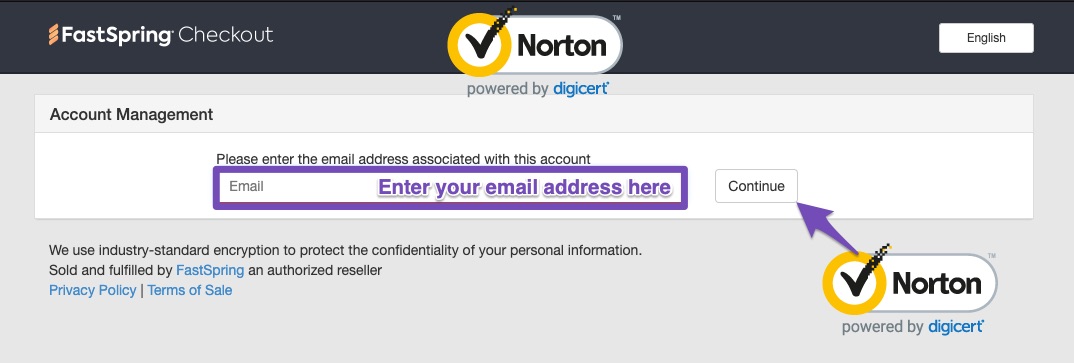
Access FastSpring Checkout: The FastSpring Checkout Page will open in a new tab. Enter the email address you used to purchase the subscription and click the Continue button.
-
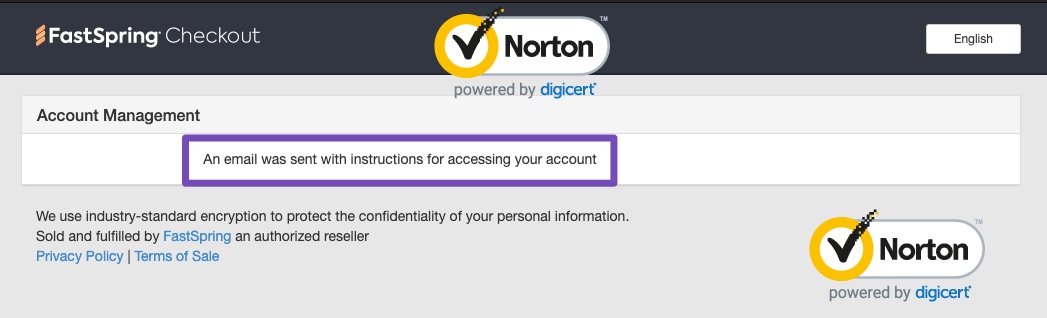
Follow Instructions: After clicking Continue, you’ll receive an email with instructions on how to proceed with disabling auto-renewal.
If you encounter any issues while trying to disable auto-renewal, please reply to this ticket, and a human agent from our support team will assist you further.
Thank you for raising this concern!
Sources:
How to Cancel Your Rank Math Subscription » Rank Math
Hello,
Thank you for your query and we are so sorry about the trouble this must have caused.
As requested, we have successfully canceled your Content AI trial and Rank Math PRO subscriptions, and you won’t get billed for their renewal.
This means that your subscription will remain active until the end of the paid period (February 11, 2026), but it will not be renewed automatically. Once the period ends, you will no longer have access to the product, updates, files & support tickets.
Hope that helps and please do not hesitate to let us know if you need our assistance with anything else.
thank you very much for your assistance!
Hello,
Glad that helped.
Please feel free to reach out to us again in case you need any other assistance.
We are here to help.
Thank you.



