Persistent “noindex” Detected in HTTP Header for Specific Sitemaps

#910493
  • Resolved
    Rank Math free

    Hello Rank Math Support,

    I am experiencing ongoing issues with Google indexing specific pages on my site due to a persistent “noindex” detected in the HTTP header “X-Robots-Tag.” I’ve worked through several troubleshooting steps already, but the issue continues, particularly with specific sitemaps. Here’s a full summary for your review:

    Indexing Issue: The main sitemap, can be indexed by Google. However, some sub-sitemaps, are displaying a “noindex” error, which prevents them from being indexed correctly.

    Steps Taken:

    1. Verified Rank Math Settings: Double-checked the Titles & Meta settings in Rank Math to ensure no pages are set to “noindex.”

    2. Modified .htaccess File: With Cloudways support, we added the line Header set X-Robots-Tag “index, follow” to the .htaccess file as suggested in your documentation. However, the noindex error persists.

    3. Checked Robots.txt: Confirmed that no disallow tags are affecting the pages in question in the robots.txt file.

    4. Confirmed Server Configuration: Cloudways support confirmed our stack includes both Apache and Nginx. They verified that there is no noindex tag in the Apache configurations, and they reported no Nginx-specific header or directive that would be causing this.

    Despite these steps, Google still cannot index the pages in the affected sub-sitemaps and continues to show the “noindex” error in the HTTP header.

    Could you please review this information and let me know if there are any additional steps or Rank Math-specific configurations that could help resolve this issue?

    Thank you very much for your time and assistance.

Viewing 4 replies - 1 through 4 (of 4 total)
  • Hello,

    We apologize for the issue you are facing with the persistent “noindex” detected in the HTTP header for your specific sitemaps. Thank you for providing a detailed summary of the steps you’ve already taken; it helps us understand your situation better.

    Here are a few additional steps you can consider to troubleshoot this issue further:

    1. Check for X-Robots-Tag in Other Locations: Since you’ve already modified the .htaccess file, ensure that there are no other server-level configurations or plugins that might be adding an X-Robots-Tag header with a noindex directive. Sometimes, caching plugins or security plugins can inadvertently add such headers.

    2. Inspect the Affected Sub-Sitemaps: Open the affected sub-sitemaps directly in your browser and check the response headers using the browser’s developer tools (Network tab). Look specifically for any X-Robots-Tag headers that might indicate a noindex directive.

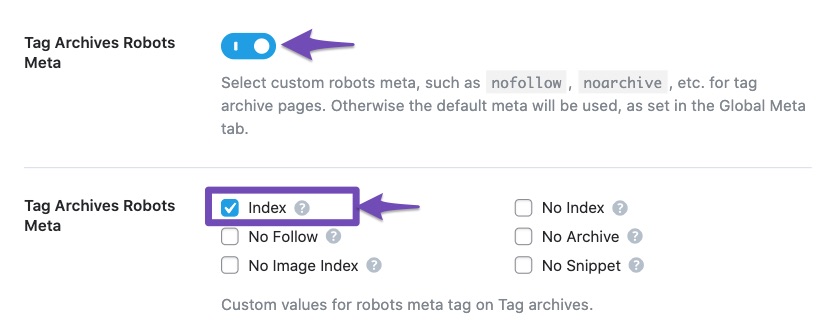
    3. Review Rank Math’s Titles & Meta Settings Again: Although you mentioned checking this, it’s worth revisiting to ensure that no default settings are inadvertently applying a noindex tag to those specific pages. Navigate to WordPress Dashboard → Rank Math SEO → Titles & Meta and double-check each section.
      Set Noindex in Titles and Meta Settings

    4. Clear Caches: If you have any caching mechanisms in place (like server-side caching or CDN), clear all caches after making changes to ensure that the latest settings are being served.

    5. Use Google Search Console: In Google Search Console, use the URL Inspection Tool to check how Google sees the affected URLs. This can provide insights into whether the noindex is still being detected and if there are any other issues.

    6. Contact Hosting Support: Since you are using Cloudways, it might be beneficial to reach out to their support again to ensure that there are no server-level configurations that could be affecting the indexing of your sub-sitemaps.

    If after trying these steps the issue persists, please reply to this ticket, and a human agent from the Rank Math Support team will take over and assist you further.

    Thank you for your patience, and we hope to resolve this issue for you soon!

    Hello,

    That is normal as you should not inspect the sitemap URLs as those are only used for crawling.

    Please note that by default, sitemaps are set to noindex as the posts inside them are meant to be crawled.

    Also, remove all your submitted sitemaps and submit your main sitemap only /sitemap_index.xml
    https://rankmath.com/kb/submit-sitemap-to-google/

    Once done, give Google some time to recrawl your sitemap and update the “Last read date” column in the sitemap section.

    Looking forward to helping you.

    Rank Math free

    Thank you for the clarification.

    So, just to confirm, I don’t need to worry about whether some of the subpages in the sitemap are being fetched or not?

    Hello,

    No, not that. To clarify, the presence of the noindex tag in your sitemap is intentional, and it should remain as it is.

    I also tested your sub-sitemaps, and they are functioning properly. It’s not uncommon for Google to display a “Couldn’t fetch” error even while it’s still processing the sitemap. We usually recommend that users wait a little while if they encounter this error.

    We hope this helps clear things up. Please feel free to reach out if you have any further questions or concerns.

    Hello,

    Since we did not hear back from you for 15 days, we are assuming that you found the solution. We are closing this support ticket.

    If you still need assistance or any other help, please feel free to open a new support ticket, and we will be more than happy to assist.

    Thank you.

Viewing 4 replies - 1 through 4 (of 4 total)

The ticket ‘Persistent “noindex” Detected in HTTP Header for Specific Sitemaps’ is closed to new replies.